Learn how to build practical artificial intelligence in Unreal Engine, from behavior trees to machine learning, and where to read reliable resources online.
Hands on Artificial Intelligence with Unreal Engine Read Online
Artificial intelligence is what turns a static 3D world into a living, reactive game. If you have searched for "hands on artificial intelligence with Unreal Engine read online," you are likely looking for a practical path: not just theory, but real systems you can build, test, and ship. This guide delivers exactly that. It explains how AI actually works inside Unreal Engine, which tools you should learn first, and how to read and apply credible online resources without wasting weeks on outdated tutorials.
We have built and reviewed AI systems for interactive projects, and the same lesson repeats: AI in Unreal is less about complex math and more about disciplined design of decision-making. Master the core building blocks and you can create believable enemies, companions, and simulations faster than you expect.
Quick Answer: Hands-on AI in Unreal Engine means building game intelligence using Behavior Trees, Blackboards, the Navigation Mesh, and Environment Query System, then optionally adding machine learning. The best way to learn online is through Epic's official documentation, structured video courses, and small buildable projects you complete end to end.
What "Hands-On AI" Actually Means in Unreal Engine
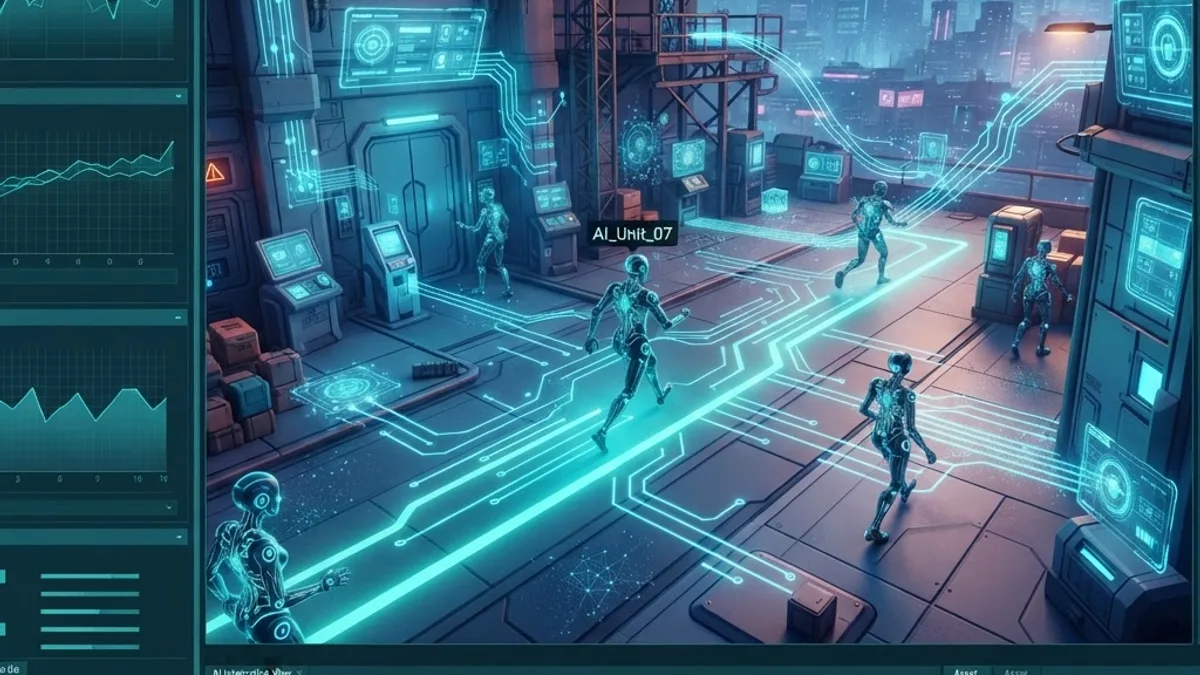
Hands-on AI means writing and wiring real decision logic rather than reading about it. In Unreal Engine, most gameplay AI is built from four native systems that work together. Understanding this stack is the single most important step before you open any tutorial.
Key term — Game AI: Game AI is the set of rules and systems that let non-player characters (NPCs) perceive their environment, make decisions, and act in ways that feel intentional to the player.
Unreal ships with a complete AI toolkit, which is why studios of every size use it. According to Epic Games, Unreal Engine powers a large share of AAA titles and is free to use until a project earns significant revenue, which lowers the barrier to serious experimentation. That accessibility is why so many developers begin their AI journey here.
If you want a broader technology partner for AI-driven products beyond games, teams like ZoneTechify and WebPeak work with intelligent systems across web and application platforms, which reinforces how transferable these AI concepts are.
The Four Core AI Systems You Must Learn First
Start with these four systems in order. Each builds on the previous one, and together they cover roughly 80% of the AI you will ever need for gameplay.
- Behavior Trees — the decision-making brain that decides what an NPC does next.
- Blackboard — the shared memory that stores what the AI knows (target location, health, state).
- Navigation Mesh (NavMesh) — the walkable map that lets characters move and pathfind.
- Environment Query System (EQS) — the system that scores the world to find the best cover, target, or position.
Learn them in this sequence and every advanced tutorial online will suddenly make sense, because most build on these primitives.
Behavior Trees and Blackboards
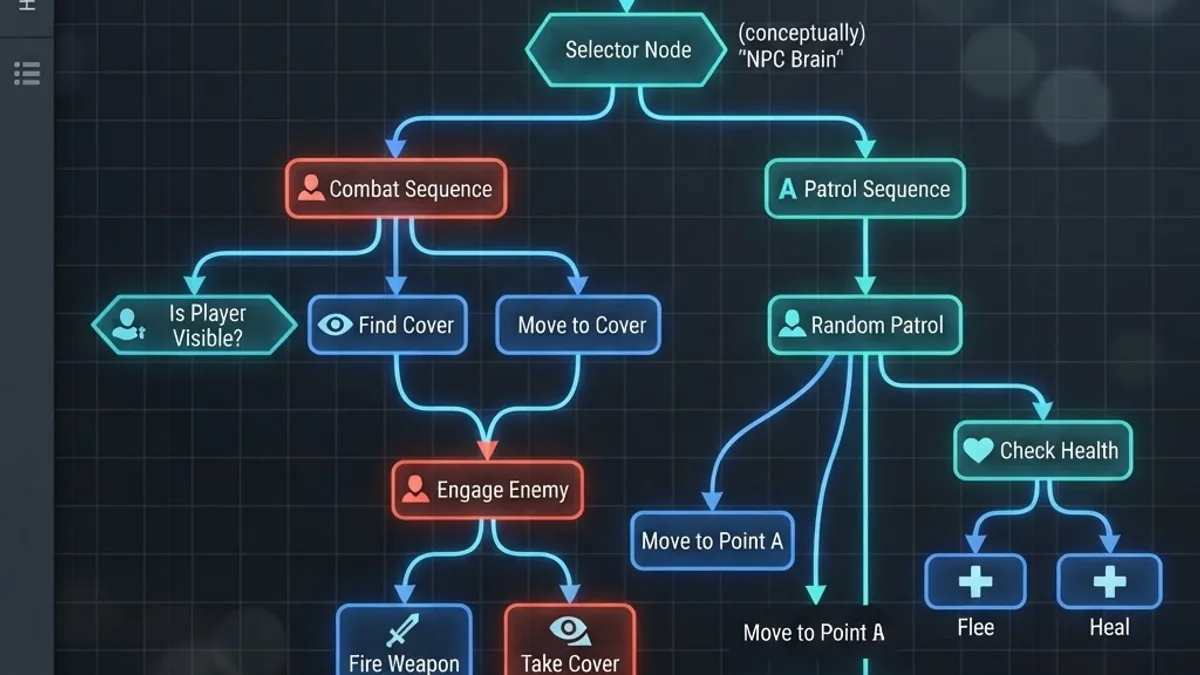
A Behavior Tree is a visual graph of tasks, selectors, and sequences that runs top-to-bottom to choose an action. Instead of tangled if-else code, you design branches: patrol, investigate, chase, attack. The Blackboard feeds it live data, so the tree stays clean and reusable.
In practice, you will spend most of your AI time here. A well-structured Behavior Tree is readable months later, which is exactly what Google's helpful-content principles reward in documentation too: clarity over cleverness. Keep tasks small, name them clearly, and reuse them.
Navigation Mesh and Pathfinding
The NavMesh is a generated layer describing where characters can walk. Once baked, Unreal's pathfinding automatically routes NPCs around obstacles using an A* algorithm under the hood. You rarely write pathfinding code yourself — you configure the mesh and let the engine solve movement.

A common beginner mistake is forgetting to add a Nav Mesh Bounds Volume, then wondering why the AI will not move. Always confirm the green NavMesh appears (press P in the editor) before debugging your Behavior Tree.
Environment Query System (EQS)
EQS answers spatial questions: "Where is the safest spot?" or "Which cover point faces away from the player?" It generates candidate points, scores them against tests you define, and returns the best result. This is what separates flat AI from tactical, believable behavior. EQS is optional for beginners but transformative once you are comfortable with Behavior Trees.
Adding Machine Learning to Unreal Engine
Machine learning (ML) in Unreal means training agents to learn behavior from experience rather than hard-coded rules. This is the frontier of hands-on AI, and it is where online learning resources vary most in quality.
Key term — Reinforcement learning: Reinforcement learning is a machine learning method where an agent improves by receiving rewards for good actions and penalties for bad ones over many trials.
Epic introduced Learning Agents, a plugin that brings reinforcement and imitation learning directly into Unreal Engine, letting you train NPCs inside the engine itself. This matters because you no longer need to bridge to external frameworks for many use cases. For research-grade experiments, developers still connect Unreal to Python via projects like MindMaker or custom sockets.
A realistic expectation: ML-driven agents shine in physics-heavy movement, racing lines, and adaptive difficulty, but classic Behavior Trees still win for scripted, predictable narrative moments. Use ML where emergent behavior adds value, not everywhere. If you are integrating advanced AI into production software rather than games, specialized artificial intelligence services can help translate these experiments into reliable deployed systems.
How to Read and Learn Unreal AI Online — Effectively
Searching "read online" returns thousands of results, but quality is uneven. Here is a proven filter based on real teaching experience.
- Start with official docs. Epic's Unreal Engine documentation is the most current and accurate source for AI systems.
- Prefer version-matched tutorials. Unreal changes fast; a UE4 tutorial may not map cleanly to UE5. Always check the engine version.
- Build, do not just watch. Complete one small AI project fully before starting another.
- Use community forums for debugging. The Unreal forums and reputable Q&A sites solve most "why is my AI not moving" issues.
According to Google, 53% of mobile users abandon pages that take longer than three seconds to load, and the same impatience applies to learning: if a tutorial buries the build steps, move on to a clearer one.

Behavior Trees vs Machine Learning: A Practical Comparison
Choosing the right approach saves months. Use this comparison to decide which method fits your project stage and goals.
| Factor | Behavior Trees | Machine Learning (Learning Agents) |
|---|---|---|
| Learning curve | Beginner friendly | Advanced |
| Predictability | High and controllable | Emergent, harder to control |
| Setup time | Fast | Slow (training required) |
| Best for | Scripted enemies, NPCs | Adaptive, physics-based agents |
| Debugging | Visual and clear | Complex and data-driven |
| Native Unreal support | Yes | Yes (plugin) |
For most developers reading this, Behavior Trees are the correct starting point. Reach for ML only when scripted logic genuinely cannot produce the behavior you need.
A Recommended Hands-On Learning Path
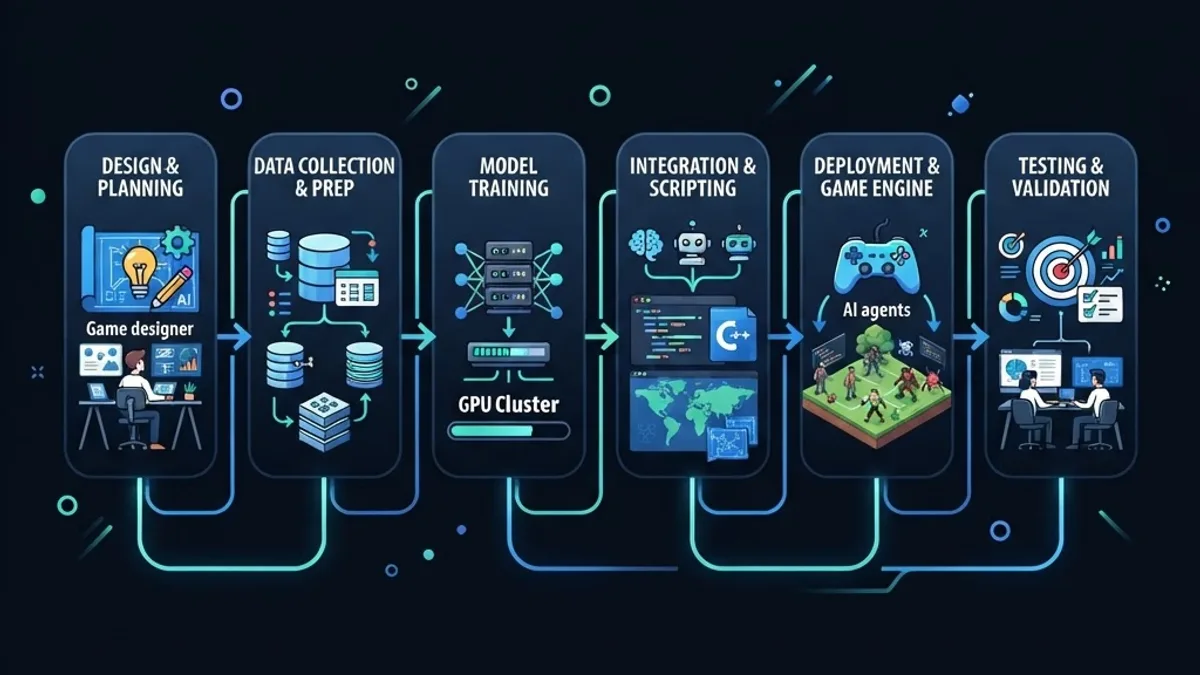
Follow this sequence to go from zero to a working AI enemy in a focused, project-based way.
- Install Unreal Engine 5 and enable the AI and gameplay templates.
- Build a patrolling NPC using a Behavior Tree, Blackboard, and NavMesh.
- Add perception with AI Sight so the NPC detects the player.
- Introduce EQS to make the NPC choose smart positions.
- Experiment with Learning Agents on a simple movement task.
Each step is a small, completable project. Finishing beats collecting bookmarks — a principle at the heart of genuine expertise.
Common Mistakes That Slow Learners Down
Most struggles are not conceptual — they are configuration errors. Watch for these:
- Missing Nav Mesh Bounds Volume, so characters never move.
- Forgetting to run the Behavior Tree from an AI Controller.
- Overloading a single Behavior Tree instead of splitting responsibilities.
- Chasing machine learning before mastering the fundamentals.
Avoiding these four issues eliminates the majority of beginner frustration and keeps momentum high.
Key Takeaways
- Unreal Engine AI is built on four native systems: Behavior Trees, Blackboards, NavMesh, and EQS.
- Behavior Trees are the best starting point; machine learning is for adaptive, emergent behavior.
- Epic's Learning Agents plugin brings reinforcement and imitation learning natively into Unreal.
- Unreal Engine is free until a project earns significant revenue, lowering the barrier to experimentation.
- The most effective way to learn online is project-based: build small, complete AI systems end to end.

Frequently Asked Questions (FAQ)
Is Unreal Engine good for learning artificial intelligence?
Yes. Unreal Engine includes a complete, production-ready AI toolkit with Behavior Trees, NavMesh, EQS, and the Learning Agents plugin. It is free to start, widely documented, and used in shipped commercial games, making it one of the most practical environments for hands-on AI learning today.
Do I need to know C++ to build AI in Unreal Engine?
No, not at first. Most Unreal AI can be built visually using Behavior Trees and Blueprints without writing C++. Learning C++ later unlocks performance and deeper customization, but beginners can create fully functional, believable NPC behavior using only the visual systems.
What is the difference between Behavior Trees and machine learning in games?
Behavior Trees use designer-defined rules that are predictable and easy to debug, ideal for scripted enemies. Machine learning trains agents through rewards to produce emergent behavior, better suited to adaptive or physics-based movement. Most games rely mainly on Behavior Trees and use machine learning selectively.
Where can I read reliable Unreal Engine AI tutorials online?
Start with Epic Games' official Unreal Engine documentation, which is version-accurate and detailed. Supplement it with reputable video courses and the official Unreal forums for debugging. Always match tutorials to your engine version, since UE4 and UE5 workflows can differ significantly.
How long does it take to learn AI in Unreal Engine?
With consistent daily practice, most learners build a working AI enemy within two to four weeks. Reaching comfortable proficiency across Behavior Trees, NavMesh, and EQS typically takes two to three months. Machine learning with Learning Agents adds more time depending on your background.
Final Thoughts
Hands-on AI in Unreal Engine is achievable for any committed developer. Focus on the four core systems, build small projects to completion, and read version-matched resources online rather than collecting tutorials you never finish. Start with a patrolling NPC today, and you will be building intelligent, reactive worlds sooner than you think.