
A practical breakdown of why Android software development is harder than it looks, from device fragmentation and API levels to build times, permissions, and testing costs.
Why Is Software Development on Android Is Hard
Android development is hard because you are not building for one device, one operating system version, or one hardware vendor. You are building for a moving target made of thousands of screen configurations, dozens of manufacturer software layers, a permissions model that changes almost every year, and a process lifecycle that can kill your app at any moment. The code itself is rarely the bottleneck. The environment is.
This article explains the real engineering reasons Android is difficult, with specific numbers, comparisons, and mitigation strategies that working teams actually use.

Quick Answer: Android software development is hard because of extreme device fragmentation, frequent API level changes, a strict background execution and permissions model, long Gradle build times, and unpredictable OEM customisations. A single feature must be verified across many screen sizes, chipsets, and OS versions, which multiplies testing, debugging, and maintenance effort far beyond the coding itself.
What Does "Hard" Actually Mean in Android Development?
Difficulty in Android is mostly variance, not complexity. Writing a screen in Kotlin with Jetpack Compose is straightforward. Guaranteeing that the same screen behaves identically on a 2019 budget phone with 2GB of RAM running Android 10 and a 2025 foldable running Android 16 is where the effort explodes.
Engineers measure this as the test matrix problem. If you support 6 OS versions, 4 screen size buckets, and 5 major OEM skins, you are theoretically responsible for 120 behavioural combinations. Even a smart sampling strategy leaves you with 15 to 20 configurations that must be verified before release.
Key term: fragmentation is the coexistence of many hardware and software variants of the same platform in the active user base at the same time.
Reason 1: Device Fragmentation Is Structural, Not Temporary
Android runs on devices from hundreds of brands, and that will not change because it is the platform's business model. Android's own distribution data has consistently shown that no single API level holds a dominant majority, and Google states Android powers over 3 billion active devices globally. That reach is the reason companies target Android and also the reason it is expensive to support.

What fragmentation actually costs a team:
- Layout debt. Notches, punch holes, foldable hinges, tablets, and now desktop windowing modes all require adaptive layouts instead of fixed ones.
- Chipset behaviour. Camera, video encoding, and Bluetooth stacks differ between Qualcomm, MediaTek, Exynos, and Tensor implementations.
- Vendor battery managers. Several OEMs aggressively kill background work beyond what stock Android does, so a working alarm or sync on a Pixel can silently fail elsewhere.
- Font and display scaling. Users routinely run 120 percent font scale, which breaks fixed-height components.
The practical lesson: never validate a release on emulators alone. Cloud device farms exist because physical variance is the primary source of production bugs.
Reason 2: API Levels Force You to Write the Same Feature Twice
Android introduces a new API level roughly every year, and Google Play enforces target API deadlines. That means you cannot freeze your app on an old SDK and forget about it. Every year brings behaviour changes that apply the moment you bump targetSdk.

Real examples of features that needed rewriting across versions:
- Storage access. Direct file paths gave way to scoped storage, then to the photo picker and granular media permissions.
- Background work. Services became restricted, then JobScheduler and WorkManager became the required path, then foreground service types became mandatory declarations.
- Notifications. Channels became compulsory, and later runtime notification permission was introduced.
- Exact alarms and full-screen intents. Both moved behind special user-granted permissions.
Each change means branching logic: one code path for newer versions, one compatibility path for older ones, and tests for both. This is why an Android codebase grows in complexity even when the product feature set stays flat, and why long-term maintenance budgeting matters as much as the initial build. Teams evaluating that trade-off early often review custom web application development cost benchmarks before committing to a native-only roadmap.
Reason 3: The Lifecycle and Process Model Punishes Assumptions
Android can destroy your Activity at any time to reclaim memory, then recreate it and expect you to restore state exactly. Configuration changes, rotation, dark mode toggles, language switches, split screen, and process death all trigger this.
The hard part is that most of these failures do not reproduce on a fast developer device with plenty of RAM. They appear on low-end phones in the field as blank screens, lost form input, or crashes on resume.
Practical defences that experienced teams apply:
- Persist critical UI state in SavedStateHandle, not just in memory.
- Test with the developer option "Don't keep activities" enabled.
- Treat every asynchronous callback as something that may return after the screen is gone.
- Never hold Activity or Context references in long-lived objects, which is the classic Android memory leak.
Reason 4: Performance Budgets Are Tighter Than on the Web or Desktop
Android apps compete for a battery, a thermal envelope, and shared RAM. Jank is measured in frames: at 60Hz you have about 16.6 milliseconds per frame, and at 120Hz roughly 8.3 milliseconds. Any main-thread work that exceeds that window becomes visible stutter.

The recurring performance traps:
- Disk or database reads on the main thread during startup.
- Oversized bitmaps decoded at full resolution into small views.
- Unbounded RecyclerView or LazyColumn item recomposition.
- Wake locks and frequent network polling that drain battery and trigger OEM throttling.
- Cold start regressions caused by heavy dependency graphs initialised at application launch.
Google Play's Android vitals dashboard surfaces these metrics, and poor vitals can reduce your store visibility. That makes performance a distribution issue, not only an engineering preference.
Reason 5: Build Times and Toolchain Overhead Slow the Feedback Loop
Android builds are heavy because Gradle must compile Kotlin and Java, run annotation processors, merge resources, process manifests, run R8 shrinking, and package a signed artifact. On large multi-module projects, full builds of several minutes are normal, and slow feedback loops directly reduce developer output.
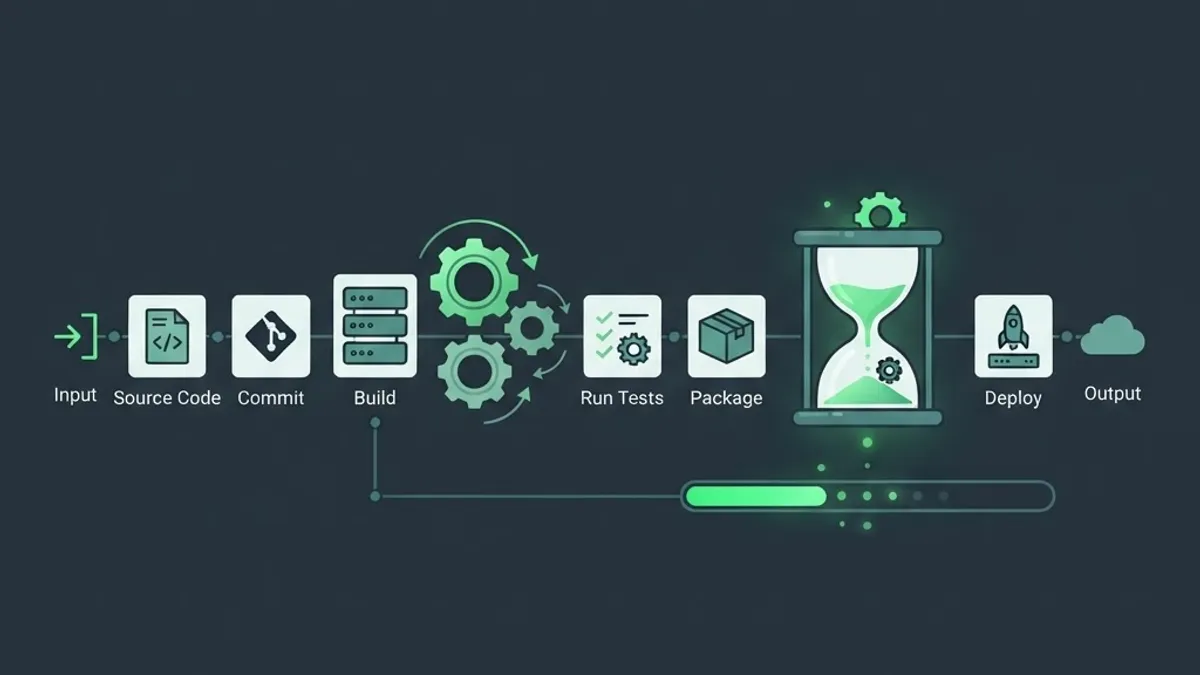
What measurably helps:
- Enable Gradle configuration cache and build cache.
- Migrate annotation processors from kapt to KSP where supported.
- Split the app into feature modules so incremental builds recompile less.
- Use Compose previews and live edit instead of full reinstall cycles for UI work.
- Keep debug builds free of minification and heavy static analysis, and run those in continuous integration instead.
This is one area where web engineering has a genuine advantage: hot reload in modern web stacks is close to instant. Teams that need rapid iteration sometimes deliberately choose a web-first architecture and compare options the way they would when selecting the best web application framework for a product.
Reason 6: Permissions and Security Are Genuinely Complicated
Android's security model has moved from install-time permissions to runtime prompts, one-time grants, granular media access, background location justification, and Play Console policy declarations. Each layer is good for users and adds work for developers.

A correct permission flow now requires:
- Checking the current grant state at the moment of use, never once at startup.
- Handling the "denied once" versus "permanently denied" states differently.
- Providing in-app rationale before the system dialog.
- Degrading gracefully when the user grants partial access, such as selected photos only.
- Declaring sensitive permission usage in the store listing, with rejection risk if the justification is weak.
On top of that, apps store tokens and personal data on devices that may be rooted. Certificate pinning, encrypted storage through the Keystore, obfuscation, and integrity checks are baseline expectations. The underlying discipline mirrors server-side hardening, and the same principles found in web application security best practices apply directly to mobile clients and their APIs.
Android Versus iOS: Where the Difficulty Actually Differs
Both platforms are demanding, but the difficulty sits in different places. This comparison reflects what teams shipping on both consistently report.
| Factor | Android | iOS |
|---|---|---|
| Device and screen variants | Very high, thousands of models | Low, a controlled device list |
| OS version spread in user base | Wide, several versions active | Narrow, adoption is fast |
| Manufacturer software changes | Significant, varies by OEM | None, single vendor |
| Build and iteration speed | Slower, Gradle heavy | Faster on comparable projects |
| Testing cost | Higher, needs device farms | Lower, fewer combinations |
| Store review friction | Lower, faster reviews | Higher, stricter review |
| Background execution rules | Restrictive and OEM dependent | Restrictive but predictable |

The honest summary: iOS is harder to get approved, Android is harder to get consistent. Android difficulty is a distribution and verification problem, while iOS difficulty is a policy and platform-constraint problem.
How Experienced Teams Reduce Android Difficulty
Android does not get easier by working longer hours. It gets easier by shrinking the variance you are exposed to.
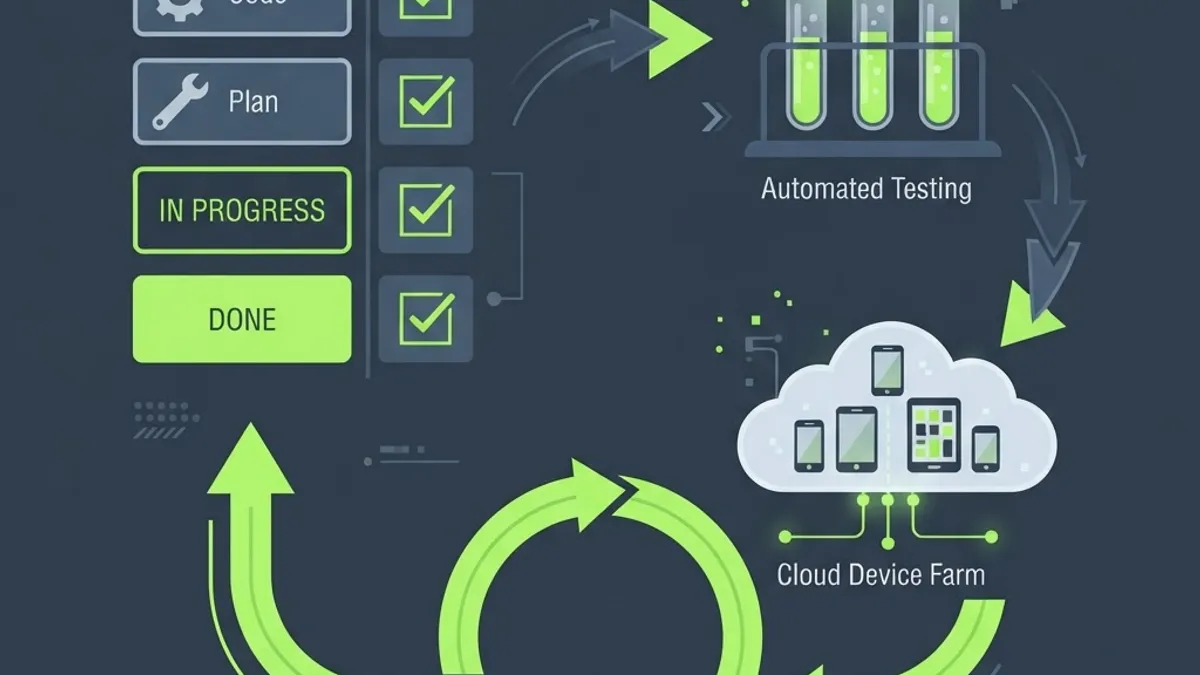
A workflow that reliably works:
- Define a supported device tier list. Pick a representative low, mid, and high device plus one foldable and one tablet, and treat those as your release gate.
- Set minSdk from real analytics, not sentiment. Dropping very old versions often removes entire classes of compatibility code with negligible user loss.
- Automate the matrix. Instrumented tests on a cloud device farm catch OEM-specific failures that no emulator will show.
- Adopt a single modern UI toolkit. Mixing legacy Views and Compose across a codebase doubles the styling and state surface.
- Track vitals as a product metric. Crash-free sessions, cold start time, and ANR rate belong on the same dashboard as retention.
- Isolate platform APIs behind interfaces. When the next API level changes storage or notifications, you edit one adapter instead of forty call sites.
Teams that treat these as standard engineering practice ship faster than teams that treat Android as a place where the code alone matters. At ZoneTechify Team, the pattern we see most often is that clients underestimate verification effort rather than development effort. Engineering partners such as WebPeak Digital build the same discipline into delivery planning, which is why the roadmap should budget device testing as a first-class line item.
When Android Is Not the Right Starting Point
Sometimes the correct answer to Android difficulty is to postpone it. A responsive web application removes fragmentation, store review, and release cycles from the equation and lets you validate demand first. Internal tools, dashboards, and B2B workflows rarely need a native Android client at launch.
If you do need native later, the API layer you build for the web version becomes the same backend the app consumes. Many teams start with a service-based build such as web app development for the backend, then add native clients once usage patterns are proven. When capacity is the constraint rather than strategy, evaluating whether to outsource web application development is a reasonable step before committing to a permanent mobile team. Interface consistency across web and mobile is easier when design is handled as one system, which is the argument for coordinated web application design services.
Key Takeaways
- Android is hard mainly because of variance: device models, OS versions, and OEM software layers multiply the verification effort.
- Android powers over 3 billion active devices, which creates both the market opportunity and the fragmentation cost.
- A new API level arrives roughly yearly, and Google Play target API requirements make ignoring it impossible.
- Frame budgets are about 16.6 milliseconds at 60Hz and 8.3 milliseconds at 120Hz, so main-thread work causes visible jank.
- Gradle build overhead slows iteration, and configuration cache, KSP, and modularisation are the standard fixes.
- Permissions now require runtime checks, rationale, partial-access handling, and store justification.
- The strongest mitigation is a defined device tier list plus automated testing on a real device farm.
Frequently Asked Questions (FAQ)
Is Android development harder than iOS development?
Android is harder to make consistent, while iOS is harder to get approved. Android developers manage thousands of device variants, multiple active OS versions, and manufacturer customisations. iOS developers face fewer devices but stricter review policies and tighter platform limits. Most teams find Android testing costs more time overall.
Why do Android apps behave differently on different phones?
Because manufacturers modify Android before shipping it. Battery optimisers, notification handling, camera stacks, and default fonts vary between brands. Two phones on the same Android version can therefore run identical code with different results, which is why testing on physical devices from multiple manufacturers is essential before release.
How long does it take to learn Android development properly?
Most developers write functional apps within three to six months of focused practice with Kotlin and Jetpack Compose. Reaching production competence, meaning correct lifecycle handling, permissions, background work, and performance tuning, usually takes twelve to eighteen months of real project experience rather than tutorials alone.
Does Jetpack Compose make Android development easier?
Yes, for building user interfaces. Compose reduces boilerplate, removes much XML layout work, and makes state-driven UI clearer. It does not remove fragmentation, permission changes, or background execution limits. Compose improves how you write screens, not how many device configurations you still need to verify.
Should I build an Android app or a web app first?
Start with a web app when you need to validate demand quickly, serve desktop users, or ship internal tools. Choose Android first when you need camera, offline, background sync, push notifications, or app store distribution. Building the API layer first keeps both options open without rework.
Why are Android build times so slow?
Gradle compiles code, processes annotations, merges resources, shrinks with R8, and packages a signed artifact on every build. Large multi-module projects amplify this. Enabling the configuration cache, migrating from kapt to KSP, and modularising the codebase are the most effective fixes for slow feedback loops.