A practical, engineering-led guide to converting an Excel spreadsheet into a secure multi-user web application, covering data audits, schema design, formula migration, cost, and timelines.
Convert Excel Spreadsheet to Web Application
Every growing company hits the same wall: the spreadsheet that ran the business for three years now breaks every Monday. Someone overwrites a column, the file forks into five versions, and the person who wrote the macros left in 2023. Converting that spreadsheet into a web application is not a cosmetic upgrade. It is the moment your business logic stops living in a file and starts living in a system with rules, permissions, and an audit trail.
This guide walks through the exact process senior teams use to move Excel workflows into production web apps, including the parts most tutorials skip: data cleanup, formula translation, permission modelling, and honest cost expectations.
Quick Answer: To convert an Excel spreadsheet to a web application, audit and clean the data, map columns into a normalised database schema, rebuild formulas as server-side business logic, then build a browser interface with authentication and role-based permissions. Simple internal tools take two to four weeks; complex multi-module systems take two to four months.
Why Spreadsheets Break at Scale
Excel is an exceptional modelling tool and a poor multi-user database. The distinction matters because it explains precisely when conversion becomes urgent.
Spreadsheets have no enforced data types, no referential integrity, and no concurrency control beyond file locking. Research published in the Journal of Organizational and End User Computing and repeatedly cited in spreadsheet audit literature found that roughly 88 percent of spreadsheets contain at least one error, and audits of operational workbooks routinely surface error rates near 1 percent of all formula cells. In a 10,000-cell pricing model, that is around 100 wrong numbers that nobody flags.
The second failure is structural. Microsoft caps a worksheet at 1,048,576 rows and 16,384 columns, but practical failure arrives far earlier. Workbooks with heavy VLOOKUP chains, volatile functions, and cross-file references typically become unusably slow between 50,000 and 200,000 rows depending on formula density.
Convert when you see three or more of these signals:
- More than three people need to edit the same file in the same day.
- You maintain a naming convention like final_v7_USE_THIS.xlsx.
- Someone manually copies data between two workbooks on a schedule.
- You need a record of who changed what and when.
- Sensitive rows must be hidden from some users but not others.
- Recalculation takes longer than a coffee refill.
Definition: Spreadsheet to Web App Conversion
Spreadsheet to web app conversion is the process of extracting the data model, calculation logic, and workflow rules embedded in a workbook and rebuilding them as a database-backed application accessed through a browser, where logic executes on a server rather than inside cells.
Step 1: Audit the Spreadsheet Before You Write Any Code
The most expensive conversion mistake is migrating dirty data into a clean system. Your database will enforce rules that Excel never did, and every inconsistency becomes a failed insert.
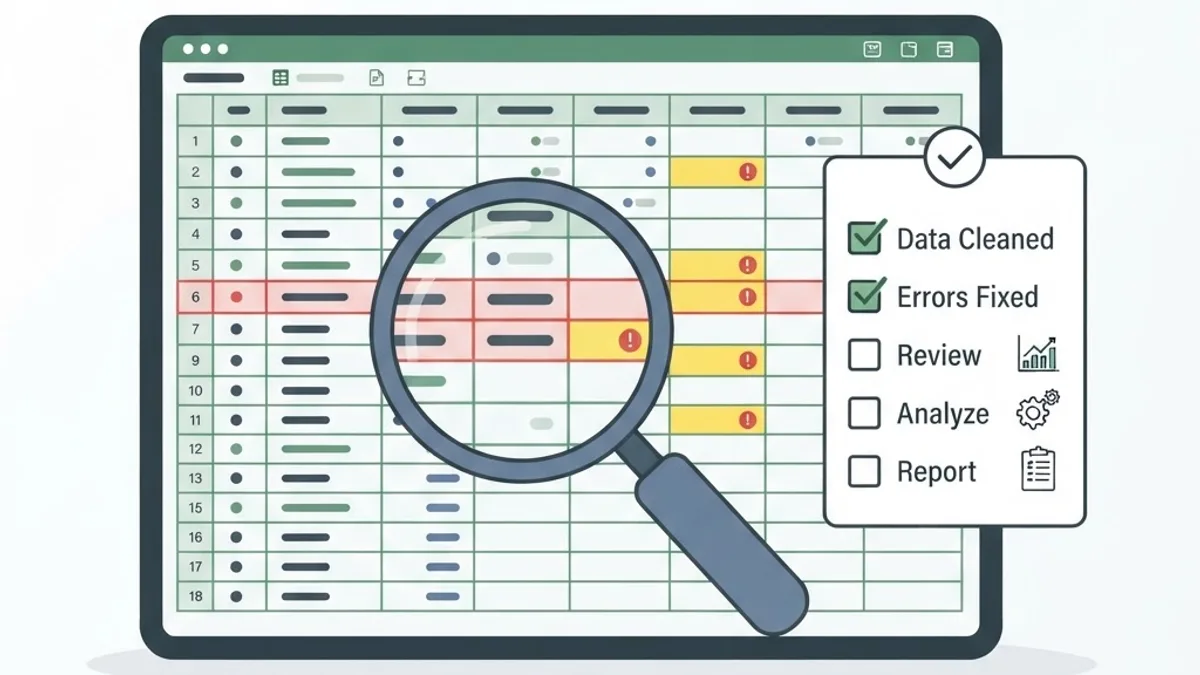
Run this audit checklist on every sheet:
- Column integrity. Does every column hold exactly one data type? A column with 1,200 dates and 14 text notes needs a decision, not a cast.
- Merged cells. Every merged cell is a structural lie about your data model. Unmerge and flatten before export.
- Hidden sheets and named ranges. These frequently contain the lookup tables that drive visible outputs.
- Formula inventory. Export a list of every unique formula. This becomes your business logic specification.
- Duplicate keys. Identify what actually makes a row unique. If nothing does, you have found your first design decision.
- Orphaned references. Cells pointing at deleted rows or closed workbooks signal logic you may not be able to recover.
A useful tactic: build a one-page data dictionary that lists each column, its intended type, whether it is required, and its source of truth. Teams that produce this document before development consistently reduce rework, because ambiguity gets resolved on paper instead of in a sprint retrospective.
Worth noting that formula logic is often more subtle than it looks. Even something as ordinary as arithmetic across columns hides assumptions about blanks and negatives, which is why breaking down a base operation like the formula for subtraction in Excel is a genuinely useful exercise before you translate anything into code.
Step 2: Turn Columns into a Real Database Schema
A spreadsheet is one flat table. A web application needs a normalised relational model, and this translation is where most of the long-term value is created.
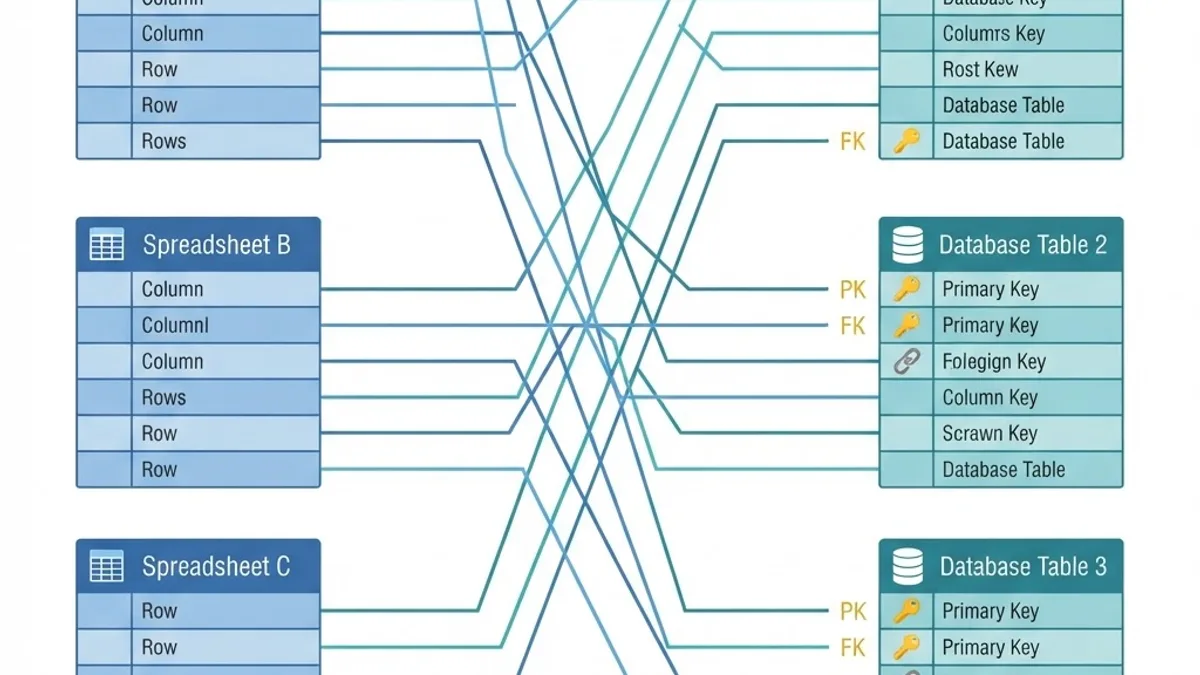
The core translation rules:
- One sheet is rarely one table. A sales tracker with customer name, customer email, product, and quantity is actually three tables: customers, products, and orders.
- Repeated text becomes a foreign key. If a value repeats down a column, it belongs in its own table with an ID.
- Every table gets a real primary key. Row position is not identity. Use a generated ID.
- Colour coding becomes a status column. Yellow rows meaning pending is real business logic; make it explicit as an enum.
- Add audit columns immediately. created_at, updated_at, and updated_by cost nothing now and are impossible to backfill later.
- Constraints replace discipline. NOT NULL, UNIQUE, and CHECK constraints do the job that a wiki page asking people to be careful never did.
Normalisation is not academic here. It is what makes filtering, reporting, and concurrent editing fast, and it is what prevents the same customer existing under four spellings.
Step 3: Rebuild Formulas as Server-Side Logic
This is the step teams underestimate. Formulas in Excel recalculate implicitly; in an application, you must decide explicitly when and where each calculation runs.

Decide one of three homes for every calculation:
- Stored value. Calculate once on write and save the result. Correct for anything that must be historically frozen, like the tax rate applied to a past invoice.
- Computed on read. Calculate at query time. Correct for anything that must always reflect current data, like an open pipeline total.
- Scheduled job. Calculate on a timer. Correct for expensive aggregations that tolerate minutes of staleness, like nightly reconciliation reports.
Common Excel patterns map cleanly once you know the target: VLOOKUP and INDEX MATCH become table joins, SUMIF becomes a filtered aggregate query, pivot tables become grouped queries plus a chart component, and conditional formatting becomes conditional styling in the interface.
Macros and VBA deserve special attention. A macro is usually a workflow, not a calculation. Reading it as a sequence of user intentions rather than a code block produces a much better application design.
Step 4: Choose an Architecture That Matches the Stakes
Architecture should follow how critical the tool is, not what is trending. A three-person internal tracker and a customer-facing quoting engine deserve different answers.
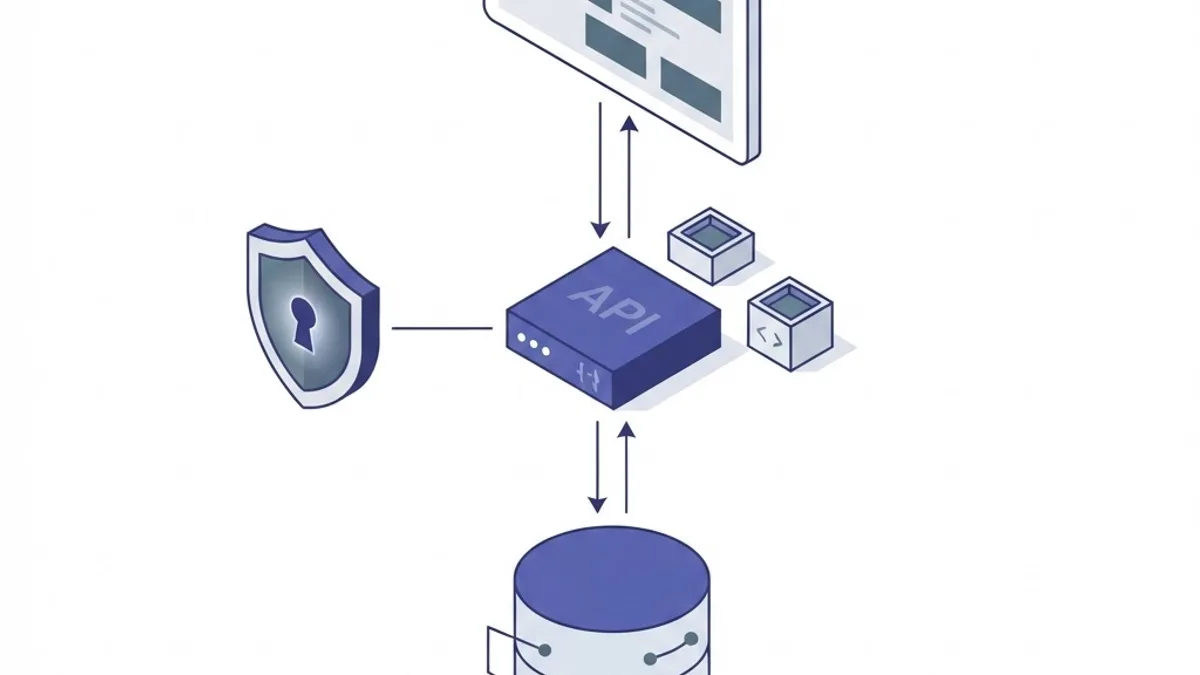
A dependable default for business applications is a server-rendered framework with a relational database, a typed API layer, and role-based authentication. It keeps sensitive logic off the client, gives you fast first loads, and scales predictably. If you want a grounded sense of what these systems look like in practice, the breakdown of real examples of web applications is a genuinely helpful reference point when scoping your own build.
Three viable paths, honestly compared:
| Approach | Best For | Real Limitation | Typical Timeline |
|---|---|---|---|
| No-code platform | Simple forms, internal lists, under 5,000 rows | Per-seat pricing, weak custom logic, hard to export later | 1 to 2 weeks |
| Low-code internal tool builder | Admin panels and dashboards over an existing database | Limited UI control, vendor dependency | 2 to 4 weeks |
| Custom web application | Complex logic, external users, long-term ownership | Higher upfront investment, needs engineering capability | 4 to 16 weeks |
The deciding question is ownership. No-code is faster to launch and slower to change once your logic gets specific. Custom development costs more at the start and stays flexible for years. Teams building a system meant to outlive the current headcount usually work with a specialist partner for web app development rather than accumulating platform lock-in they later have to unwind.
Step 5: Model Users and Permissions Properly
Spreadsheets have exactly two permission levels: can open the file, or cannot. Applications let you express what your business actually means, and this is often the single biggest quality-of-life gain after conversion.
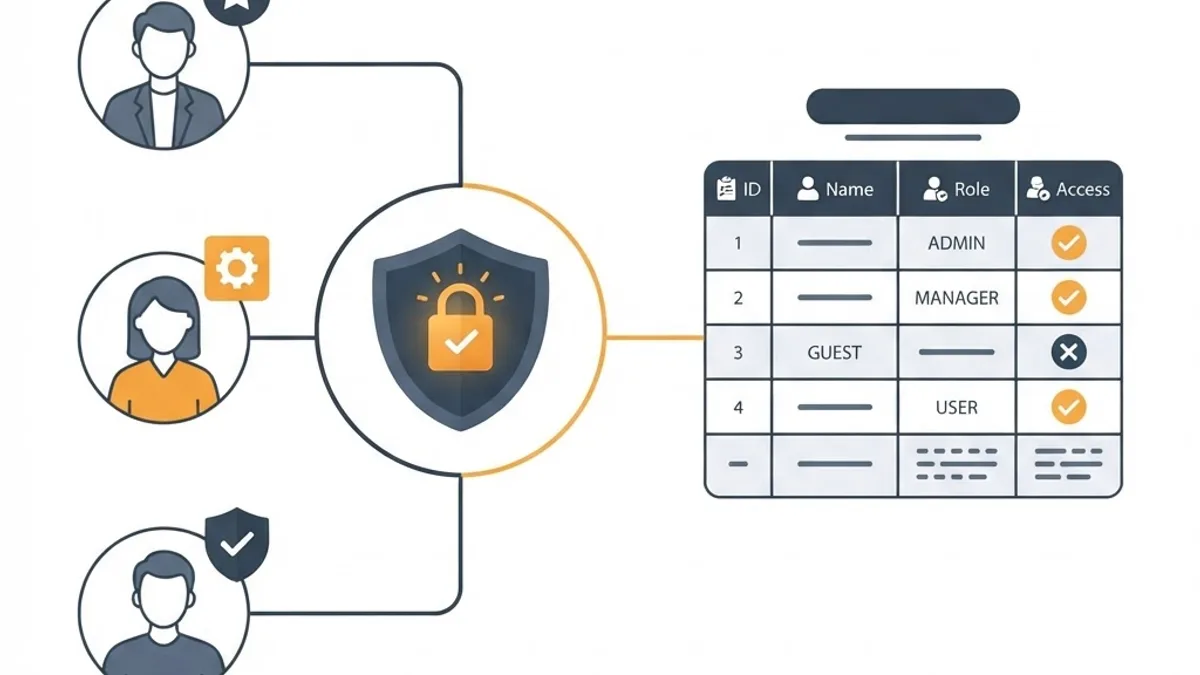
Define permissions across four dimensions:
- Row level. A regional manager sees only their region's records.
- Column level. Sales reps see order values but not supplier cost margins.
- Action level. Anyone can create a request; only a manager can approve one.
- State level. An approved record becomes read-only for everyone except an administrator.
Enforce every one of these on the server. Hiding a button in the interface is a user experience decision, not a security control. Any permission check that exists only in the browser can be bypassed by anyone who opens developer tools.
Pair permissions with an activity log from day one. The ability to answer who changed this number and when is frequently the feature stakeholders value most, because it is the exact question a spreadsheet could never answer.
Step 6: Migrate in Phases, Not in One Weekend
Big-bang cutovers fail because they ask people to trust a new system on the same day they lose the old one.

A migration sequence that works:
- Read-only mirror. Import the data and let the app display it while the spreadsheet stays authoritative. This surfaces mapping errors with zero risk.
- Parallel run. Enter new records in both systems for one to two weeks and reconcile totals. Discrepancies here are cheap; discrepancies after cutover are not.
- Write cutover. The app becomes the source of truth. Lock the spreadsheet to read-only rather than deleting it.
- Feature completion. Add the reporting and automation that were never possible in Excel.
- Archive. Retire the workbook once a full reporting cycle has closed cleanly.
Keep an export-to-Excel button permanently. It is not a step backwards; it is how finance teams reconcile, how auditors work, and how you earn adoption from people who are fluent in spreadsheets.
Realistic Cost and Timeline Expectations
Budget conversations go badly when scope is described by tool rather than by behaviour. Price the workflows, not the sheets.
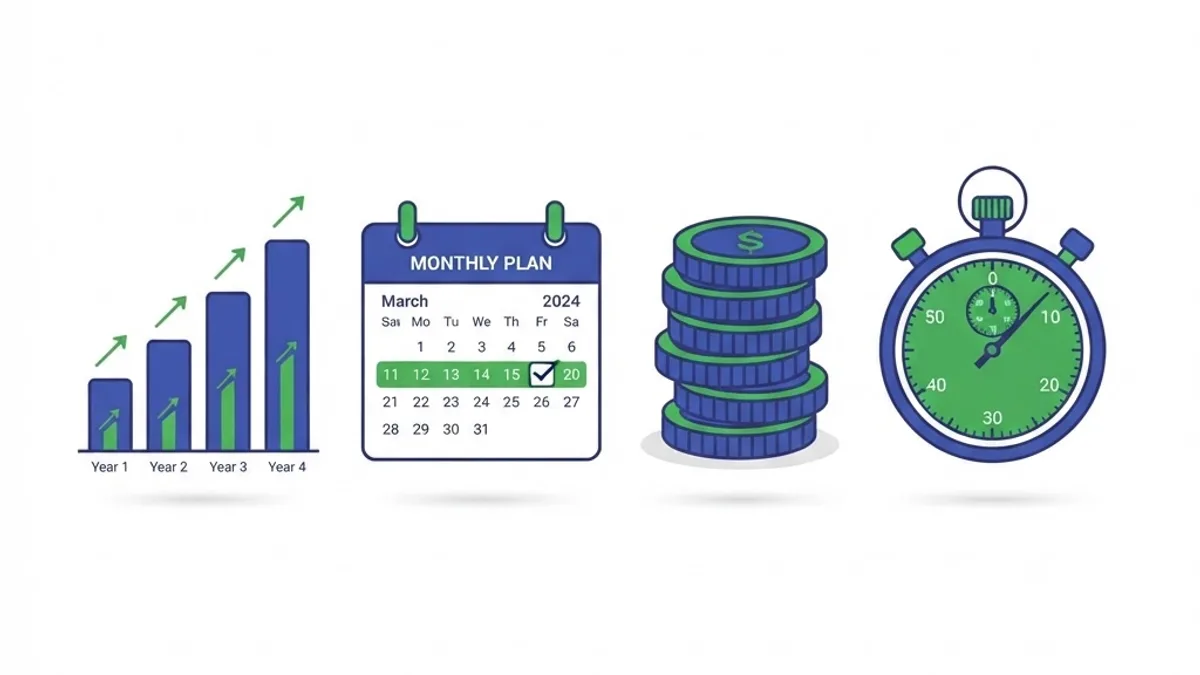
What actually drives cost:
- Number of distinct user roles, since each role multiplies permission and testing work.
- Number of approval or status transitions in the workflow.
- Integrations with existing systems, which are usually the least predictable line item.
- Reporting complexity, especially anything requiring historical snapshots.
- Data quality on arrival, which can consume a surprising share of early effort.
A single-workflow internal tool with two roles and clean data is a two to four week build. A multi-module operations platform with integrations, approvals, and dashboards is a two to four month engagement. Anything promised dramatically faster is either using a no-code platform or skipping the audit, and skipped audits get paid for later with interest.
When conversion involves messy legacy data and multiple stakeholder groups, working with an experienced full stack development team tends to be cheaper than a first attempt that has to be rebuilt, simply because schema mistakes compound with every feature layered on top of them.
Key Takeaways
- Approximately 88 percent of spreadsheets contain at least one error, and operational audits commonly find error rates near 1 percent of formula cells.
- Excel supports 1,048,576 rows per sheet, but formula-heavy workbooks usually degrade between 50,000 and 200,000 rows.
- Auditing and cleaning data before migration is the highest-leverage step in the entire project.
- One spreadsheet almost always becomes three or more normalised database tables.
- Every formula needs an explicit decision: stored on write, computed on read, or calculated by a scheduled job.
- All permission checks must be enforced server-side; interface-level hiding is not security.
- Phased migration with a parallel run period is the reliable path to adoption.
- Simple conversions take two to four weeks; complex platforms take two to four months.
Frequently Asked Questions (FAQ)
Can I convert an Excel spreadsheet to a web application without coding?
Yes, for simple use cases. No-code platforms can turn a clean spreadsheet into a form-and-list application in days. The limits appear with complex conditional logic, granular permissions, and datasets beyond a few thousand rows, where per-seat pricing and restricted customisation usually push teams toward custom development.
How long does it take to turn a spreadsheet into a web app?
A single-workflow internal tool with clean data and two user roles typically takes two to four weeks. Multi-module systems with integrations, approval chains, and custom reporting take two to four months. Data cleanup often consumes more of that timeline than stakeholders initially expect.
Will my Excel formulas still work in the web application?
Not directly, but every formula can be reimplemented as server-side logic. VLOOKUP becomes a database join, SUMIF becomes a filtered aggregate query, and pivot tables become grouped queries with charts. The rebuilt versions are usually faster and, critically, testable in a way cell formulas never are.
Is a web application more secure than a shared spreadsheet?
Substantially, when built correctly. Applications provide individual user accounts, row and column level permissions, encrypted connections, and full audit logs. A shared spreadsheet offers only file-level access, meaning anyone who can open it can read and alter everything inside it without leaving a reliable trace.
What happens to my old spreadsheet after the conversion?
Keep it as a read-only archive rather than deleting it. Most teams run both systems in parallel for one to two weeks to reconcile records, then lock the workbook. Retaining an export-to-Excel feature in the new app keeps finance reconciliation, audits, and ad hoc analysis straightforward.
How do I stop my team from going back to spreadsheets?
Make the application faster than the workbook for daily tasks. That means bulk editing, keyboard navigation, saved filters, and one-click Excel export. Adoption fails when the app adds clicks to routine work, so measure the most frequent task and optimise that path first.