
A practical, engineering-first guide to web application security best practices, covering authentication, input validation, API hardening, pipeline scanning, and incident response.
Web Application Security Best Practices
Most web applications are not breached by exotic zero-day exploits. They are breached because a session token lived too long, an admin endpoint trusted a client-side role check, or a dependency shipped a known vulnerability that nobody patched for eight months. Security work is unglamorous, repeatable engineering discipline, and that is exactly why it gets skipped.
This guide covers the web application security best practices that actually reduce risk in production, written from the perspective of teams who ship and maintain real applications rather than teams who write policy documents. Every section here maps to a concrete decision you can make in your codebase this week.
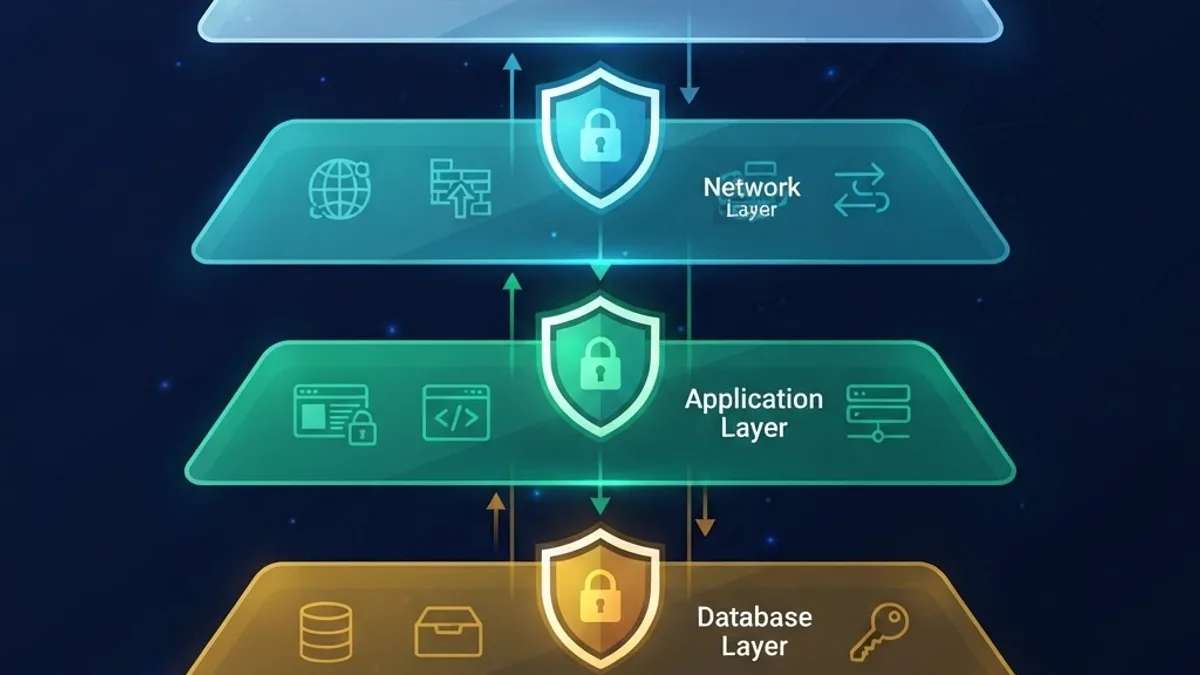
Quick Answer: Web application security best practices center on defense in depth: validate and encode all input, enforce authentication and authorization server-side, use short-lived sessions with secure cookies, patch dependencies continuously, encrypt data in transit and at rest, apply least privilege, log security events, and rehearse incident response regularly.
Why Web Application Security Fails in Practice
Security fails at the seams between systems, not inside well-reviewed functions. The 2024 Verizon Data Breach Investigations Report found that exploitation of vulnerabilities as an initial access vector nearly tripled year over year, growing roughly 180 percent, largely driven by attacks against internet-facing web applications and edge devices. That same report has consistently identified web applications as one of the top attack surfaces across industries.
The second failure pattern is time. Verizon's data showed that organizations took a median of around 55 days to remediate half of their critical edge-device vulnerabilities after a patch became available, while mass exploitation of those same flaws typically began within five days of public disclosure. That gap, not the vulnerability itself, is where most damage happens.
The practical conclusion is uncomfortable but useful: your remediation speed matters more than your vulnerability count. A team with 40 known low-severity issues and a two-day patch cycle is safer than a team with 5 issues and a two-month one.
Key Definitions You Should Standardize Across Your Team
- Authentication: proving who a user is.
- Authorization: deciding what that proven identity may do. These are separate systems and separate bugs.
- Defense in depth: assuming any single control will fail, and layering independent controls so failure is contained.
- Least privilege: every user, service, token, and database role gets the minimum access required, and nothing more.
- Attack surface: every input, endpoint, dependency, and integration an attacker can reach.
Start With a Threat Model, Not a Checklist
Before hardening anything, write down what an attacker would actually want from your application. For a SaaS product it is usually tenant data and admin access. For ecommerce it is payment flows and order manipulation. For a content platform it is account takeover and stored scripting.
A usable threat model fits on one page and answers four questions:
- What data would cause the most damage if exposed or altered?
- Which endpoints touch that data, and who is allowed to reach them?
- What happens if a single credential, token, or dependency is fully compromised?
- How would we know within one hour that any of the above happened?
Teams that skip step four consistently discover breaches from customers or external researchers instead of their own monitoring. Detection is a design requirement, not an operations afterthought.
Fix the Vulnerability Classes That Actually Appear
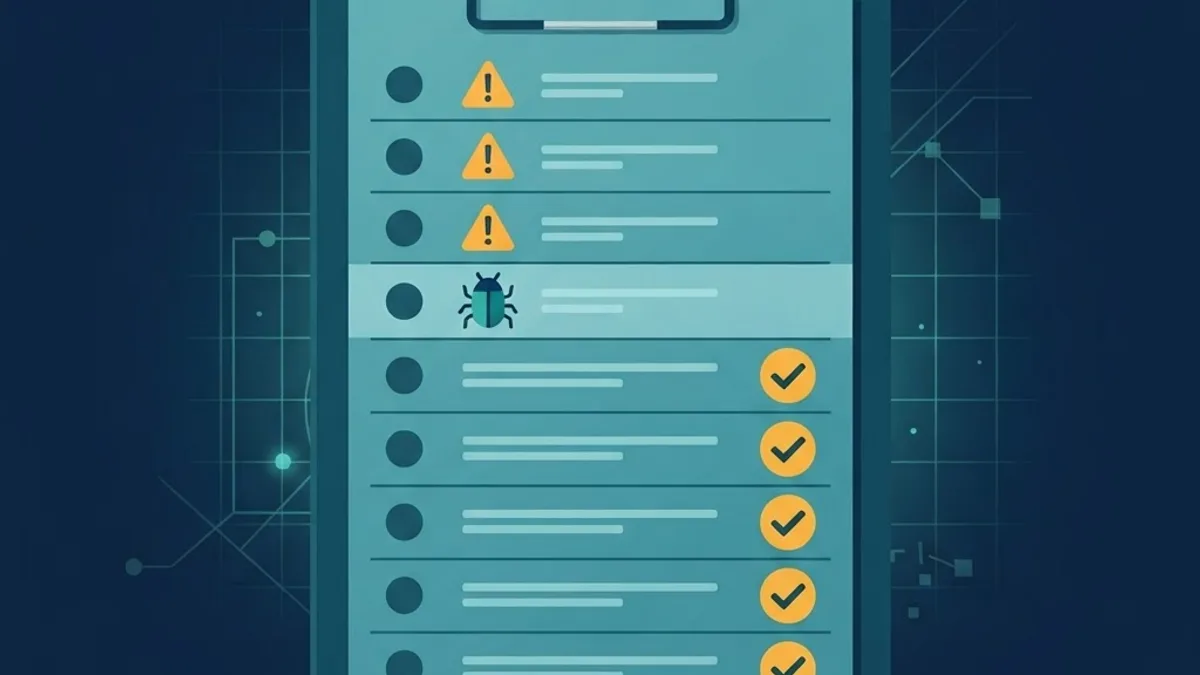
The OWASP Top 10 remains the most useful shared vocabulary for web risk, and the 2021 edition placed Broken Access Control at number one after OWASP found that 94 percent of tested applications contained some form of access control weakness. That single statistic should reorder most security backlogs.
Broken Access Control
Enforce every permission check on the server, inside the data-access layer, not in the UI. If a user can change an ID in a URL or request body and receive another tenant's record, you have an access control bug regardless of how good your login page is.
- Scope every query by the authenticated user or tenant ID, on the server, every time.
- Deny by default. New endpoints should be inaccessible until explicitly permitted.
- Never trust a role, tenant, or price value sent from the client.
- Test authorization with automated tests that attempt cross-tenant access, not just happy-path tests.
Injection and Unsafe Data Handling
Use parameterized queries or a well-maintained query builder for every database call, without exception. String concatenation into SQL is still the single most reliable way to lose an entire database.
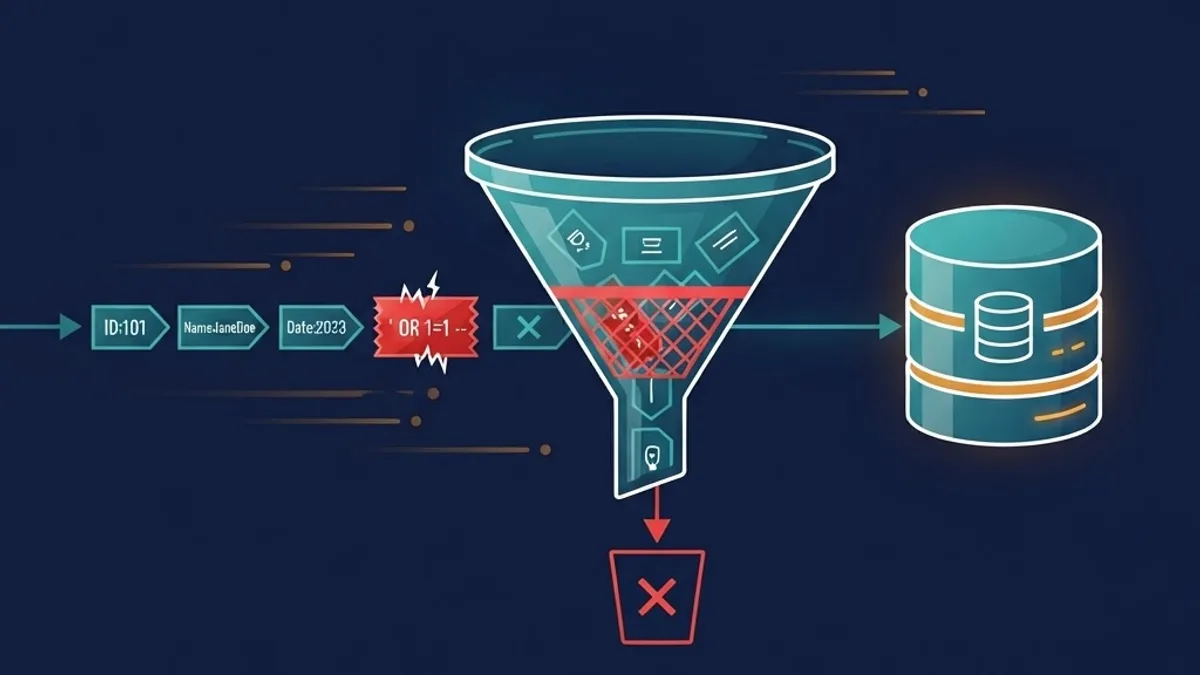
Validate input at the boundary with a schema, coerce it into typed values, and encode output based on context. HTML context, attribute context, and JavaScript context require different encoding. Modern frameworks escape by default, so the real risk is the places where developers deliberately bypass that default to render raw markup.
Cryptographic and Configuration Failures
- Serve everything over TLS with HSTS enabled, and redirect HTTP permanently.
- Hash passwords with bcrypt, scrypt, or Argon2id. Never use SHA-256 alone.
- Encrypt sensitive data at rest and keep encryption keys in a managed secret store, never in the repository or a build artifact.
- Disable verbose error output and stack traces in production responses.
Authentication and Session Management That Holds Up
Authentication is where most teams over-build features and under-build fundamentals. You do not need six login methods. You need one that is correctly implemented.

A production-grade baseline looks like this:
- Email and password with a strong hashing algorithm and per-user salt handled by your auth library.
- Rate limiting and progressive delays on login, password reset, and multi-factor endpoints.
- Session cookies marked HttpOnly, Secure, and SameSite=Lax or Strict, with short expiry plus refresh rotation.
- Full session invalidation on password change, email change, and explicit logout across all devices.
- Multi-factor authentication offered to all users and required for administrative roles.
Storing authentication tokens in localStorage remains a common mistake because any successful script injection reads them instantly. HttpOnly cookies remove that entire class of theft from the browser attacker's toolkit.
For teams building this from scratch under deadline pressure, working with an experienced engineering partner such as ZoneTechify shortens the path considerably, because auth and access control are the two areas where inherited patterns matter more than clever new code.
API and Service-Layer Hardening
APIs deserve their own security review because they are frequently built for internal consumption and then quietly exposed to the public internet.
Controls Worth Implementing in Order of Impact
- Authentication on every route, including internal, admin, webhook, and cron routes.
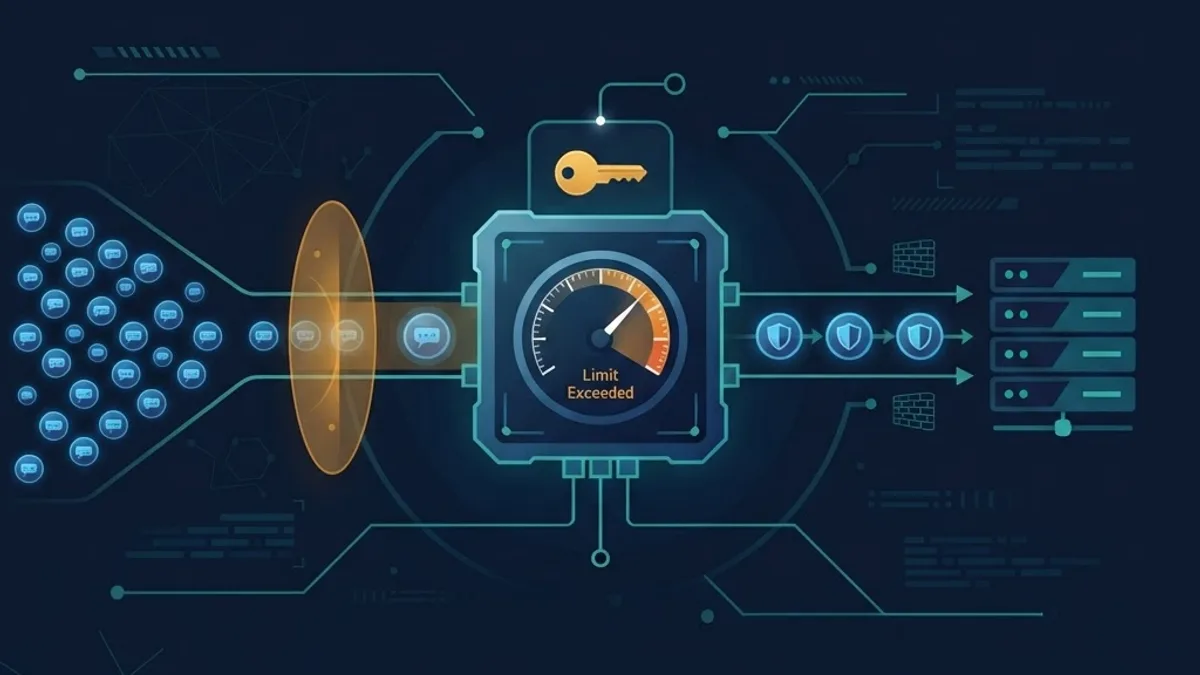
- Rate limiting per identity and per IP, with stricter limits on write and auth endpoints.
- Strict request validation with schemas, including maximum payload size and array length limits.
- Server-side recomputation of anything financial. Recalculate totals, prices, and quantities from trusted server data, never from the request body.
- Idempotency keys on payment and order creation so a retried request cannot double-charge a customer.
- Webhook signature verification on every inbound provider callback.
- Response filtering so serializers return only the fields the caller is authorized to see.
Comparison of Common Web Security Controls
| Control | Primary Risk Reduced | Implementation Effort | Typical Impact |
|---|---|---|---|
| Parameterized queries | SQL injection | Low | Very high |
| Server-side authorization checks | Broken access control | Medium | Very high |
| HttpOnly, Secure, SameSite cookies | Session theft, CSRF | Low | High |
| Multi-factor authentication | Credential stuffing, account takeover | Medium | High |
| Dependency scanning and patching | Known CVE exploitation | Low, ongoing | High |
| Rate limiting | Brute force, scraping, abuse | Low | Medium to high |
| Content Security Policy | Cross-site scripting impact | Medium to high | Medium to high |
| Security logging and alerting | Slow breach detection | Medium | High |
Secure the Supply Chain and the Pipeline
Your application includes thousands of lines of code you did not write. Treat dependencies as production infrastructure.
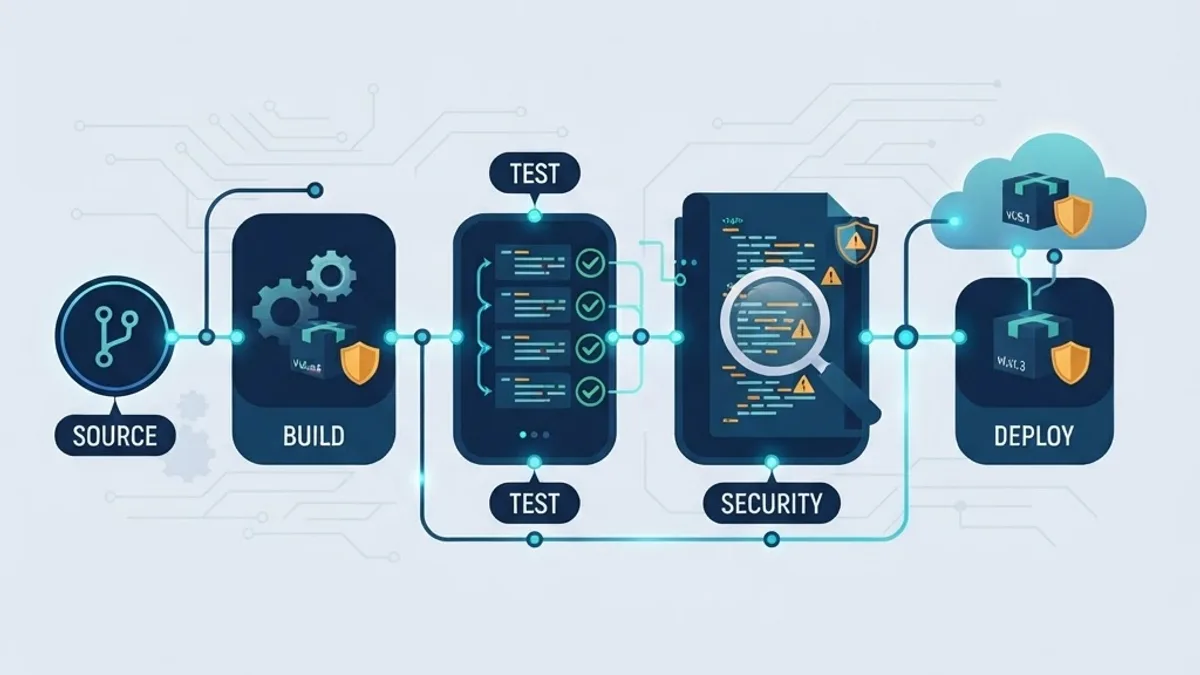
- Enable automated dependency alerts and merge patch updates on a fixed weekly cadence rather than ad hoc.
- Commit a lockfile and use deterministic installs in CI so builds are reproducible.
- Run static analysis and secret scanning on every pull request, and fail the build on high-severity findings.
- Keep secrets in environment variables managed by your hosting platform, and rotate them when anyone with access leaves the team.
- Pin container base images to digests and rebuild regularly so OS-level patches actually reach production.
One underrated practice is auditing what your pipeline itself can access. A build system with production database credentials turns any compromised action or plugin into a full breach. Give CI the narrowest possible scope.
Security Headers, CSP, and Browser-Level Defenses
Response headers cost almost nothing and reduce the blast radius of front-end bugs. A reasonable baseline includes X-Content-Type-Options set to nosniff, a strict Referrer-Policy, Strict-Transport-Security with a long max-age, and a Permissions-Policy that disables camera, microphone, and geolocation unless your app uses them.
Content Security Policy is the highest-value and highest-effort header. Deploy it in report-only mode first, collect violations for a week, tighten the policy, then switch to enforcement. Shipping a strict CSP straight to production without a reporting phase is the fastest way to break checkout on a Friday afternoon.
For teams that want these controls audited alongside performance and technical health, agencies offering technical SEO services increasingly review headers and TLS configuration as part of the same crawl, since misconfigured security headers and mixed content also damage crawlability and Core Web Vitals.
Monitoring, Logging, and Incident Response
You cannot respond to what you cannot see. Log security-relevant events with enough context to reconstruct a timeline, and never log secrets, full tokens, or raw payment data.
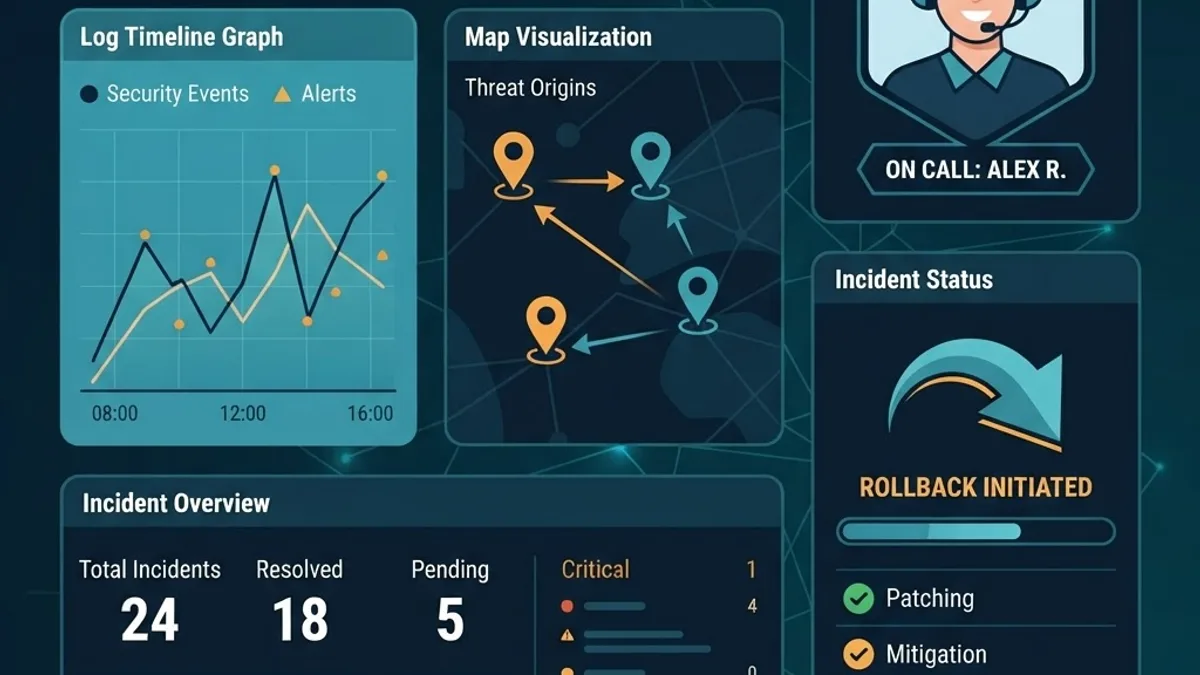
Log at minimum: authentication successes and failures, password and email changes, permission changes, admin actions, payment events, and repeated authorization denials from one identity. That last signal is the clearest early indicator of active enumeration.
Then write a one-page incident runbook that answers: who is paged, how do we revoke all sessions, how do we rotate every secret, how do we roll back a deploy, and who notifies customers. Rehearse it once per quarter with a tabletop exercise. Teams that rehearse contain incidents in hours. Teams that improvise contain them in weeks.
A Realistic 30-Day Hardening Plan
- Week 1: enable dependency alerts, patch all critical CVEs, rotate stale secrets, and confirm TLS plus HSTS everywhere.
- Week 2: audit every endpoint for server-side authorization, and add cross-tenant access tests.
- Week 3: fix session handling, add rate limiting to auth routes, and enable MFA for admin accounts.
- Week 4: deploy security headers with CSP in report-only mode, wire up security event logging, and write the incident runbook.
This sequence deliberately front-loads the controls with the highest impact per hour of effort, and it is achievable alongside normal feature work.
Key Takeaways
- Broken access control is the most common web application weakness, appearing in 94 percent of applications OWASP tested for the 2021 Top 10.
- Exploitation of vulnerabilities as an initial breach vector grew roughly 180 percent year over year in Verizon's 2024 DBIR.
- Mass exploitation often begins within five days of disclosure, while median remediation takes around 55 days, making patch speed a primary defense.
- Authorization must be enforced server-side and scoped per tenant on every query.
- Session tokens belong in HttpOnly, Secure, SameSite cookies, not localStorage.
- Recompute prices, totals, and quantities server-side, and use idempotency keys on payment operations.
- Deploy Content Security Policy in report-only mode before enforcing it.
- Security logging plus a rehearsed incident runbook is what turns a breach into an incident instead of a crisis.
Frequently Asked Questions (FAQ)
What are the most important web application security best practices?
The highest-impact practices are server-side authorization on every endpoint, parameterized database queries, secure session cookies, continuous dependency patching, TLS everywhere, least-privilege access for users and services, input validation with schemas, and security logging paired with a rehearsed incident response runbook.
How often should I patch dependencies in a web application?
Patch critical and high-severity vulnerabilities within 48 hours of disclosure, and handle routine updates on a fixed weekly cadence. Automated alerts plus a standing weekly merge window prevent backlog buildup, which matters because mass exploitation of disclosed flaws frequently begins within five days.
Is storing JWT tokens in localStorage safe?
No. Any successful script injection can read localStorage immediately, exposing the token to theft. Store session tokens in HttpOnly, Secure, SameSite cookies so browser JavaScript cannot access them, and keep expiry short with server-side refresh rotation and full invalidation on logout.
What is the difference between authentication and authorization?
Authentication verifies identity, confirming the user is who they claim to be. Authorization determines what that verified identity is permitted to do. They are separate systems with separate failure modes, and most serious breaches come from broken authorization rather than broken login flows.
Do small applications really need a Content Security Policy?
Yes, but roll it out carefully. CSP limits the damage of cross-site scripting by restricting which scripts and connections the browser allows. Start in report-only mode, review violations for about a week, tighten the policy, then enforce it so legitimate functionality never breaks unexpectedly.
How do I know if my web application has already been compromised?
Look for unusual patterns: repeated authorization denials from one account, logins from new locations, unexpected admin actions, new outbound connections, and sudden database query spikes. Without security event logging and alerting, most teams learn about compromise from customers or external researchers instead.