
A practical guide to Snow web application metering: how browser-based usage tracking works, what it measures, how to configure it, and how to turn the data into real license savings.
Snow Web Application Metering
Software asset management used to be simple in one specific way: if a program was installed on a device, you could find it. That assumption broke the moment work moved into the browser. Today a finance team can spend six figures on a platform that leaves no installer, no registry key, and no executable behind. Snow web application metering exists to close that blind spot, and understanding how it actually works is the difference between a license renewal based on evidence and one based on a vendor's word.

Quick Answer: Snow web application metering tracks how employees use browser-based and SaaS applications by monitoring URL activity through the Snow Inventory Agent. It records which users accessed which web app, how often, and for how long, then feeds that usage data into Snow License Manager so teams can right-size subscriptions and prove compliance.
What Snow Web Application Metering Actually Measures
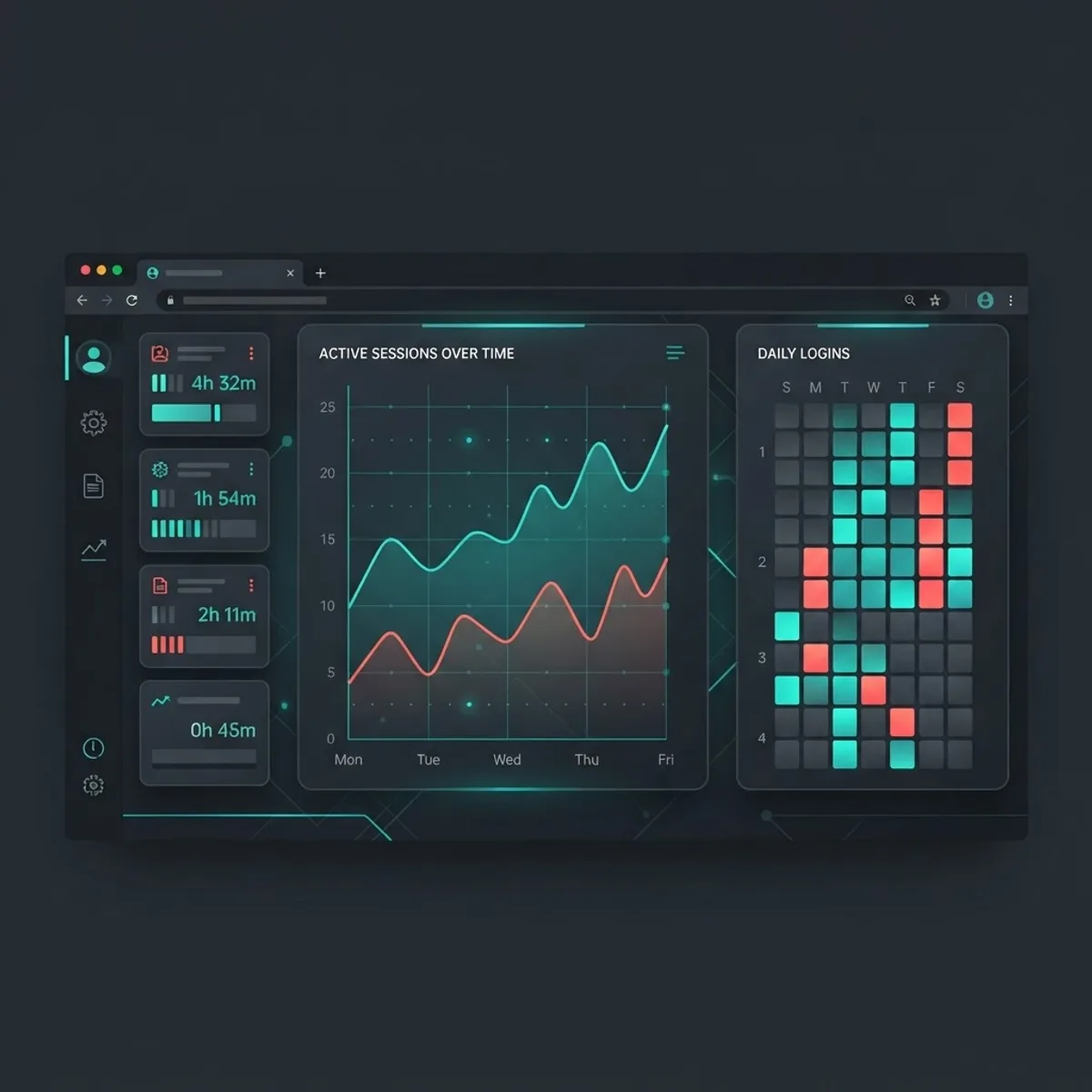
Web application metering is the practice of measuring browser-based application usage at the endpoint rather than at the vendor portal. Snow does this by having its inventory agent watch browser activity and match visited URLs against defined web application signatures. When a match occurs, the agent logs a usage event tied to a device and a user identity.
The metrics that matter most in practice are:
- Active user count - how many distinct named users touched the application in a period.
- Session frequency - how many separate sessions each user started.
- Session duration - how long the tab was genuinely in focus, not merely open.
- Last used date - the single most valuable field for reclamation decisions.
- Device and location context - which machines and sites generate the usage.
The last-used date deserves special attention. In most environments the reclamation conversation stalls because nobody can prove a subscription is idle. A dated usage record ends that argument in one screenshot.

Why Browser Usage Data Changed the Economics of Licensing
Gartner has repeatedly reported that organizations waste roughly 30 percent of their software spend, and SaaS management vendors consistently publish similar findings that a quarter to a third of provisioned SaaS seats go unused within a given month. Flexera's annual State of the Cloud research has also shown cloud and SaaS waste sitting near the 30 percent mark year over year. Those two data points frame the entire business case: metering does not need to be perfect to pay for itself, it only needs to be accurate enough to identify the idle third.
Here is the original observation that most vendor documentation skips. The value of web application metering is not primarily cost cutting, it is negotiation leverage. When a renewal arrives and you can show that 412 of 1,000 provisioned seats produced fewer than two sessions in ninety days, you are no longer negotiating on the vendor's usage telemetry. You are negotiating on yours. Vendors rarely dispute endpoint evidence because it is harder to argue with than a spreadsheet of assumptions.
How the Data Flow Works End to End
Snow's architecture for web application metering follows a predictable chain, and knowing the chain tells you exactly where to look when numbers seem wrong.
- Signature definition - a web application is defined by one or more URL patterns, either from Snow's recognition library or created manually for internal apps.
- Agent collection - the Snow Inventory Agent on the endpoint captures browser activity that matches those patterns.
- Local aggregation - the agent summarizes sessions locally to reduce payload size instead of streaming every click.
- Inventory upload - data is sent to the Snow Inventory Server on the agent's scan schedule.
- Import into Snow License Manager - the inventory connector pulls the aggregated usage into the licensing database.
- Reporting and reclamation - usage appears in application views, user views, and custom reports.
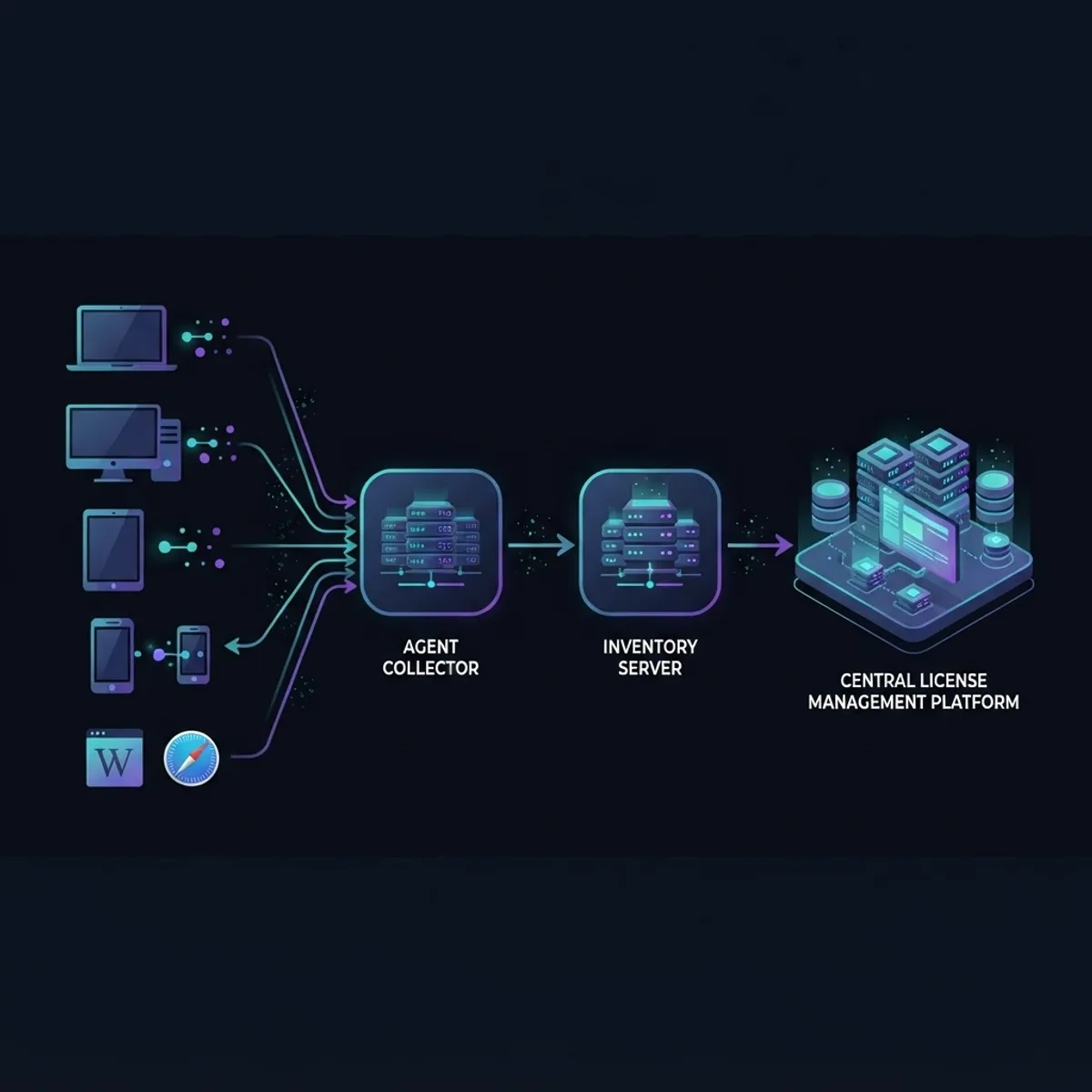
Because aggregation happens on the endpoint and import happens on a schedule, usage data is inherently lagging. Treat anything less than a full scan cycle plus one import cycle as incomplete. Teams that pull a report the morning after enabling metering almost always conclude the feature is broken when it is simply still filling.
The Browser Requirement Nobody Plans For
Metering depends on the agent being able to observe browser activity, which means browser coverage and extension policy are project dependencies, not afterthoughts. Confirm which browsers are supported by your agent version, confirm whether private or incognito sessions are excluded, and confirm that group policy or MDM will allow the required components. In multi-browser environments, a single unsupported browser used by one department can make an entire application look underused.
Configuring Metering Without Creating Bad Data
Good configuration is mostly about writing precise URL patterns. Overly broad patterns are the most common cause of inflated usage numbers.
- Match on the application host and the functional path, not the domain alone.
- Exclude marketing pages, login redirects, status pages, and documentation subdomains.
- Separate tenant paths when the same vendor serves multiple business units.
- Set a minimum session threshold so a two second accidental tab open does not count as usage.
- Version your patterns and record who changed them and why.
Teams building or maintaining internal browser-based tools often need those URL patterns defined by the same people who own the app architecture, which is why usage instrumentation belongs in the delivery conversation from the start. Engineering partners such as ZoneTechify that build scalable web solutions can define stable, meterable URL structures early rather than retrofitting them after a compliance request lands.
Web Application Metering Compared With Other Usage Sources
Most organizations end up with three possible sources of SaaS usage truth. They are not interchangeable, and the differences explain why audits go badly.
| Data Source | What It Sees | Main Strength | Main Weakness |
|---|---|---|---|
| Snow web application metering | Endpoint browser sessions per user and device | Vendor independent, device level detail, works for internal apps | Requires agent coverage on every endpoint |
| Vendor admin console | Logins and seats inside one product | Authoritative for that vendor's billing model | One product only, no cross-vendor view, vendor defined metrics |
| SSO or identity provider logs | Authentication events | Broad coverage, easy to enable | Shows access, not depth or duration of use |
The practical answer is to use metering as the primary evidence base, identity logs as a coverage cross-check, and the vendor console as reconciliation before renewal. When two of three sources agree, you can act with confidence.
Turning Usage Data Into Recovered Budget
A reclamation program only works when the rules are written before the data arrives. Otherwise every removal turns into a negotiation with a department head.
- Define an inactivity threshold in writing, for example no session in sixty days.
- Exclude seasonal roles and known exceptions such as auditors or quarterly finance users.
- Notify the user and their manager with the actual last-used date attached.
- Give a fixed grace window, commonly seven to fourteen days, to object.
- Downgrade the tier first where possible, and only remove the seat if the tier change is not available.
- Log the recovered seat and the annual value so the program can report savings.

The tier downgrade step is underused. Many SaaS contracts include a viewer or light tier at a fraction of full seat cost. Metering data that shows short, read-only sessions is exactly the evidence needed to justify moving a user down instead of cutting them off, which removes most of the political resistance to the program.
Rollout Checklist for a Metering Project
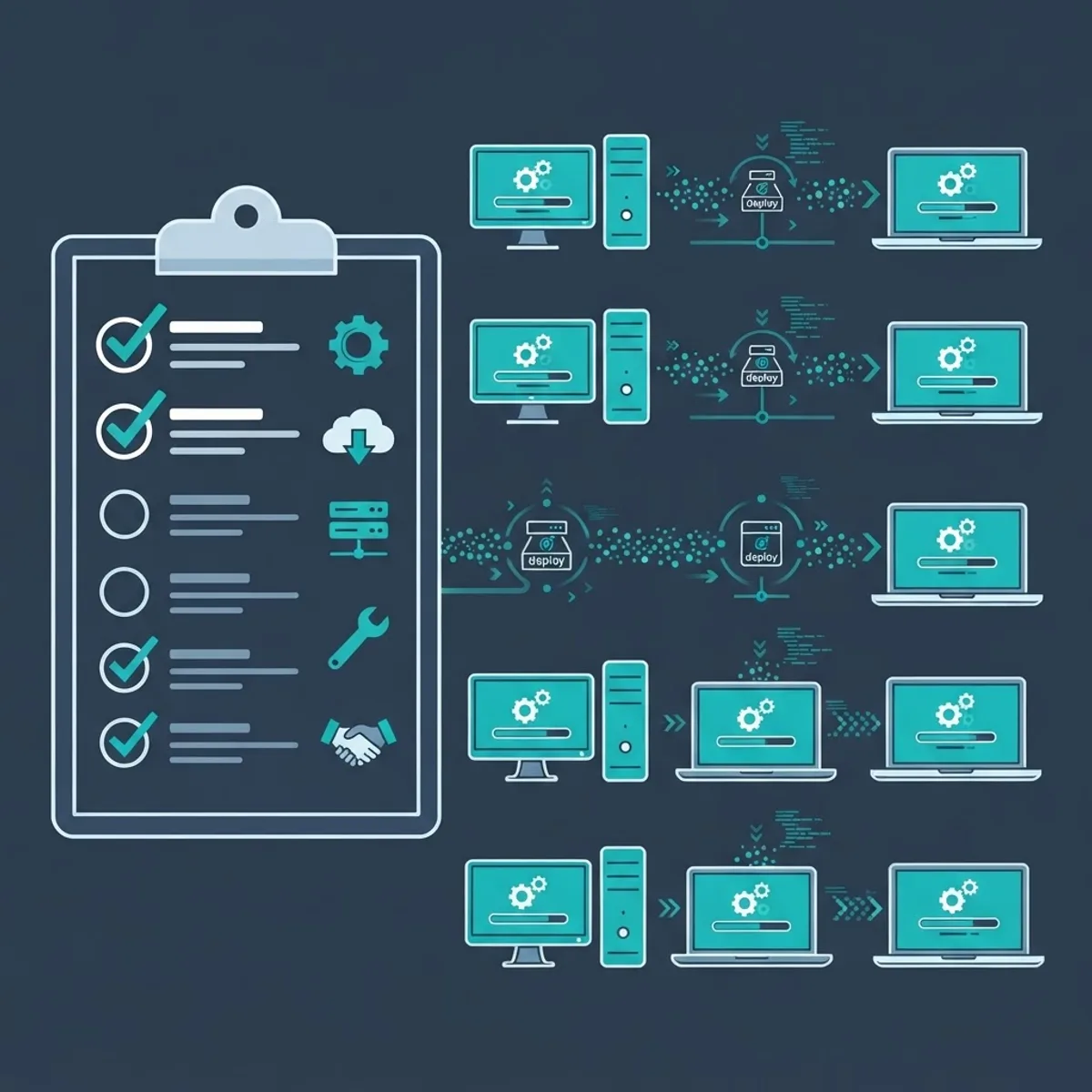
A metering deployment fails for operational reasons far more often than technical ones. Work through these in order:
- Confirm agent version supports web metering on every operating system in scope.
- Pilot on one department and one well-understood application first.
- Validate that pilot numbers match that vendor's admin console within a reasonable margin.
- Document data retention and privacy handling before expanding scope.
- Communicate to employees what is measured and, importantly, what is not.
- Assign a named owner for URL pattern maintenance.
- Schedule a quarterly review of unrecognized web applications.
Privacy Is a Design Constraint, Not a Disclaimer
Metering browser activity touches employee monitoring rules in many jurisdictions, and under GDPR any personal data processing needs a documented lawful basis and a defined retention period. The defensible position is narrow scope: measure only URLs matched to defined business applications, aggregate at the earliest possible point, retain only as long as the licensing decision requires, and publish the policy to staff. Programs that skip the communication step tend to be shut down by works councils or legal review, not by IT.
Reporting That Survives an Audit
Audit readiness means being able to answer three questions with dated evidence: who had access, who actually used the software, and what you did about the gap. Build standing reports for entitlement versus consumption, usage by user and cost center, applications with zero recorded usage, and unrecognized web applications discovered in the period. Export and archive these on a fixed schedule, because a report you can regenerate today may not reflect what was true eighteen months ago.

The reporting layer is also where SAM data becomes useful outside IT. Finance wants cost per active user, procurement wants renewal-cycle trends, and security wants the list of unsanctioned tools employees found on their own. Teams that present metering output in those three framings get budget for the program renewed without a fight. Agencies focused on measurable outcomes, including WebPeak Digital, tend to structure dashboards the same way, around decisions rather than raw metrics.
Key Takeaways
- Snow web application metering measures browser-based application usage at the endpoint through the Snow Inventory Agent, then imports it into Snow License Manager.
- The most actionable fields are last-used date, distinct active users, session count, and focused session duration.
- Industry research consistently places software and SaaS waste near 30 percent of spend, so identifying idle seats usually funds the program itself.
- Usage data lags by at least one agent scan cycle plus one import cycle, so never judge accuracy on day one.
- Overly broad URL patterns are the leading cause of inflated usage figures.
- Metering, identity provider logs, and vendor consoles should be used together, with metering as the primary evidence base.
- Document scope, retention, and employee communication before rollout to keep the program legally defensible.
Frequently Asked Questions (FAQ)
What is Snow web application metering?
It is a Snow Software capability that measures how employees use browser-based and SaaS applications. The Snow Inventory Agent matches visited URLs against defined web application signatures, records session data per user and device, and sends it to Snow License Manager for licensing and reclamation decisions.
Does web application metering track all browsing activity?
No. It records activity that matches URL patterns for applications you have explicitly defined, not general web browsing. Scope is controlled by your configuration, which is why narrow, well-documented patterns matter both for data accuracy and for meeting employee privacy expectations and legal requirements.
Why is my Snow web application usage data missing or too low?
The usual causes are missing agent coverage on some endpoints, an unsupported browser in use, URL patterns that are too specific, incognito sessions excluded by design, or simply not enough elapsed time. Usage requires at least one full agent scan plus one inventory import to appear.
How is metering different from checking the SaaS vendor dashboard?
A vendor dashboard shows logins for that product using the vendor's own definitions. Metering gives you vendor-independent data across many applications, including internal tools, with device and duration context. Use metering as your evidence base and the vendor console for reconciliation before renewal.
How much money can web application metering realistically save?
Savings depend on how much shelfware exists, but industry studies repeatedly find that around 30 percent of software and SaaS spend is unused. Most organizations recover meaningful budget in the first two quarters by reclaiming inactive seats and downgrading users to lower-cost subscription tiers.
How long should we keep web application usage data?
Keep it only as long as your licensing and audit obligations require, commonly twelve to twenty-four months to cover a full renewal or audit cycle. Define the retention period in writing before rollout, aggregate early, and archive periodic reports rather than retaining raw session records indefinitely.