
A practical guide to micromodels in machine learning: what they are, how they differ from large models, when to use them, and how to build and deploy them.
What Is a Micromodel in Machine Learning
Most teams that get stuck on machine learning costs are not stuck because their model is inaccurate. They are stuck because they used one enormous model to answer a question that a very small one could have answered in three milliseconds. That realization is the entire argument for micromodels.
A micromodel is a deliberately small, narrowly scoped machine learning model trained to do one job extremely well. Instead of one general model handling classification, extraction, ranking, and routing, you build a set of tiny specialists. This article explains exactly what micromodels are, how they behave in production, when they beat large models, and how to build one without wasting a quarter of engineering time.
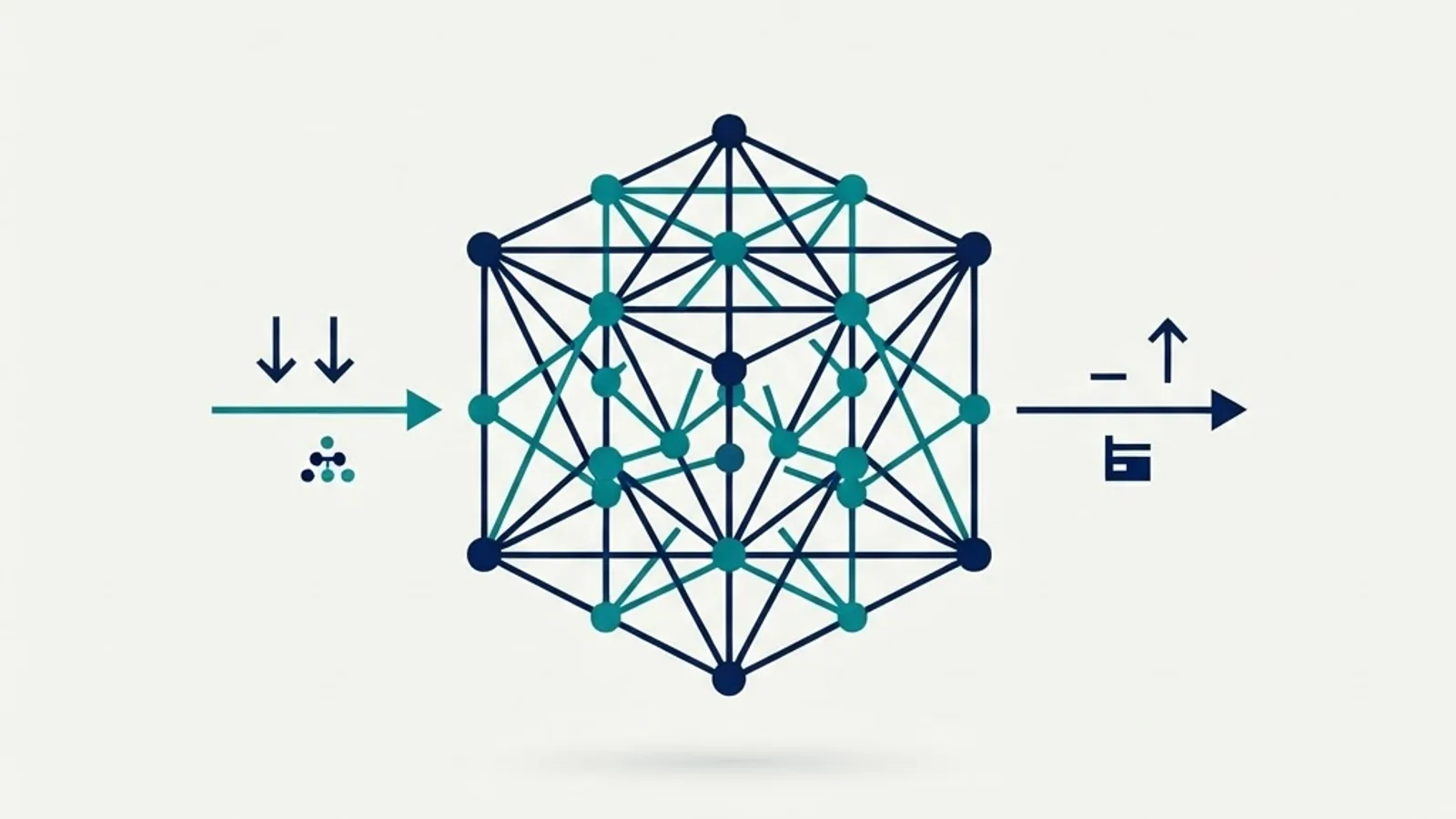
Quick Answer: A micromodel is a very small machine learning model, often under a few million parameters or a few megabytes, trained for one narrow task such as intent detection or field extraction. It trades general capability for speed, low cost, on-device deployment, and easier debugging, and it usually runs in milliseconds.
Micromodel: A Clear Definition
A micromodel is a machine learning model constrained in three dimensions at once: task scope, parameter count, and inference footprint. It is trained on a focused dataset to produce a focused output, and it is small enough to run on commodity CPUs, browsers, or embedded devices.
There is no single official parameter threshold, and anyone who claims one is overstating precision. In practice, engineering teams use these working boundaries:
- Micromodel: roughly 10 thousand to 10 million parameters, or a serialized artifact under about 50 MB
- Small model: 10 million to 1 billion parameters
- Large model: 1 billion parameters and above
The defining trait is not the number. It is the philosophy: one model, one decision boundary, one measurable job.
Classic gradient boosted trees on tabular data are micromodels. So are distilled transformer encoders like a 4-layer MiniLM variant used purely for sentence similarity. So is a quantized 2 MB keyword spotting network in a smart speaker that listens for a single wake word.
Micromodel vs Tiny ML vs Distillation
These terms overlap and get confused constantly, so here is the distinction:
- Micromodel describes the scope and size of the model.
- TinyML describes the deployment target, specifically microcontrollers with kilobytes of RAM.
- Knowledge distillation describes a training technique where a large teacher model transfers behavior to a small student.
Distillation is one of the most reliable ways to produce a micromodel, but a micromodel does not require distillation. Many are trained from scratch on labeled data because the task is simple enough that a large teacher adds nothing.
Why Micromodels Exist: The Economics
The technical case for micromodels is really an economic case. Inference, not training, dominates lifetime machine learning cost for any product with real users. According to AWS, inference accounts for up to 90 percent of total machine learning infrastructure spend for deployed models, because training happens occasionally while inference happens on every single request.
Latency matters just as much as cost. According to Google research on mobile experience, 53 percent of mobile site visits are abandoned if pages take longer than three seconds to load. A model that adds 800 milliseconds to a page render is not a neutral architectural choice, it is a conversion problem.

Micromodels attack both numbers directly. A quantized 5 MB classifier can serve a prediction in single digit milliseconds on a CPU with no GPU allocation, no cold start on a large weight file, and no per-token billing.
Micromodel vs Large Model: An Honest Comparison

| Factor | Micromodel | Large Model |
|---|---|---|
| Typical size | Under 50 MB | 2 GB to hundreds of GB |
| Inference latency | 1 to 30 ms on CPU | 200 ms to several seconds |
| Hardware needed | CPU, browser, edge device | GPU or hosted API |
| Marginal cost per call | Effectively near zero | Metered per token or per GPU second |
| Task flexibility | One narrow task only | Broad, many tasks with prompting |
| Data needed to reach good accuracy | Hundreds to low thousands of labels | Zero-shot capable |
| Explainability | High, feature attribution is practical | Low to moderate |
| Offline and private operation | Yes | Rarely |
| Retraining effort | Hours | Days to weeks, or not feasible |
The honest tradeoff: a micromodel will lose badly the moment the task requires world knowledge, open-ended reasoning, or handling inputs it never saw during training. Nobody should replace a general language model with a 3 MB classifier for open-ended customer conversation. But for the fixed, repetitive, high-volume decisions inside a product, the micromodel wins on nearly every operational metric.
When to Choose a Micromodel
Use a micromodel when the following conditions hold. This is the checklist we apply before scoping any model work at ZoneTechify:
- The output space is closed. You are predicting one of a known set of labels, a number, or a fixed set of extracted fields.
- The task is high volume. Thousands of predictions per hour or more, where per-call cost compounds.
- Latency is user-visible. Autocomplete, search ranking, spam filtering, form validation, live moderation.
- You have or can label real data. Even 500 to 2,000 clean examples is often enough for a narrow task.
- Privacy or offline operation matters. Medical, financial, or on-device use where data must never leave the client.
- You need to explain the decision. Regulated domains where feature attribution is required.
Skip the micromodel when the task is genuinely open ended, when the label taxonomy changes weekly, or when you have no labeled data and no path to getting it.
Real Micromodel Use Cases in Production
- Support ticket routing: a 4 MB text classifier assigns tickets to one of 12 queues in under 10 ms
- Lead scoring: a gradient boosted tree scores form submissions using 30 tabular features
- Image pre-filtering: a tiny convolutional net rejects blurry uploads in the browser before any file leaves the device
- Wake word detection: a sub-1 MB network runs continuously on a battery powered chip
- PII redaction: a small token classifier masks sensitive fields before data reaches a larger model
- Search reranking: a compact cross-encoder reorders the top 50 results from a keyword index
That last pattern is worth emphasizing. Micromodels are frequently the cheap first stage in front of an expensive second stage, and that is where they generate the most value.
How to Build a Micromodel: A Practical Workflow
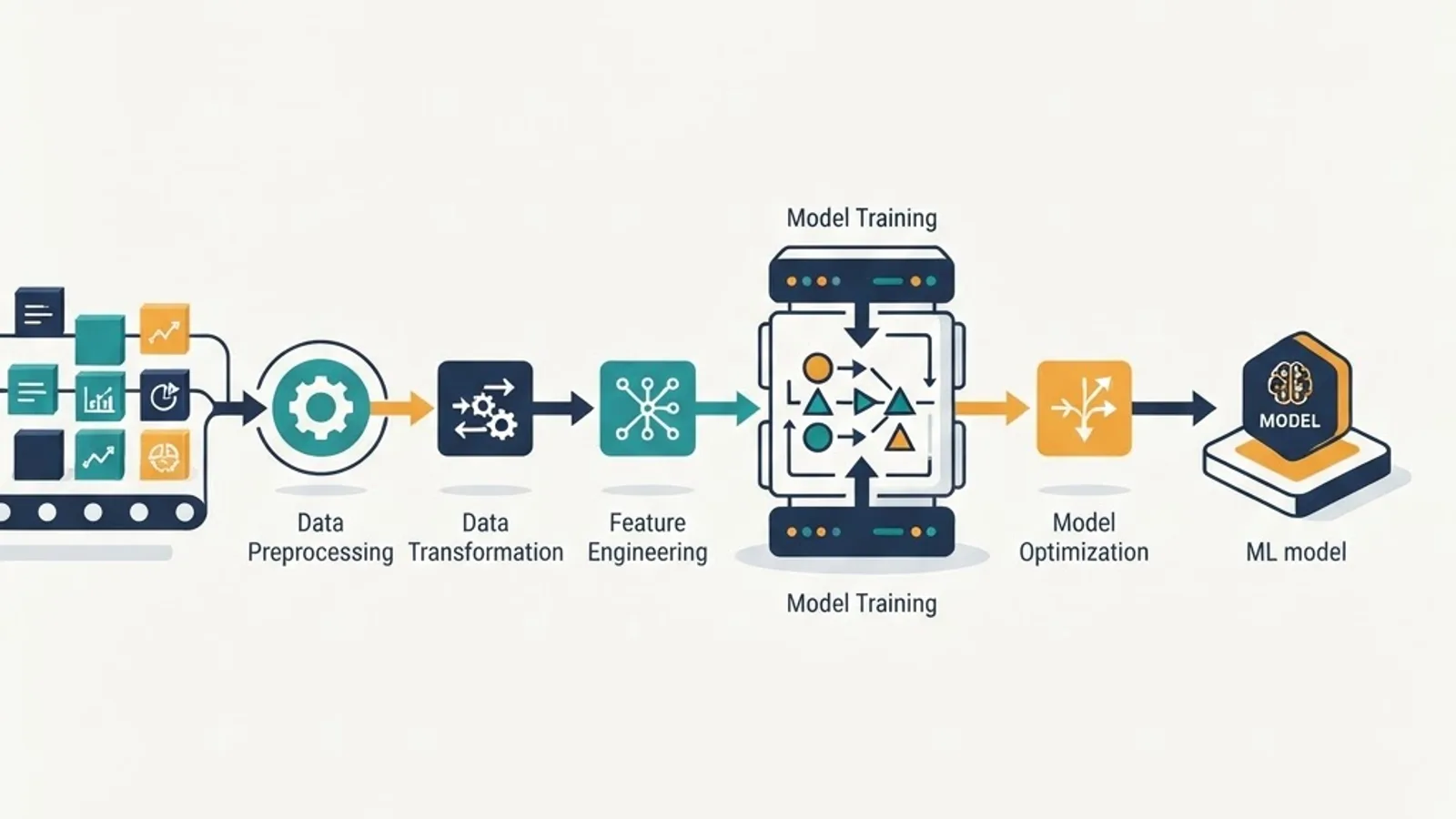
The workflow below reflects what actually survives contact with production, not a textbook diagram.
Step 1: Write the Task as a Single Sentence
If you cannot describe the model's job in one sentence with a defined input and a defined output, the scope is too broad for a micromodel. "Given a support message, predict one of 12 queue labels" is a valid micromodel task. "Understand customer sentiment and suggest next actions" is not.
Step 2: Establish a Non-ML Baseline First
Before training anything, measure how far regex, keyword rules, or a simple heuristic gets you. This single step kills a surprising number of unnecessary model projects. If rules hit 91 percent accuracy and your target is 92 percent, you do not need machine learning, you need one more rule.
Step 3: Label a Small, Clean, Representative Set
For a narrow classification task, 500 to 2,000 well-labeled examples per class boundary usually gets you into production range. Label quality beats label quantity every time. Two annotators disagreeing on 15 percent of examples is a definition problem, not a model problem, and no amount of data fixes it.
A useful trick: use a large model to draft labels, then have a human correct them. Correcting is roughly three to five times faster than labeling from scratch, and the corrections themselves reveal where your task definition is ambiguous.
Step 4: Pick the Smallest Architecture That Can Work
- Tabular or numeric features: gradient boosted trees, XGBoost or LightGBM
- Short text classification: logistic regression on TF-IDF as a baseline, then a distilled 4 to 6 layer transformer encoder
- Images: MobileNetV3 or EfficientNet-Lite with transfer learning
- Audio keyword spotting: small depthwise separable convolutional networks
Start with the simplest option, record the score, then only escalate if the simple model misses your target. Teams that skip the simple baseline never learn how much of their accuracy came from the architecture versus the data.
Step 5: Compress Before You Ship
Three techniques, in order of payoff:
- Quantization: convert 32-bit floats to 8-bit integers. Typically cuts size roughly 4x with minimal accuracy loss on classification tasks.
- Pruning: remove low-magnitude weights, then fine-tune to recover accuracy.
- Distillation: train the small student against a larger teacher's soft outputs to recover several accuracy points.
Always re-measure accuracy after every compression step on a held-out set. Compression that silently degrades a specific class is the most common micromodel failure we see.
Step 6: Instrument the Model in Production
Log every input, prediction, and confidence score. Micromodels are cheap to retrain, which means the pipeline is only valuable if you are continuously collecting the low-confidence cases that need labels. That feedback loop is the real asset, not the model file.
Micromodel Architecture Patterns
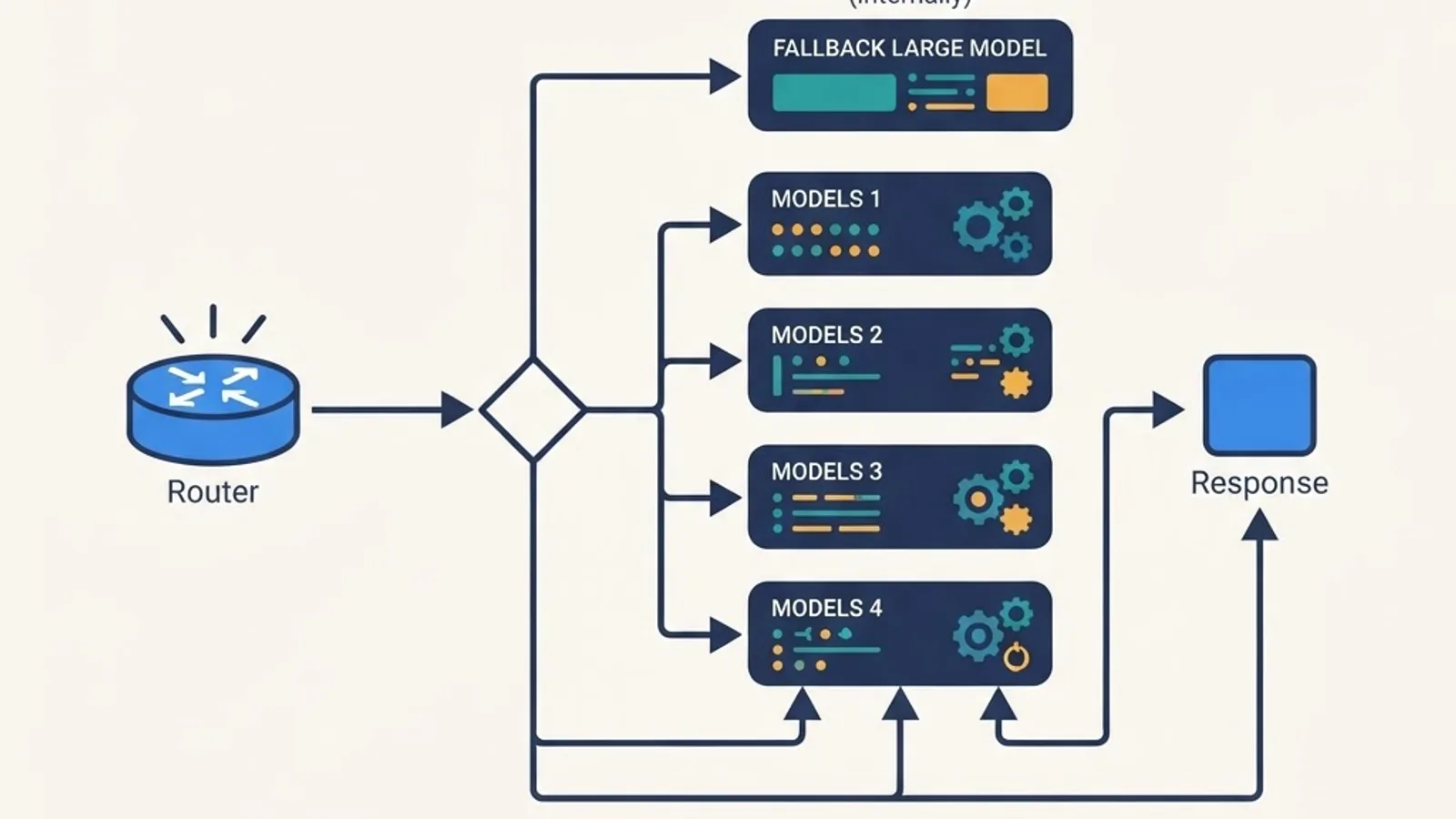
Micromodels rarely ship alone. Three patterns dominate:
The cascade. A micromodel handles the easy majority of cases, and escalates only low-confidence inputs to an expensive large model. If the micromodel confidently handles 80 percent of traffic, you have cut large-model spend by 80 percent while keeping the fallback quality ceiling.
The committee. Several micromodels each vote on a narrow sub-decision, and a simple aggregation rule combines them. Each specialist is independently testable and independently retrainable, which is a significant maintenance advantage over one monolith.
The guard rail. Micromodels wrap a larger system, filtering inputs before and validating outputs after. PII redaction, prompt injection detection, toxicity screening, and schema validation are all cheap micromodel jobs.
If you are designing this kind of layered system, the architectural decisions matter more than the model choice. Teams building production AI pipelines can review the approach used in our artificial intelligence services and the broader engineering practices documented at WebPeak.
Where Micromodels Run

The deployment surface is the most underrated micromodel advantage. A quantized model under 10 MB can run in:
- The browser via ONNX Runtime Web or TensorFlow.js, keeping user data entirely client side
- Serverless functions with no GPU, no cold start on multi-gigabyte weights
- Mobile apps through Core ML or TensorFlow Lite, working fully offline
- Microcontrollers with TensorFlow Lite Micro, in kilobytes of RAM
Running inference in the browser changes the privacy conversation completely. If the prediction never leaves the device, there is no data transfer to disclose, no retention policy to write, and no third-party processor agreement to negotiate.
Common Micromodel Mistakes

- Scope creep. Adding a second task to a micromodel destroys its accuracy advantage. Train a second model instead.
- Measuring accuracy only. On imbalanced data, accuracy hides everything. Track precision, recall, and per-class performance.
- Ignoring drift. Small models trained on narrow distributions degrade fast when inputs shift. Schedule monthly evaluation on fresh samples.
- No confidence threshold. Without a calibrated abstain path, a micromodel will confidently guess on inputs it has never seen.
- Optimizing size before accuracy. Get the accuracy first on an uncompressed model, then compress. Reversing this makes debugging impossible.
Key Takeaways
- A micromodel is a small, single-purpose machine learning model, typically under 10 million parameters and under 50 MB, built for one narrow task.
- Inference can represent up to 90 percent of lifetime machine learning infrastructure cost according to AWS, which is why model size directly drives budget.
- Google reports 53 percent of mobile visits are abandoned past three seconds, making low-latency micromodels a conversion issue, not just an engineering preference.
- Quantization from 32-bit to 8-bit typically reduces model size roughly 4x with minimal accuracy loss on classification tasks.
- The cascade pattern, where a micromodel handles high-confidence cases and escalates the rest, is the highest-ROI production architecture.
- Micromodels are the wrong choice for open-ended reasoning, unbounded output spaces, or rapidly changing label taxonomies.
Frequently Asked Questions (FAQ)
What is a micromodel in machine learning?
A micromodel is a very small machine learning model, usually under 10 million parameters, trained for a single narrow task like classification or field extraction. It runs in milliseconds on ordinary CPUs or edge devices, costs almost nothing per prediction, and is far easier to debug than a large general model.
How small does a model have to be to count as a micromodel?
There is no official threshold. Most engineering teams treat anything under roughly 10 million parameters, or a serialized file under about 50 MB, as a micromodel. The more important criterion is scope: it must handle exactly one task with a closed, well-defined output space.
Are micromodels less accurate than large models?
Not necessarily. On narrow tasks with good training data, a micromodel often matches or beats a large general model because it is specialized. Accuracy collapses only when the task requires world knowledge, open-ended reasoning, or handling input distributions the micromodel never saw during training.
How much data do I need to train a micromodel?
For a narrow classification task, 500 to 2,000 clean labeled examples per decision boundary is usually enough to reach production quality. Label consistency matters far more than volume. If two annotators disagree on many examples, fix the task definition before collecting more data.
Can micromodels run on phones or in the browser?
Yes, and that is a primary advantage. A quantized micromodel under 10 MB runs in browsers through ONNX Runtime Web or TensorFlow.js, and on phones through Core ML or TensorFlow Lite. Data never leaves the device, which removes most privacy and data transfer obligations.
When should I use a large model instead of a micromodel?
Use a large model when the output is open ended, when the task needs general world knowledge, or when you have no labeled data. A strong middle path is a cascade: let a micromodel handle confident routine cases and escalate only ambiguous inputs to the larger model.
Final Word
The instinct to reach for the biggest available model is understandable and usually wrong. Most production machine learning is a collection of small, boring, repetitive decisions, and small, boring, repetitive decisions are exactly what micromodels are built for. Start by writing your task in one sentence. If it fits, you probably need a micromodel, not a bigger one.