A practical, experience-based guide to develop a new software product: validate demand, scope an MVP, choose a stack, test properly, launch, and measure what matters.
Develop New Software Product
Most software products do not fail because the code was bad. They fail because someone built the wrong thing carefully. After shipping products for startups and enterprise teams, the pattern is consistent: teams that spend two weeks validating demand before writing code ship faster than teams that skip straight to development and rewrite three months later. This guide walks through the exact sequence we use to develop a new software product, including the decisions that quietly determine whether it survives its first year.
Quick Answer: To develop a new software product, validate the problem with real users, define a single measurable outcome, scope a minimum viable product to one core workflow, pick a boring proven tech stack, build in two-week iterations with automated testing, launch to a small cohort, then expand based on retention data rather than feature requests.
What Does It Actually Mean to Develop a New Software Product?
Developing a new software product means turning a validated problem into working, maintainable software that a defined group of users will pay for or rely on. It is not the same as writing an application. An application is code. A product includes the problem definition, the pricing model, the onboarding path, the support process, and the roadmap that keeps it relevant after launch.
That distinction matters financially. According to CB Insights research on startup post-mortems, no market need is the single most cited reason for failure, appearing in roughly 35% of cases. The cause is almost never technical. It is a product built for an assumption instead of a customer.
The Three Questions Every Product Must Answer
- Who specifically has this problem? Not "small businesses" — "dental clinics with 2 to 5 chairs that still book by phone."
- What are they doing today instead? Spreadsheets, WhatsApp, a competitor, or nothing. Their current workaround is your real competition.
- What changes measurably if your product works? Hours saved, revenue recovered, errors eliminated. If you cannot state it as a number, you cannot sell it or improve it.
Step 1: Validate the Problem Before You Write Code
Start with 10 to 15 structured conversations with people who match your target user, not people who are polite to you. Ask what they did last time the problem occurred, not whether they would use your idea. Past behaviour predicts purchase; hypothetical enthusiasm does not.

A validation sprint that works in practice:
- Days 1–4: Interview users. Record the exact words they use to describe the pain — that language becomes your marketing copy later.
- Days 5–7: Build a one-page offer with pricing and collect either a waitlist signup, a pilot commitment, or a deposit.
- Days 8–10: Map the current workflow step by step. The step people hate most is your first feature.
If fewer than three people will commit time or money to a pilot, the problem is real but not urgent. Change the segment before changing the idea.
Step 2: Define Scope and a Roadmap You Can Defend
Scope creep is not caused by clients. It is caused by the absence of a written success metric. Once you define the product as "reduce missed appointments by 30%," it becomes easy to reject the loyalty-points feature that does not move that number.
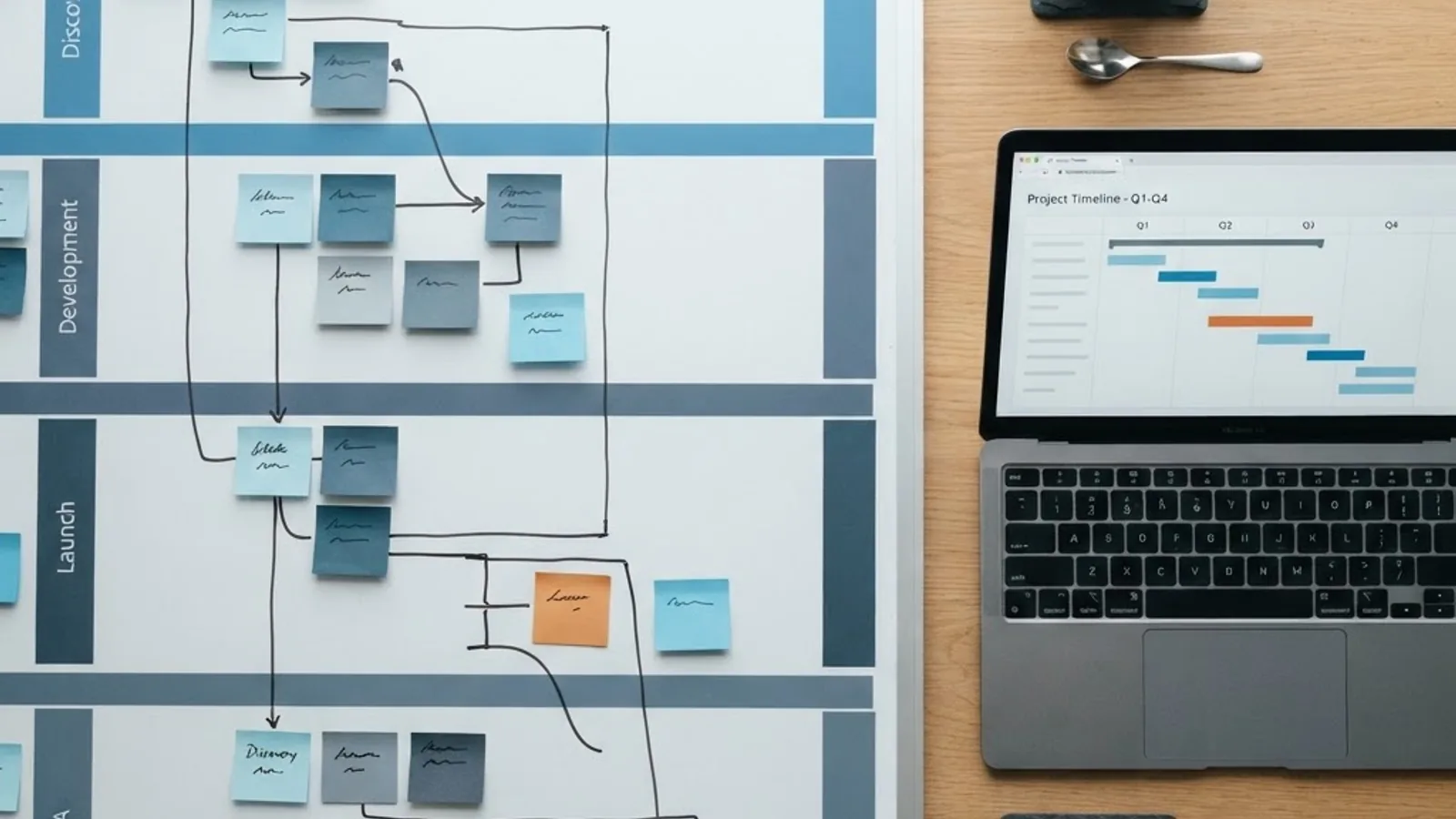
Write three artefacts before development begins:
- Product one-pager: the user, the problem, the metric, and what the product deliberately will not do.
- Core workflow map: the single end-to-end path a user must complete to get value.
- Release plan: what ships in release one, and what is parked in a clearly labelled later list so nobody feels ignored.
Teams that plan this way tend to cut initial build scope by 30% to 50% with no loss in perceived value, because most parked features were never on the critical path to the metric. Structured product planning is a core part of how we approach web application development engagements.
Step 3: Build the MVP Around One Complete Workflow
A minimum viable product is the smallest version of your product that lets a real user complete the core workflow and get real value. The common mistake is building many features at 40% depth. Build one workflow at 100% depth instead — users forgive missing features, not broken ones.

MVP Inclusion Test
Include a feature only if removing it makes the core workflow impossible. Apply it honestly:
- Authentication: usually required.
- Core workflow screens: required.
- Admin dashboard: often replaceable by a database query in month one.
- Notifications, integrations, analytics UI, role permissions: usually release two.
- Dark mode, custom branding, bulk import: almost never MVP.
Work in Two-Week Iterations
Ship something demonstrable every two weeks to at least one real user. Monthly demos hide misunderstandings for too long. In our experience, the cost of correcting a misread requirement roughly doubles for every additional sprint it stays undiscovered.
Step 4: Design the Experience Before the Architecture
Design decisions constrain engineering decisions, so make them first. Wireframe the core workflow, then build a clickable prototype and put it in front of five users. Watch where they hesitate — hesitation is where support tickets come from later.

Three usability rules that consistently reduce churn:
- First value in under five minutes. Onboarding should end with the user completing something real, not reading a tour.
- Empty states must teach. A blank screen with one clear action outperforms a screen with six options.
- Never lose user input. Autosave drafts and preserve form state on error. This single behaviour eliminates a surprising share of abandonment.
Speed is a design requirement too. Google's research on mobile behaviour found that 53% of mobile visits are abandoned if a page takes longer than three seconds to load, and that threshold applies to logged-in product screens as much as marketing pages.
Step 5: Choose a Tech Stack That Matches the Product, Not the Trend
Pick technology by hiring pool, ecosystem maturity, and operational cost — not novelty. A boring stack your team already knows will out-ship an exciting one they are learning.

| Product Type | Recommended Approach | Best For | Main Trade-Off |
|---|---|---|---|
| B2B SaaS dashboard | Server-rendered web app plus managed SQL database | Complex data, permissions, reporting | Slower offline support |
| Consumer mobile-first app | Cross-platform mobile framework plus API backend | Fast dual-platform launch | Limited deep native features |
| Internal operations tool | Low-code or admin framework | Speed and low cost | Harder to productise later |
| AI-assisted product | Web app plus model API plus vector storage | Automation and content workflows | Ongoing inference cost |
| High-scale marketplace | Modular services plus queue and cache layer | Traffic spikes, many integrations | Higher operational complexity |
Three architecture defaults that age well: use a relational database unless you can prove you need otherwise; keep business logic on the server so you can change it without shipping a client update; and put every environment variable, migration, and deployment step in version control from day one.
Step 6: Test Like the Product Has Paying Customers
Quality is a scoping decision, not a phase. Automate the tests that protect revenue and check the rest manually. Full coverage on an unvalidated product is waste; zero coverage on a payment flow is negligence.

A proportionate testing baseline for release one:
- Unit tests on pricing, permissions, and calculations — anything where a wrong number costs money or trust.
- Integration tests on signup, payment, and the core workflow end to end.
- Manual pass on the top three browsers and two real devices before every release.
- Security checks: server-side validation of every input, parameterised queries, secrets outside the codebase, and rate limiting on public endpoints.
- Pre-launch load test at roughly ten times expected day-one traffic so a good launch day does not become an outage.
Step 7: Launch Small, Then Expand Deliberately
Launch to a cohort of 20 to 50 users before any public announcement. A small launch surfaces the same bugs as a large one at a fraction of the reputational cost, and it lets you talk to every early user personally.

Track four numbers from week one:
- Activation rate: percentage of signups who complete the core workflow once.
- Week-four retention: the honest signal of whether the problem was real.
- Time to first value: measured in minutes, not perceived.
- Top three support themes: your real roadmap, ranked by frequency.
Discoverability compounds from launch day, so treat structured content, technical SEO, and answer-engine visibility as product work rather than an afterthought — the approach we outline across ZoneTechify and WebPeak.
What Founders Underestimate Most
Three costs consistently surprise first-time product teams. Support volume scales with users, not features, so a simple product with 500 users still needs a response process. Maintenance consumes 15% to 25% of engineering capacity once the product is live, covering dependency updates, security patches, and platform changes. Onboarding content — docs, tooltips, short videos — is usually the highest-leverage post-launch work and is almost always scheduled last.
Key Takeaways
- No market need is cited in roughly 35% of startup failures, making problem validation the highest-return step in product development.
- Google reports 53% of mobile visits are abandoned beyond a three-second load time, so performance is a product requirement.
- Define one measurable success metric before development; it is the only reliable defence against scope creep.
- Build one workflow to full depth rather than many features at partial depth.
- Choose proven, well-staffed technology over trending frameworks unless the product genuinely requires it.
- Automate tests on money, permissions, and the core workflow first; expand coverage as revenue grows.
- Launch to 20 to 50 users, then let activation and week-four retention drive the roadmap.
- Reserve 15% to 25% of engineering capacity for ongoing maintenance from launch onward.
Frequently Asked Questions (FAQ)
How long does it take to develop a new software product?
A focused MVP built around one core workflow typically takes three to five months, including two weeks of validation and two to three weeks of design. Products with payments, complex permissions, or third-party integrations trend toward six to nine months. Timelines expand mainly from unclear scope, not from engineering speed.
How much does it cost to build a new software product?
Cost depends on scope and team location, but the reliable planning rule is to budget for the MVP plus 30% for post-launch fixes and iteration. Also plan recurring costs: hosting, monitoring, third-party APIs, and 15% to 25% of engineering capacity for ongoing maintenance and security updates.
What is the difference between an MVP and a prototype?
A prototype demonstrates an idea and cannot be used for real work — it is usually clickable screens with no backend. An MVP is production software that lets a real user complete the core workflow and get genuine value. Prototypes test desirability; MVPs test whether people will actually keep using it.
Should I build my software product in-house or outsource it?
Build in-house when the product is your core business and you can hire senior engineers quickly. Outsource or partner when speed matters more than headcount, or when you need design, engineering, and DevOps at once. Either way, keep product ownership, source code, and infrastructure accounts under your control.
How do I know if my software product idea is worth building?
Test commitment, not opinion. Talk to 10 to 15 target users about what they did last time the problem occurred, then ask for a pilot commitment, deposit, or waitlist signup at real pricing. If at least three qualified people commit something concrete, the demand is credible enough to start building.
What are the most common mistakes when developing a new software product?
The most frequent mistakes are building without validating demand, defining scope without a measurable success metric, launching too broadly before fixing onboarding, and ignoring maintenance capacity. A fifth is treating analytics as optional — without activation and retention data, roadmap decisions become guesswork driven by the loudest requests.