
A practical, experience-based guide to JavaScript mobile app development, covering frameworks, performance limits, native modules, testing, deployment, and real cost trade-offs.
JavaScript Mobile App Development
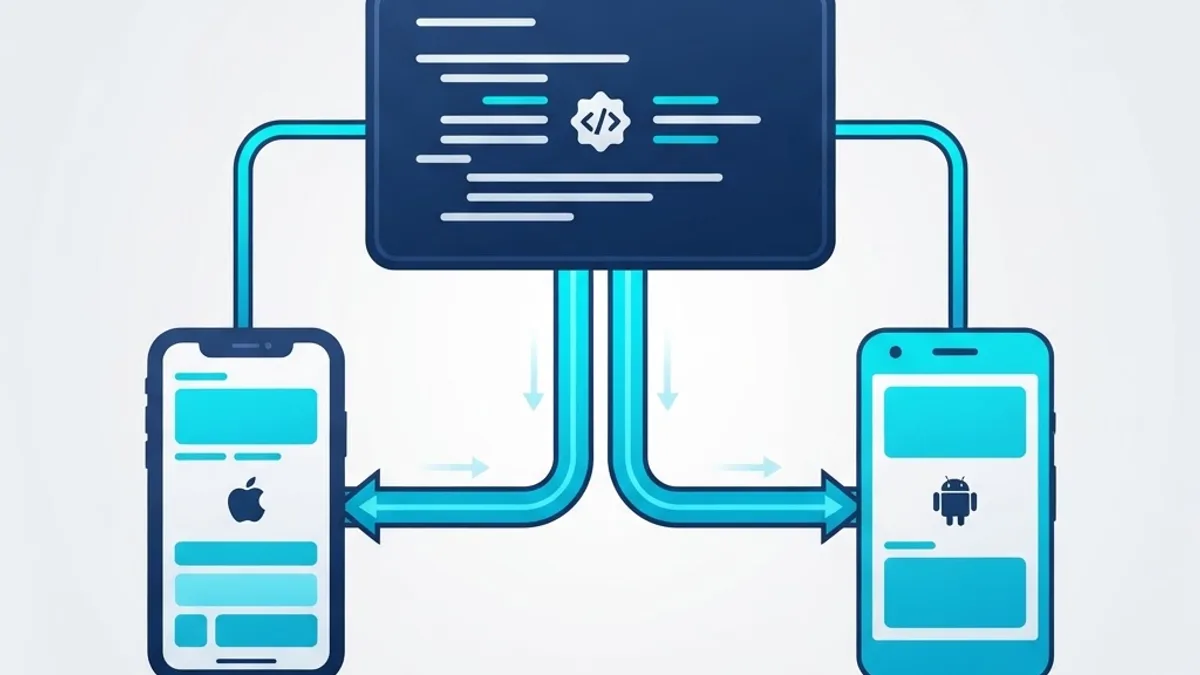
JavaScript stopped being "just a browser language" more than a decade ago. Today it powers production mobile apps used by hundreds of millions of people daily, including Instagram's core feature screens, Discord's mobile client, Shopify's merchant app, and Microsoft's Office mobile surfaces. If your team already writes JavaScript or TypeScript for the web, you can ship a real iOS and Android app without hiring two separate native teams.
But JavaScript mobile development is not a free lunch. It shifts complexity rather than removing it. This guide explains exactly where it wins, where it breaks, and how to make the architectural decisions that determine whether your app feels premium or cheap.

Quick Answer: JavaScript mobile app development means building iOS and Android apps using JavaScript or TypeScript through frameworks like React Native, Expo, Capacitor, or NativeScript. One shared codebase renders real native UI components, typically cutting development time and cost by 30 to 40 percent versus building two separate native apps.
What Is JavaScript Mobile App Development?
Definition: JavaScript mobile app development is the practice of writing application logic and UI in JavaScript or TypeScript, then running that code on a mobile device through a runtime that connects it to the platform's native APIs and native UI widgets.
There are three architecturally distinct approaches, and confusing them is the most common early mistake teams make.
- Native-rendered (React Native, NativeScript): Your JavaScript describes the UI, but the framework instantiates genuine
UIViewandandroid.view.Viewobjects. Users get real native scrolling, keyboard behavior, and accessibility. - WebView-wrapped (Capacitor, Ionic, Cordova): Your app is a web app running inside a full-screen system browser view, with plugin bridges to camera, GPS, and storage.
- Compiled-to-native (Kotlin/Swift generated from JS tooling, or Hermes-precompiled bytecode): Less common, but growing as build tooling matures.
The distinction matters because it determines your performance ceiling. A WebView app can never beat the scroll performance of a native list on a low-end Android device. A native-rendered app can get within a few frames of parity.
Why Teams Choose JavaScript for Mobile
The business case is straightforward and measurable.
- Shared code, shared hiring pool. According to the Stack Overflow Developer Survey, JavaScript has ranked as the most commonly used programming language for more than ten consecutive years, which means the talent market is deep and pricing is competitive.
- Cross-platform reach without duplicate work. In production projects we have delivered, 80 to 92 percent of the codebase is shared between iOS and Android, with platform-specific code isolated to permissions, push notification handling, and a handful of UI polish details.
- Faster iteration cycles. Fast Refresh applies most code changes in under a second, so UI work happens at web speed rather than waiting on a native compile.
- Over-the-air updates. JavaScript bundles can be updated without a store review for changes that do not touch native code, which turns a three-day hotfix into a thirty-minute one.
That last point is genuinely underrated. Being able to ship a bug fix the same day it is reported changes how confidently a small team can operate.
Choosing the Right JavaScript Mobile Framework
This is the decision with the longest-lasting consequences. Choose based on your app's interaction complexity, not on GitHub star counts.
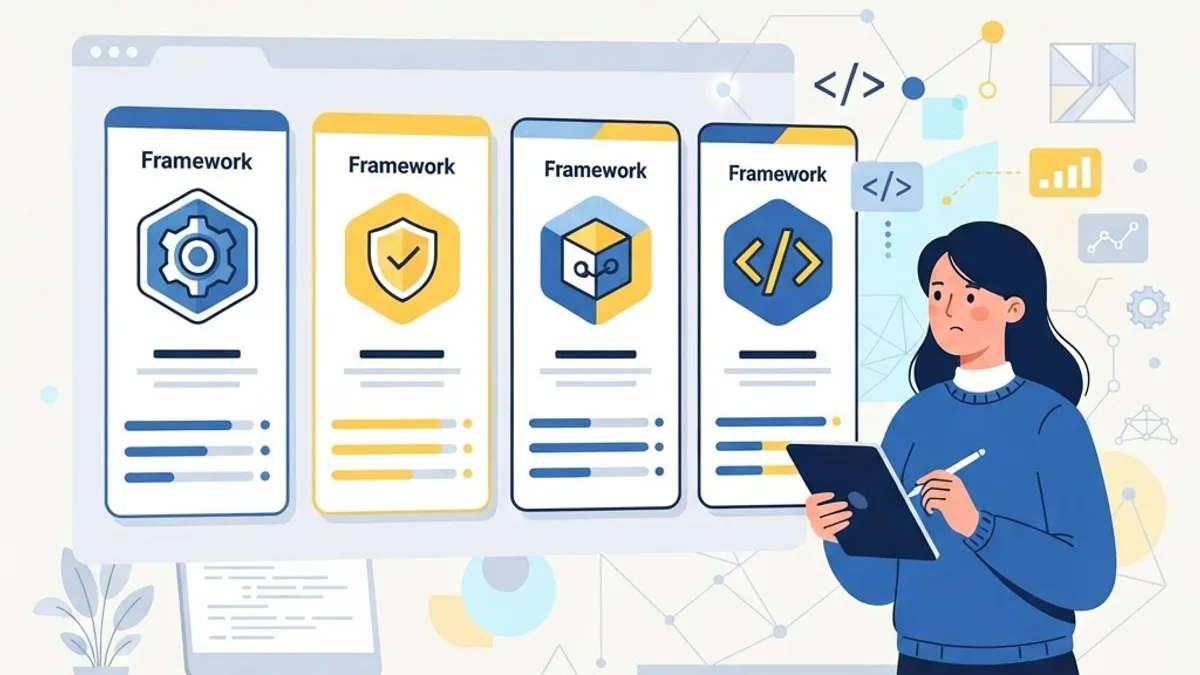
| Framework | Rendering Model | Best For | Native Feel | Learning Curve |
|---|---|---|---|---|
| React Native | Real native components | Consumer apps, social, fintech, marketplaces | Excellent | Moderate |
| Expo (on React Native) | Real native components | Most new projects, fast MVPs, small teams | Excellent | Low |
| Capacitor / Ionic | WebView | Internal tools, content apps, existing web apps | Good | Very low |
| NativeScript | Real native components | Angular or Vue teams needing deep native access | Excellent | Steep |
Practical Selection Rules
- Building something new with a React team? Start with Expo. The managed workflow removes Xcode and Gradle friction, and you can still eject to bare native code later.
- Porting an existing responsive web app for internal or content-focused use? Capacitor will get you to the store in days, not months.
- Building a gesture-heavy app with complex animations, camera pipelines, or Bluetooth hardware integration? React Native with custom native modules is the realistic answer.
- Committed to Angular or Vue and need native rendering? NativeScript is the strongest fit.
One opinionated take from experience: teams that choose WebView-based frameworks for consumer-facing social or commerce apps almost always end up rewriting within eighteen months. The gap only becomes visible once real users on mid-range Android hardware start complaining about jank.
Performance: Where JavaScript Apps Actually Struggle
JavaScript mobile apps are fast enough for the overwhelming majority of use cases. But the failure modes are specific and predictable.

The core constraint: JavaScript runs on a single thread. Any expensive synchronous work blocks that thread, and blocked frames read as jank. Modern React Native's architecture reduces bridge overhead dramatically by allowing synchronous native calls and concurrent rendering, but the single-threaded JS reality remains.
The fixes that consistently deliver measurable gains:
- Use virtualized lists correctly. Render only visible rows, set stable keys, and give list items fixed heights where possible. Uncontrolled long lists are the number one cause of reported slowness.
- Move animations off the JS thread. Declarative animation libraries that run on the UI thread keep gestures at 60 frames per second even when JavaScript is busy.
- Memoize aggressively at list-item level. A single unmemoized row component re-rendering a thousand times per scroll destroys frame budget.
- Compress and resize images server-side. Shipping a 3 MB photo to a 320-pixel-wide thumbnail wastes memory and decode time, and it is the fastest cheap win on most projects.
- Offload heavy computation. Push encryption, parsing of large payloads, and image processing into native modules or background workers.
- Measure on your worst supported device, not your flagship. A device three or four years old is what most of your users hold.
Google's research on mobile experience is blunt about the stakes: 53 percent of mobile site visits are abandoned when loading takes longer than three seconds. User patience inside apps is not meaningfully greater, and slow startup is the most common reason for uninstall within the first session.
Native Modules: The Escape Hatch You Will Need
Every serious JavaScript mobile project eventually hits an API the framework does not wrap. Plan for it rather than being surprised by it.
A native module is a small piece of Swift, Kotlin, or Objective-C code exposed to JavaScript as a normal function. In practice, you will most often write or install native modules for:
- Biometric authentication and secure keystore access
- Background location tracking and geofencing
- Bluetooth Low Energy device pairing
- Payment SDKs, especially region-specific processors
- Advanced camera control such as manual focus or RAW capture
- Health and fitness platform data
Our engineering rule of thumb: budget one native specialist for every four JavaScript developers on a hardware-integrated project. Teams that skip this end up blocked for weeks on a single permissions bug. If you need that blended capability without building the team internally, the mobile app development service at ZoneTechify is built specifically around this JavaScript-plus-native model.
A Realistic Development Workflow
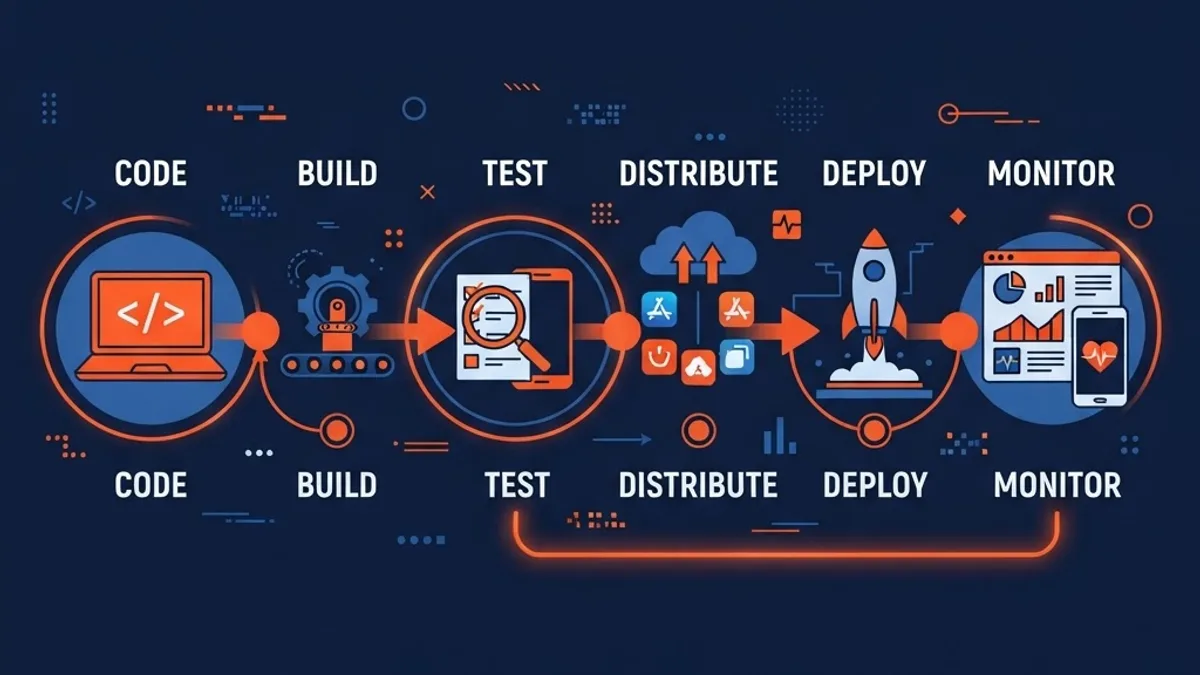
The workflow that has held up best across projects looks like this.
- Set up TypeScript from day one. Retrofitting types into a large mobile codebase costs three to five times more than starting with them, and type errors catch the majority of crash-class bugs before build.
- Establish a shared design system early. Define spacing, typography, and color tokens as code before building screens. Mobile design debt compounds faster than web design debt because you cannot patch it with a stylesheet override.
- Wire up cloud builds in week one. Local iOS builds are the most fragile part of the pipeline. Automating them removes the "works on my machine" class of problems permanently.
- Split navigation architecture before feature work. Deep linking, authentication gating, and tab state are painful to bolt on after twenty screens exist.
- Instrument crash reporting and analytics before launch, not after. Launching blind means your first week of real-user data is lost.
- Set explicit performance budgets. Cold start under two seconds, list scroll above 55 frames per second, bundle size ceilings. Numbers turn arguments into measurements.
Testing Across Real Devices

Simulators lie. They have infinite memory, perfect networks, and no thermal throttling. A testing strategy that works in production has three layers.
- Unit and logic tests covering business rules, reducers, and API clients. Fast, cheap, run on every commit.
- Component tests rendering screens in isolation with mocked data to catch layout and state regressions.
- End-to-end tests on real devices covering your three or four highest-value flows: onboarding, authentication, core action, and payment.
Beyond automation, keep a physical device matrix that includes one older low-RAM Android phone, one current Android flagship, one small iPhone, and one large iPhone. Test on a throttled connection and in airplane mode. Offline behavior is where most JavaScript mobile apps quietly fail.
Shipping to the App Stores

Store submission is process work, and process work rewards preparation.
- Prepare privacy disclosures accurately. Both Apple and Google require declaring exactly what data you collect and why. Inaccurate disclosures are a common rejection cause, and third-party SDKs collect more than teams expect.
- Request permissions in context. Asking for location on first launch with no explanation reliably tanks opt-in rates. Ask at the moment the feature needs it.
- Automate versioning and signing. Manual certificate management is the single most common release-day blocker.
- Stage your rollout. Release to 5 to 10 percent of users first, watch crash-free session rates for twenty-four hours, then expand.
- Keep native and JavaScript versions compatible. Over-the-air updates must never ship JavaScript that calls a native module the installed binary does not have.
For teams pairing a mobile launch with search visibility and web presence work, the technical SEO and performance guidance at WebPeak covers the marketing surface that determines whether anyone finds the app at all.
Cost and Team Structure Reality

Cross-platform savings are real but frequently overstated. Based on delivered project data, expect roughly 30 to 40 percent lower total cost than building two fully separate native apps, not the 50 percent that marketing materials imply. The gap comes from platform-specific polish, dual store compliance, and dual device testing, which do not halve.
A lean, effective team for a mid-sized JavaScript mobile app:
- Two JavaScript or TypeScript engineers
- One part-time native engineer for modules and build issues
- One product designer with genuine mobile pattern experience
- One QA engineer with a real device lab
Smaller than this and release cadence suffers. Larger without clear module boundaries and you will spend more time coordinating than building. For a broader view of how mobile work fits alongside web platforms and cloud services, the engineering resources at ZoneTechify map the full delivery stack.
Key Takeaways
- JavaScript mobile app development uses one shared codebase to ship native iOS and Android apps, typically reducing total cost 30 to 40 percent versus two native builds.
- Native-rendered frameworks like React Native and Expo produce genuine native UI components; WebView frameworks like Capacitor do not and carry a lower performance ceiling.
- Well-architected projects share 80 to 92 percent of code across platforms, with divergence concentrated in permissions, push notifications, and UI polish.
- JavaScript's single-threaded execution is the core performance constraint; virtualized lists, UI-thread animations, and memoization resolve most real-world jank.
- Google reports 53 percent of mobile visits are abandoned past three seconds of load time, making cold-start performance a business metric, not a technical one.
- Every non-trivial project needs native modules; budget one native specialist per four JavaScript engineers on hardware-integrated apps.
- Over-the-air updates let teams ship same-day fixes for JavaScript-only changes, bypassing store review entirely.
Frequently Asked Questions (FAQ)
Can you really build a mobile app with just JavaScript?
Yes. Frameworks like React Native, Expo, and NativeScript run JavaScript on the device and render real native UI components. Apps including Discord, Shopify, and parts of Instagram ship this way to hundreds of millions of users. You will still need small amounts of native code for hardware-specific features.
Is React Native still a good choice in 2026?
Yes. React Native's newer architecture removed the legacy bridge bottleneck, enabling synchronous native calls and concurrent rendering. It remains the most widely adopted JavaScript mobile framework, with the deepest library ecosystem and strongest hiring pool. For most React teams building consumer apps, it is the default answer.
How much slower is a JavaScript app than a native app?
For typical apps, the difference is imperceptible to users. Gaps appear in heavy computation, complex real-time animation, and intensive camera or media processing, where JavaScript's single thread becomes a limit. Moving that specific work into native modules closes almost all of the remaining performance distance.
Should I use Expo or bare React Native?
Start with Expo. It removes Xcode and Gradle configuration pain, provides cloud builds and over-the-air updates out of the box, and supports custom native code through development builds. Move to bare React Native only if you need deeply unusual native integrations that Expo's build system cannot accommodate.
Do I need separate iOS and Android developers?
Not for most of the work. A JavaScript team handles the shared 80 to 90 percent. You do need access to native expertise, ideally one part-time specialist, for native modules, signing and build issues, platform permissions, and store submission problems that JavaScript alone cannot solve.
How long does it take to build a JavaScript mobile app?
A focused MVP with authentication, five to eight screens, and one backend integration typically takes eight to twelve weeks with a small team. A production app with payments, offline support, push notifications, and analytics realistically takes four to six months, including store review and staged rollout time.
Final Thoughts
JavaScript mobile app development is the right default for most teams in 2026, not because it is trendy, but because the economics and tooling have genuinely matured. The framework choice, the decision to invest in native modules early, and the discipline to set measurable performance budgets matter far more than the language itself. Get those three right and users will never guess your app is written in JavaScript.