How desktop application development companies work, what they charge, which frameworks they use, and the exact questions to ask before you sign a contract.
Desktop Application Development Companies
Desktop software never died. It moved into the places where the browser cannot go: operating rooms, trading floors, CNC shops, film studios, laboratories, and air-gapped government networks. Companies that build these applications solve a fundamentally different problem than web agencies do. They ship binaries that must install cleanly on machines they will never touch, run offline for weeks, talk directly to hardware, and survive an operating system update that arrives without warning.
This guide explains what desktop application development companies actually do, how their pricing works, which technology choices matter, and the specific questions that separate a capable partner from an expensive mistake. It is written from the perspective of teams who have delivered and maintained installed software, not from a brochure.

Quick Answer: Desktop application development companies design, build, and maintain software installed directly on Windows, macOS, or Linux machines. They handle native UI, offline data, hardware integration, code signing, installers, and auto-updates. Typical engagements run 3 to 9 months and cost between 40,000 and 400,000 USD depending on platform count and complexity.
What Is a Desktop Application Development Company?
A desktop application development company is a software firm that specializes in applications executed locally on an end user's operating system rather than delivered through a browser. Their deliverable is not a URL. It is a signed installer, an update channel, and a support commitment.
That distinction changes the entire engineering scope. A web team deploys a fix once and every user has it. A desktop team must package the fix, sign it with a trusted certificate, publish it to an update server, and account for the users still running a build from fourteen months ago. Serious firms treat release engineering as a first-class discipline, and you should ask to see it before anything else.
Where Desktop Still Beats the Browser
Five requirements reliably push a project off the web and onto the desktop:
- Hardware and peripheral access - scanners, PLCs, USB instruments, GPU compute, MIDI devices, and industrial controllers.
- Genuine offline operation - field inspection, maritime, aviation, and remote-site work where connectivity is unreliable.
- Large local datasets - video editing, CAD, GIS, genomics, and anything measured in gigabytes per session.
- Regulatory or air-gapped constraints - defense, healthcare, and finance environments that prohibit cloud data egress.
- Sustained low-latency interaction - audio production, real-time visualization, and high-frequency trading interfaces.
If your requirements list does not include at least one of these, a web application is usually cheaper to build and far cheaper to maintain. An honest vendor will tell you that. Teams evaluating both paths often start with a discovery engagement through a firm such as ZoneTechify before committing to a platform.
The Types of Companies You Will Encounter
Not every vendor calling itself a desktop specialist is structured the same way. There are four broad models, and the right one depends on how much internal engineering capacity you already have.
| Vendor Type | Typical Rate (USD/hr) | Best Suited For | Main Risk |
|---|---|---|---|
| Boutique specialist (5-30 staff) | 90 - 160 | Complex native or hardware-integrated apps | Limited bench depth if key engineers leave |
| Full-service agency (30-200 staff) | 75 - 140 | Desktop plus web, mobile, and backend in one scope | Desktop expertise may be thin behind the pitch |
| Enterprise consultancy (200+ staff) | 150 - 300 | Regulated industries needing audit trails | High overhead, slow decision cycles |
| Staff augmentation | 30 - 75 | Extending an existing in-house team | You must supply architecture and QA leadership |
The rate is the least interesting number in that table. What matters is who owns architectural decisions. If you do not have a senior engineer internally who can review technical direction, do not choose staff augmentation regardless of the hourly saving.
How to Vet a Desktop Application Development Company
Use this checklist during the first two calls. Each item exists because its absence has sunk real projects.
1. Ask to Install Their Shipped Work
Screenshots prove nothing about desktop software. Ask for an installer you can run on your own machine. Watch for whether it is properly signed, whether it triggers an operating system warning, how long the first launch takes, and whether uninstalling leaves debris behind. A team that cannot produce a single installable reference is not a desktop team.
2. Confirm Platform Experience Matches Your Targets
Windows, macOS, and Linux each impose different requirements: Windows demands MSI or MSIX packaging and registry discipline; macOS requires notarization through Apple and sandbox entitlements; Linux means Flatpak, Snap, AppImage, or distribution packages. Ask which of these they have shipped in the last twelve months, specifically.
3. Interrogate the Update Strategy
Ask one question: how does a critical security patch reach a user who last opened the app six months ago? A credible answer includes a delta update mechanism, staged rollout, rollback capability, and telemetry on version distribution. A vague answer means you will be emailing customers new installers by hand.
4. Verify Code Signing Ownership
Certificates must be issued to your organization, not the vendor's. If the vendor signs with their own certificate, every future release depends on their continued cooperation. This is one of the most common and most damaging forms of lock-in in installed software.
5. Review the Maintenance Contract Before the Build Contract
Desktop applications generate ongoing obligations that web apps do not: annual certificate renewals, OS compatibility updates, and dependency security patches. Get the post-launch retainer priced in writing before you approve the build.
Technology Choices That Shape Cost and Risk
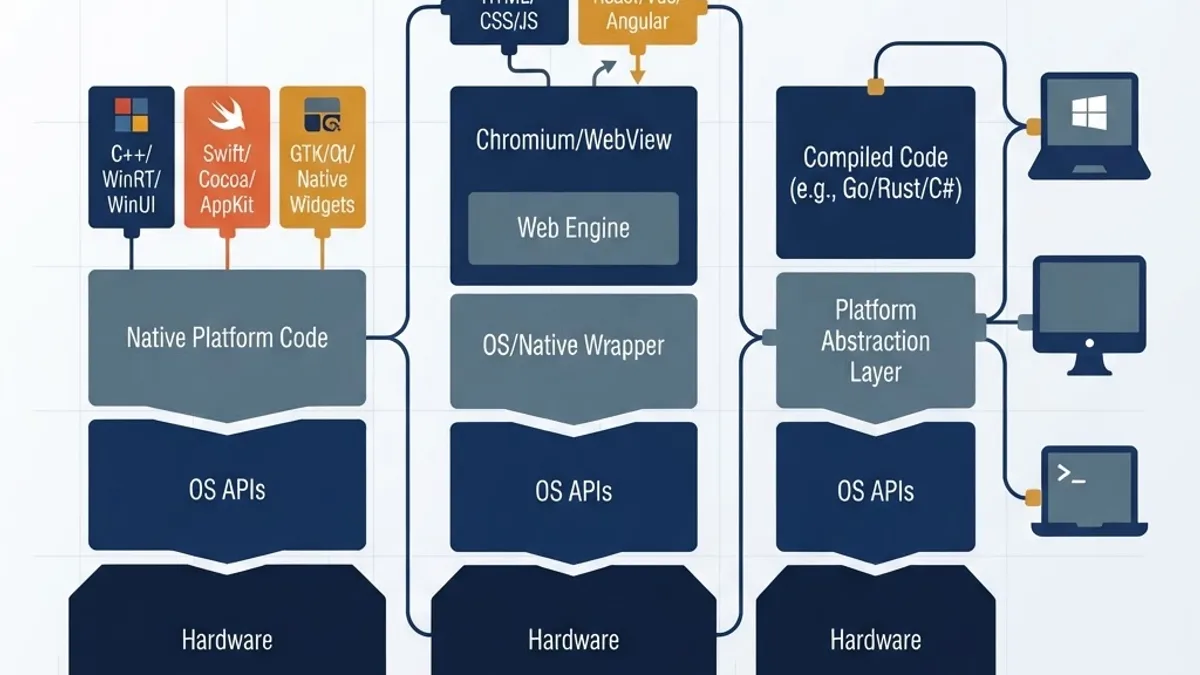
The framework a company recommends tells you a great deal about their priorities. There is no universally correct answer, only trade-offs you should understand before agreeing.
| Approach | Cross-Platform | Installed Size | Native Feel | Best Fit |
|---|---|---|---|---|
| Fully native (WinUI, SwiftUI, Qt) | No or partial | Small | Excellent | Hardware access, performance-critical apps |
| Electron | Yes | Large (120 MB+) | Moderate | Web-team reuse, content-heavy tools |
| Tauri | Yes | Small (under 15 MB) | Good | Lean cross-platform apps with web UI |
| .NET MAUI | Yes | Medium | Good | Microsoft-centric enterprise environments |
| Flutter Desktop | Yes | Medium | Custom-rendered | Consistent branded UI across platforms |
One data point worth carrying into these conversations: Electron applications commonly ship a full Chromium runtime, which is why baseline installers frequently exceed 100 MB, while Tauri applications use the operating system's own web renderer and routinely ship under 15 MB. If installed footprint or memory consumption is a procurement constraint in your environment, raise it in the first technical call rather than after the prototype.
Context also matters on the market side. According to StatCounter's desktop operating system data, Windows holds roughly 70 percent of the desktop OS market with macOS in the low twenties. That distribution should drive your platform sequencing: shipping Windows first and macOS second is defensible for most business software, while inverting it is defensible for creative and developer tooling. Make the decision with data, not with the vendor's preferred toolchain.
How Desktop Development Companies Actually Run Projects
Strong firms follow a recognizable sequence. If a proposal skips stages two or five, treat it as a warning sign.

- Discovery and technical spike (2-4 weeks) - requirements, target OS versions, hardware inventory, and a throwaway prototype proving the riskiest integration works.
- Architecture and packaging plan (1-2 weeks) - data storage model, sync strategy, installer format, and update channel design agreed in writing.
- Iterative build (3-7 months) - two-week sprints, each ending in an installable build on every target platform, not just the developer's machine.
- Cross-platform QA hardening (3-6 weeks) - real hardware testing, permission edge cases, upgrade-path testing from older versions.
- Signed release and rollout (2-3 weeks) - notarization, staged distribution, telemetry verification, and rollback rehearsal.
- Maintenance retainer (ongoing) - OS compatibility, dependency patching, certificate renewal, and support triage.
The non-negotiable detail is step three's exit criterion. Every sprint must produce an artifact you can install. Teams that demo from a development environment for months hide integration debt that surfaces catastrophically at release.
Testing Is Where Budgets Break
Desktop QA is combinatorial. Two operating systems, three OS versions each, two display scaling settings, and two hardware configurations already produce twenty-four test contexts. Ask how the vendor automates this. Mature teams run headless UI automation in virtual machines and keep a small physical device lab for hardware-dependent paths. Teams relying purely on manual testing will either miss defects or bill you heavily for finding them.
Budgeting Realistically

Build cost is the smaller half of total ownership. Plan for these ranges as working estimates for a professional vendor:
- Single-platform internal tool: 40,000 - 90,000 USD, 3-4 months
- Cross-platform commercial application: 120,000 - 250,000 USD, 6-9 months
- Hardware-integrated or regulated application: 250,000 - 400,000 USD or more, 9-14 months
- Annual maintenance: 15-25 percent of initial build cost
Three line items are routinely omitted from proposals and should be requested explicitly: code signing certificate costs including hardware token requirements, Apple Developer Program enrollment and notarization workflow setup, and crash reporting plus telemetry infrastructure. Each is inexpensive individually and blocking if forgotten.
Security and Distribution Responsibilities
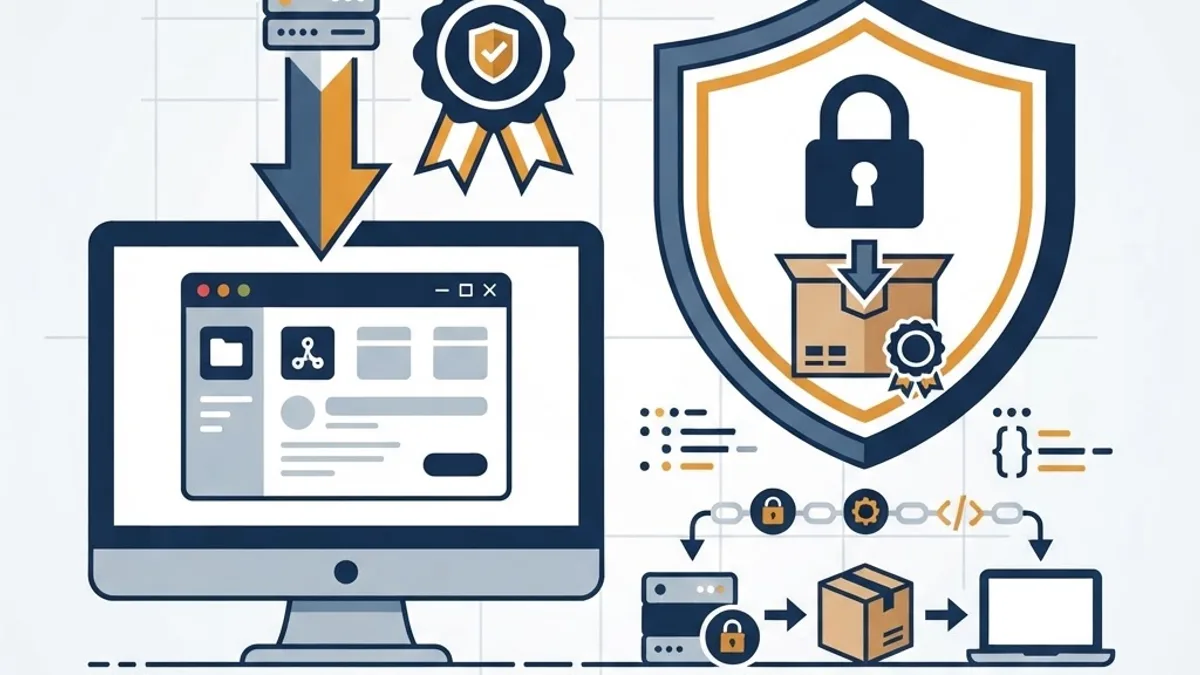
Installed software runs with the user's privileges on their machine, which raises the stakes on every decision. Insist on these five practices in the statement of work:
- Code signing and notarization on every release, using certificates owned by your organization.
- Encrypted local storage for any credentials or sensitive cached data, using the OS keychain or credential vault rather than files on disk.
- Least-privilege installation - no silent administrator elevation, no writing outside approved application directories.
- Signed and verified auto-updates so an update channel cannot become an attack vector.
- Dependency scanning in CI with a documented response window for critical advisories.
If your desktop application connects to cloud services, AI models, or automation pipelines, that integration work is a distinct specialization. Teams building intelligence into installed software often pair a desktop vendor with a dedicated partner such as WebPeak for the model and data layer, keeping accountability clear on both sides.
Red Flags Worth Walking Away From
- No installable reference application from the past two years.
- Unwillingness to discuss the update and rollback mechanism in specifics.
- Code signing under the vendor's certificate rather than yours.
- Fixed-price quotes issued before any technical discovery.
- No named senior engineer accountable for architecture.
- Maintenance terms deferred until after launch.
Key Takeaways
- Desktop application development companies deliver signed installers and update channels, not just code, which makes release engineering a core evaluation criterion.
- Windows holds roughly 70 percent of the desktop OS market according to StatCounter, which should drive platform sequencing decisions.
- Electron applications typically exceed 100 MB installed because they bundle Chromium, while Tauri applications commonly ship under 15 MB by using the system web renderer.
- Realistic budgets range from 40,000 USD for single-platform internal tools to 400,000 USD or more for regulated, hardware-integrated systems.
- Annual maintenance typically costs 15-25 percent of the original build and is mandatory, not optional.
- Code signing certificates must be issued to your organization to avoid vendor lock-in on future releases.
- Every sprint should end with an installable build on all target platforms; demos from development environments conceal integration debt.
Frequently Asked Questions (FAQ)
How much does it cost to hire a desktop application development company?
Expect 40,000 to 90,000 USD for a single-platform internal tool, 120,000 to 250,000 USD for a cross-platform commercial product, and 250,000 USD or more for hardware-integrated or regulated software. Budget an additional 15 to 25 percent of the build cost annually for maintenance, certificates, and OS compatibility updates.
How long does desktop application development take?
Most professional engagements run three to nine months. A focused internal tool reaches production in three to four months, while a cross-platform commercial application typically takes six to nine. Hardware integration, regulatory validation, or supporting three operating systems can extend timelines to fourteen months or more.
Should I choose a native or cross-platform desktop framework?
Choose native when you need deep hardware access, maximum performance, or exact platform-specific behavior. Choose cross-platform frameworks like Tauri, Electron, or .NET MAUI when you must ship to multiple operating systems with one codebase and can accept some compromise in installed size or platform fidelity.
What questions should I ask before signing a contract?
Ask for an installer you can run yourself, confirm which operating systems they shipped to in the last year, require a documented auto-update and rollback plan, verify code signing certificates will be issued to your company, and get the post-launch maintenance retainer priced in writing before build approval.
Can a web development agency build a desktop application?
Sometimes, if they use frameworks like Electron or Tauri and have shipped installers before. The gap is rarely UI skill and almost always release engineering: packaging, code signing, notarization, auto-updates, and OS-specific permissions. Ask for evidence of shipped, signed desktop releases rather than assuming transferable experience.
Is desktop software still worth building today?
Yes, when requirements demand hardware access, genuine offline capability, large local datasets, or air-gapped compliance. In those contexts desktop software outperforms web alternatives decisively. If none of those constraints apply, a web application is usually faster to build and significantly cheaper to maintain over time.
Final Word
The best desktop application development companies are identifiable by what they volunteer without being asked: the update strategy, the certificate ownership question, the maintenance cost, and the honest recommendation to build a web app instead when that is the right answer. Judge vendors on the specificity of their answers to the vetting questions above, request an installable reference before any contract, and treat maintenance as part of the original decision rather than a problem for next year.