A practical guide to choosing an Android application development company, covering vetting criteria, real cost ranges, tech stacks, timelines, and post-launch support.
Android Application Development Company
Choosing an Android application development company is one of the highest-leverage decisions a product owner makes, because the partner you select determines your app's crash rate, release cadence, and cost of change for years afterward. Android is not a single platform; it is thousands of device and OS combinations. A company that understands that reality builds differently from one that treats Android as an afterthought to iOS.
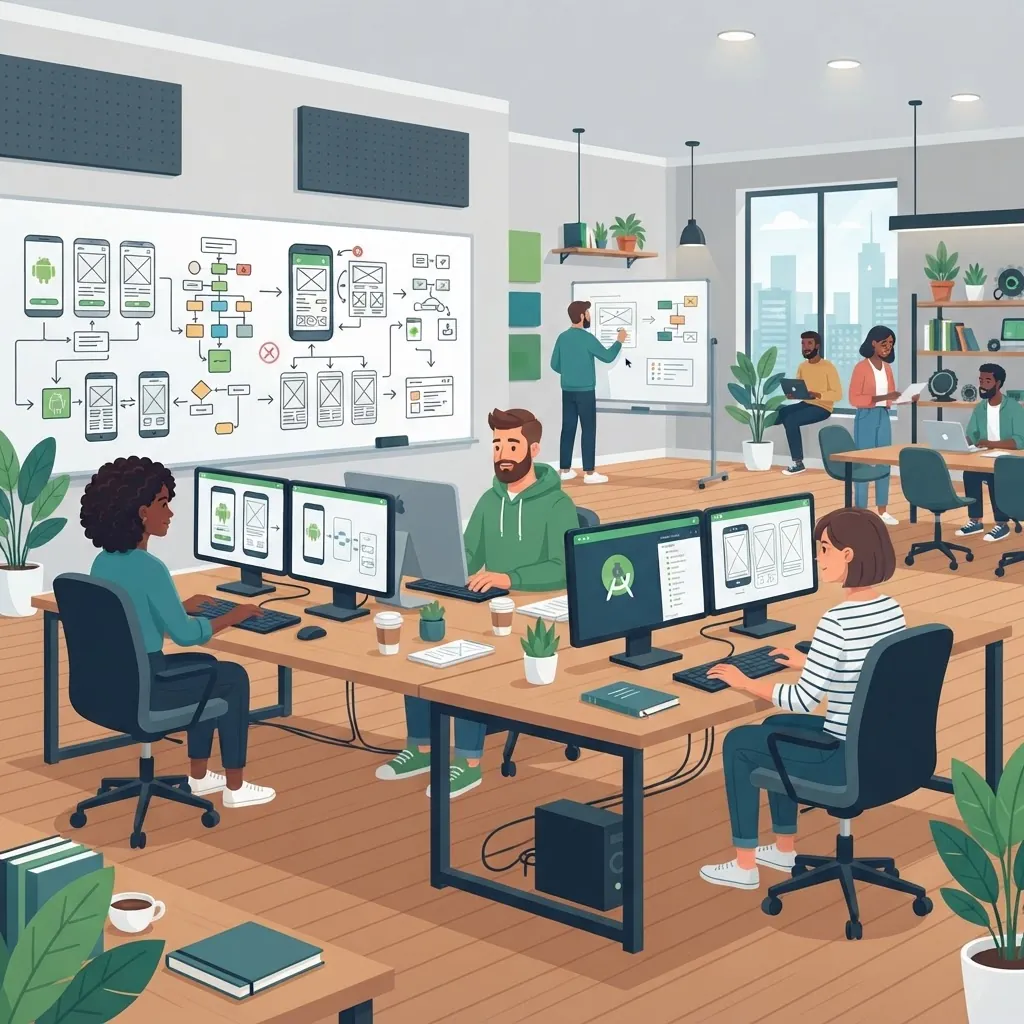
Quick Answer: An Android application development company designs, builds, tests, and maintains apps for Android devices. The right partner proves Kotlin and Jetpack expertise, tests on real device matrices, ships through automated CI/CD pipelines, hands over full source code and repositories, and offers a written post-launch support agreement with defined response times.
What Does an Android Application Development Company Actually Do?
An Android application development company is a specialist firm that owns the full lifecycle of an Android product: discovery, UX and UI design, native or cross-platform engineering, quality assurance across device matrices, Google Play submission, and ongoing maintenance. The distinction that matters is scope. Staffing agencies rent you developers; a development company owns outcomes.
In practice, a capable firm delivers six concrete artifacts:
- A technical discovery document mapping features to effort and risk
- Clickable prototypes validated with real users before code is written
- A modular codebase with automated tests and a documented architecture
- A CI/CD pipeline that builds signed release artifacts on every merge
- A Google Play listing configured with staged rollouts and crash monitoring
- A maintenance runbook covering OS upgrades, dependency patching, and incident response
If a proposal does not name these deliverables, you are buying hours, not a product.
Why Android Expertise Is Different From Generic Mobile Development
Android's scale creates engineering problems that iOS-first teams rarely encounter. According to StatCounter, Android holds roughly 72% of global mobile operating system market share, and that share is concentrated in markets where mid-range hardware and intermittent connectivity dominate. Google's own Play Console guidance highlights that Android runs across tens of thousands of distinct device models, which means fragmentation is a permanent design constraint rather than a temporary bug source.
This has three practical consequences an experienced company designs around from day one:
- Performance budgets for low-end hardware. Google's Android Vitals flags an app as having bad behavior when its user-perceived crash rate exceeds 1.09% of daily sessions, and apps exceeding those thresholds can lose Play Store visibility. Budgets for cold-start time and memory use must be enforced in code review, not discovered after launch.
- Backward compatibility strategy. A deliberate minimum SDK decision balances reach against maintenance cost. Supporting five extra years of OS versions can add meaningful QA scope for a small slice of users.
- Offline-first data handling. Apps in emerging markets need local persistence and conflict resolution, not optimistic network calls.
The Tech Stack a Credible Partner Should Propose in 2026
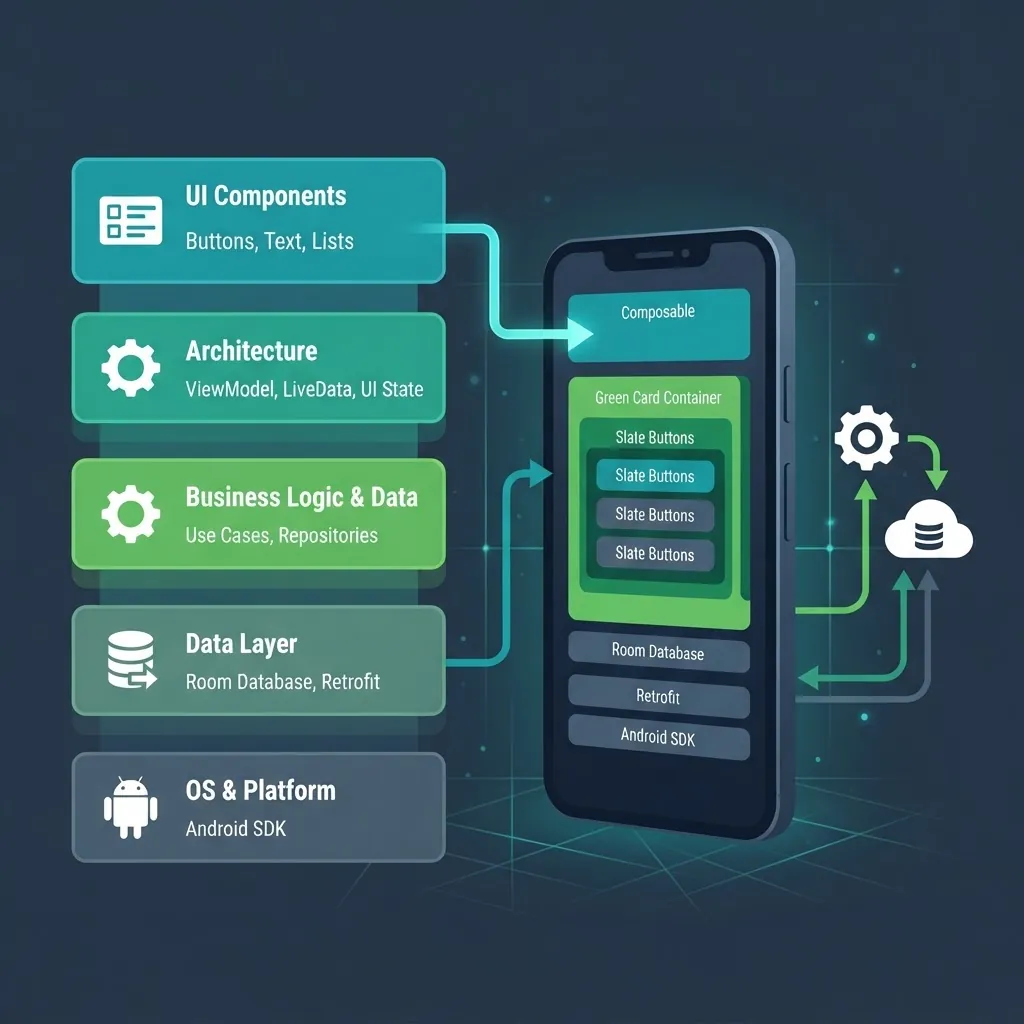
Definition: A modern Android stack is the combination of language, UI toolkit, architecture pattern, and delivery tooling used to build maintainable Android apps.
Google has designated Kotlin its preferred language for Android development since 2019, and Jetpack Compose is now the recommended toolkit for building Android UI. A company still proposing Java with XML layouts for a greenfield app is quoting yesterday's maintenance bill.
Expect a stack close to this:
- Language: Kotlin, with coroutines and Flow for asynchronous work
- UI: Jetpack Compose, with Material 3 theming and adaptive layouts for tablets and foldables
- Architecture: MVVM or MVI with a clear domain layer and dependency injection via Hilt
- Data: Room for local persistence, Retrofit or Ktor for networking, DataStore for preferences
- Testing: JUnit and Turbine for unit tests, Compose UI tests, and instrumented tests on Firebase Test Lab
- Delivery: Gradle version catalogs, GitHub Actions or Bitrise for CI, Play Console staged rollouts
Ask one probing question: how do you decide between native Android and a cross-platform framework? A trustworthy answer references your specific needs — camera pipelines, background services, and Wear OS integrations favor native; content-heavy apps with a shared iOS roadmap can justify Kotlin Multiplatform or React Native.
Native vs Cross-Platform: A Direct Comparison
| Factor | Native Android (Kotlin) | Kotlin Multiplatform | React Native / Flutter |
|---|---|---|---|
| Access to new Android APIs | Immediate | Immediate for shared logic | Delayed, needs bridges |
| Code shared with iOS | None | Business logic only | Most UI and logic |
| Performance on low-end devices | Best | Best | Good, varies by workload |
| Hiring pool depth | Deep | Growing | Deep |
| Best fit | Hardware-heavy, performance-critical apps | Two platforms, one domain layer | Content and CRUD apps on a tight budget |
| Long-term maintenance risk | Lowest | Low | Framework upgrade churn |
There is no universally correct row. The correct answer is the one your partner can defend against your feature list.

How to Vet an Android Application Development Company
Vet partners on evidence you can verify, not on portfolio screenshots. These seven checks separate genuine engineering firms from resellers.
1. Open Their Live Apps, Not Their Case Studies
Download three apps they claim to have built. Check the Play Store listing for update frequency, recent review sentiment, and how the team responds to one-star reviews. An app last updated 18 months ago suggests the relationship ended badly or maintenance was never offered.
2. Ask for a Code Sample and an Architecture Diagram
Request a redacted module or public repository. You are looking for separated layers, meaningful test coverage, and no hardcoded secrets. If they cannot share anything, that itself is a signal about documentation discipline.
3. Confirm IP Ownership and Repository Access in Writing
You should own the source code, the signing keys, the Play Console account, and all third-party accounts. Signing key custody is the single most common lock-in trap in Android outsourcing — losing it can force a new app listing and the loss of your entire install base.
4. Interview the Actual Engineers
Insist on speaking to the developers assigned to your project, not just the account manager. Ask how they would handle a background sync that must survive Doze mode. Vague answers reveal shallow Android depth.
5. Inspect Their QA Process
Ask which device matrix they test on and whether they run automated tests in CI. Testing only on the team's personal phones is not a QA process.
6. Require Transparent Change Management
Every serious project changes scope. Ask how change requests are estimated, approved, and billed before you sign.
7. Check Communication Overlap
Agree on a minimum of three overlapping working hours per day and a fixed weekly demo. Async-only relationships are where requirements quietly drift.
Teams at ZoneTechify and WebPeak apply this same checklist internally before committing to a delivery timeline, because a misaligned assumption in week one becomes a rewrite in month four.
What Android App Development Actually Costs
Cost is driven by feature complexity, integration count, and compliance burden — not by page count. Here is the realistic shape of the market, based on typical scoped engagements:
| Project type | Typical scope | Timeline | Indicative cost |
|---|---|---|---|
| MVP, single platform | Auth, 6 to 10 screens, one integration | 8 to 12 weeks | 15,000 to 40,000 USD |
| Mid-complexity product | Payments, push, offline sync, admin panel | 4 to 7 months | 45,000 to 110,000 USD |
| Enterprise or regulated | SSO, audit logs, compliance, legacy integrations | 7 to 14 months | 120,000 USD and up |
Three cost drivers surprise first-time buyers most often. First, backend work is frequently 30 to 50% of total effort and is often excluded from mobile-only quotes. Second, design systems for adaptive layouts add real hours but prevent expensive rework when tablets and foldables enter scope. Third, ongoing maintenance typically runs 15 to 20% of initial build cost annually and is not optional — Google's annual target API level requirements mean unmaintained apps eventually stop accepting updates.
If you are scoping a build now, the mobile app development service page outlines how discovery, engineering, and support phases are structured and priced.
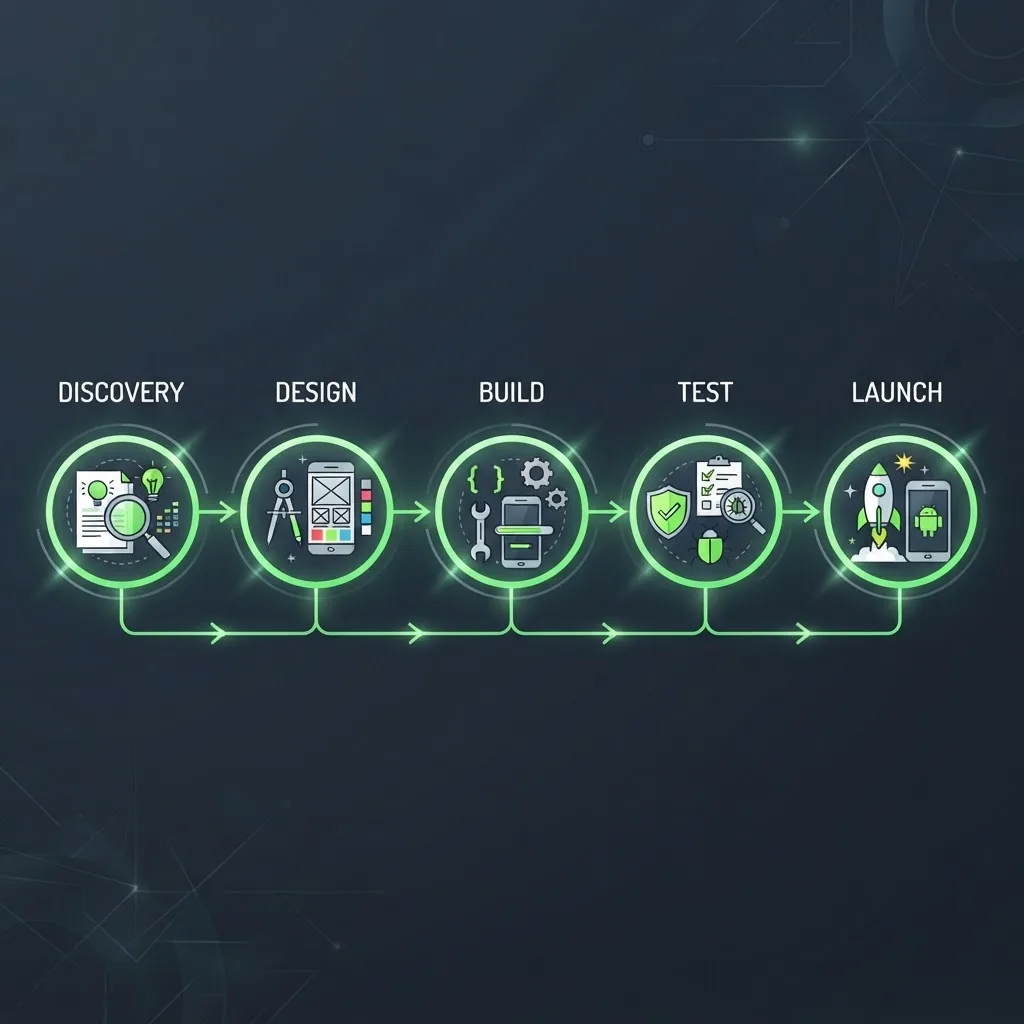
The Delivery Process You Should Expect
A disciplined Android engagement moves through five stages with a decision gate at each boundary.
- Discovery and technical design (1 to 3 weeks). User research, feature prioritization, architecture decisions, and a risk register. Deliverable: a scoped backlog with estimates.
- UX and UI design (2 to 4 weeks). Wireframes, then a Material 3 design system and clickable prototype tested with five to eight target users.
- Engineering sprints (2-week cycles). Every sprint ends with an installable build on your device. If you cannot install the app by sprint two, progress reporting is theater.
- QA and hardening (ongoing, plus a 2 to 3 week final pass). Automated regression suites, real-device testing, accessibility audit, and performance profiling.
- Launch and stabilization (2 to 4 weeks). Staged Play Store rollout starting at 5% of users, crash monitoring, and a rapid-patch window.

Quality Signals to Monitor After Launch
A competent partner instruments these metrics before release, not after the first complaint:
- User-perceived crash rate below Google's 1.09% bad-behavior threshold
- ANR rate below 0.47% of daily sessions
- Cold start time under 2 seconds on a mid-range reference device
- APK or AAB size minimized through App Bundles and dynamic feature modules
- Crash-free user percentage tracked per release, not just in aggregate
Request a monthly report against these numbers. Metrics that nobody reviews are metrics that quietly degrade.

Red Flags That Predict a Failed Engagement
- A fixed quote delivered within an hour of first contact, with no discovery
- Refusal to name the engineers or their locations
- No mention of automated testing anywhere in the proposal
- Signing keys or the Play Console account held in the vendor's name
- Estimates without a documented assumption list
- Portfolio apps that cannot be found on the Play Store
Key Takeaways
- Android holds roughly 72% of global mobile OS market share, so Android-specific engineering depth is a business requirement, not a preference.
- Google's Android Vitals thresholds — 1.09% crash rate and 0.47% ANR rate — are objective quality benchmarks you can hold a vendor to.
- Kotlin and Jetpack Compose are Google's recommended defaults; a Java plus XML proposal for a new app signals outdated practice.
- Backend work often represents 30 to 50% of total effort and must be explicitly included in scope.
- Annual maintenance realistically costs 15 to 20% of the initial build and is mandatory due to Play target API requirements.
- Signing key and repository ownership must be contractually yours before the first line of code is written.
Frequently Asked Questions (FAQ)
How much does it cost to hire an Android application development company?
A single-platform MVP typically costs 15,000 to 40,000 USD over 8 to 12 weeks. Mid-complexity apps with payments and offline sync usually range from 45,000 to 110,000 USD. Enterprise builds with compliance requirements start near 120,000 USD. Backend development and annual maintenance should be quoted separately.
How long does it take to build an Android app?
Most MVPs ship in 8 to 12 weeks, mid-complexity products in 4 to 7 months, and enterprise apps in 7 to 14 months. Timelines depend more on integration count and approval cycles than on screen count. Insist on installable builds every two weeks to verify real progress.
Should I choose native Android or a cross-platform framework?
Choose native Kotlin when your app depends on camera pipelines, background services, wearables, or peak performance on low-end devices. Choose cross-platform when you need iOS parity fast and your features are mostly content and CRUD. Kotlin Multiplatform is a strong middle path for sharing business logic only.
Who owns the source code when I hire a development company?
You should own everything: source code, repositories, signing keys, the Google Play Console account, and third-party service accounts. Confirm this in writing before the project starts. Signing key custody matters most, because losing it can force a new Play listing and the loss of existing installs.
What does Android app maintenance include after launch?
Maintenance covers crash and ANR monitoring, dependency and security patching, annual target API level upgrades required by Google Play, OS compatibility testing, and small feature iterations. Budget 15 to 20% of initial build cost per year, and require a written response-time commitment for critical incidents.
How do I verify an Android company's real experience?
Download three of their live Play Store apps and check update frequency and review responses. Request a redacted code sample and architecture diagram, interview the assigned engineers directly, and ask which device matrix they test on. Verifiable artifacts beat polished case studies every time.
Final Word
The best Android application development company for your project is the one that can defend its technical choices against your specific constraints, hands you full ownership from day one, and shows you a working build every two weeks. Evaluate on verifiable evidence, budget for maintenance from the start, and treat device fragmentation as a design input rather than a launch surprise.