A practical guide to custom .NET development: when it beats off-the-shelf software, what it costs, how projects are scoped, and how to hire the right team.
Custom .NET Development
Custom .NET development is the practice of building tailored applications on Microsoft's .NET platform instead of forcing your business into a packaged product. It matters because most operational bottlenecks are not generic. A logistics firm that reconciles three carrier APIs, a clinic that must retain audit trails for seven years, and a manufacturer pricing 40,000 SKUs by contract tier all have workflows no SaaS subscription models cleanly. .NET has become the default choice for these builds because it is cross-platform, open source, and backed by a predictable release cadence that enterprise budgets can plan around.

Quick Answer: Custom .NET development means designing and building bespoke software on Microsoft's .NET platform using C# and ASP.NET Core. It suits businesses with unique workflows, strict compliance needs, heavy integrations, or long-lived systems, delivering full ownership of code, data, and roadmap instead of vendor-imposed limits.
What Custom .NET Development Actually Includes
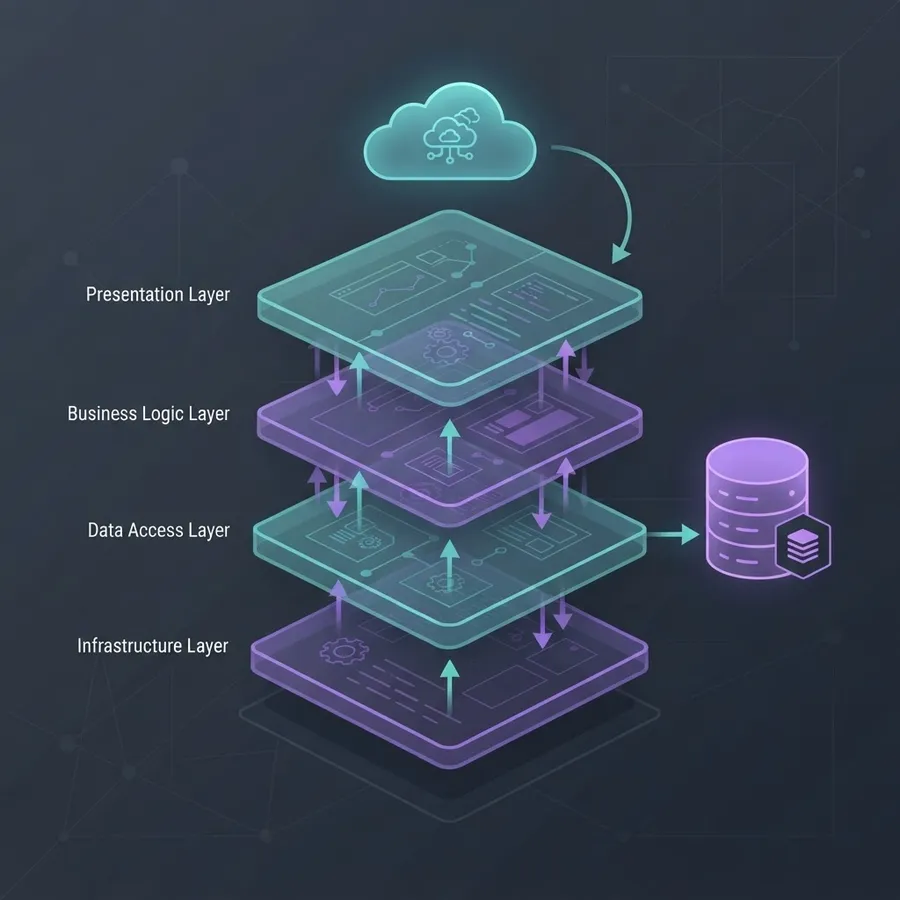
Custom .NET development is not a single deliverable but a stack of decisions. A typical engagement covers a web API layer in ASP.NET Core, a domain layer holding business rules in C#, a data layer using Entity Framework Core or Dapper, background processing for scheduled and queued work, and a front end that may be Blazor, Razor Pages, or a separate React or Angular application consuming the API.
The important distinction is scope of ownership. With a licensed product you own configuration. With custom .NET development you own the source code, the database schema, the deployment pipeline, and the decision of when to upgrade. That ownership is the entire value proposition, and it is also the responsibility buyers underestimate.
Key Terms Defined
- .NET: Microsoft's open source developer platform, currently unified under .NET 8 and .NET 9, running on Windows, Linux, and macOS.
- C#: The primary language of the platform, statically typed and consistently ranked among the top five most used programming languages in the Stack Overflow Developer Survey.
- ASP.NET Core: The web framework used for APIs, server-rendered pages, and real-time features over SignalR.
- Entity Framework Core: The default object relational mapper for translating C# objects into SQL queries.
- Long Term Support (LTS): Even-numbered .NET releases supported for three years, which is what production systems should target.
Why Teams Choose .NET Over Other Stacks
The honest answer is that language choice rarely decides project success, but platform economics do. .NET wins on three measurable fronts.
First, performance per server. The TechEmpower web framework benchmarks have repeatedly placed ASP.NET Core among the highest throughput mainstream frameworks, which translates directly into fewer cloud instances for the same request volume. Second, tooling maturity. Static typing plus Visual Studio and Rider refactoring tools cut the cost of changing large codebases, and that cost dominates any system older than eighteen months. Third, hiring depth. C# consistently appears in the top tier of the Stack Overflow Developer Survey's most used languages, so replacing a departing developer is realistic rather than a six-month search.
Where .NET is a weaker fit: tiny marketing sites, throwaway prototypes, and teams whose entire existing infrastructure is Python or Node with no Windows or Azure footprint. Choosing a stack your team cannot maintain is a more expensive mistake than choosing a slightly slower one.
Custom .NET Development vs Off-the-Shelf Software
The comparison below reflects what actually differs in practice, not marketing claims.
| Factor | Custom .NET Development | Off-the-Shelf Software |
|---|---|---|
| Upfront cost | High, paid as build effort | Low, often monthly per seat |
| Cost at scale | Flat, hosting only | Rises with every new user |
| Workflow fit | Built to your exact process | Your process bends to the tool |
| Integrations | Any system with an API | Limited to vendor connectors |
| Data ownership | Complete, your database | Vendor controlled, export limited |
| Time to first use | Weeks to months | Days |
| Ongoing responsibility | Yours or your partner's | Vendor handles updates |
| Compliance control | Full control of audit and residency | Whatever the vendor certifies |
The decision rule I use with clients is simple. If the software supports a process that differentiates you from competitors, build it. If it supports a process every company runs identically, such as payroll or email, buy it. Companies that invert this rule end up rebuilding accounting software while their genuinely unique pricing engine runs on spreadsheets.

What Custom .NET Development Costs and Why
Cost is driven by four variables: number of distinct user roles, number of external integrations, volume of business rules, and required compliance evidence. A single-role internal tool with one integration is a fundamentally different project from a three-role platform touching an ERP, a payment processor, and a document store.
Realistic bands, based on typical mid-market engagements:
- Internal tool or workflow app. One or two roles, minimal integrations, straightforward reporting. Usually the smallest viable build and the fastest to deliver value.
- Customer-facing web application. Authentication, billing, notifications, an admin surface, and audit logging. Roughly two to four times the internal tool effort.
- Enterprise platform or legacy replacement. Multiple integrations, data migration, role hierarchies, and parallel-run cutover. The largest band, and the one where migration, not coding, consumes the schedule.
Ask any prospective partner to price the second and third items separately from the build: hosting and observability, and the first year of maintenance. Vendors who bury these produce quotes that look cheaper and finish more expensive. Teams like the engineers behind scalable web solutions at ZoneTechify typically break estimates down by module so you can defer scope rather than cancel a project mid-build.
How a Well-Run .NET Project Is Sequenced
Delivery order matters more than tooling. This is the sequence that consistently avoids expensive rework.
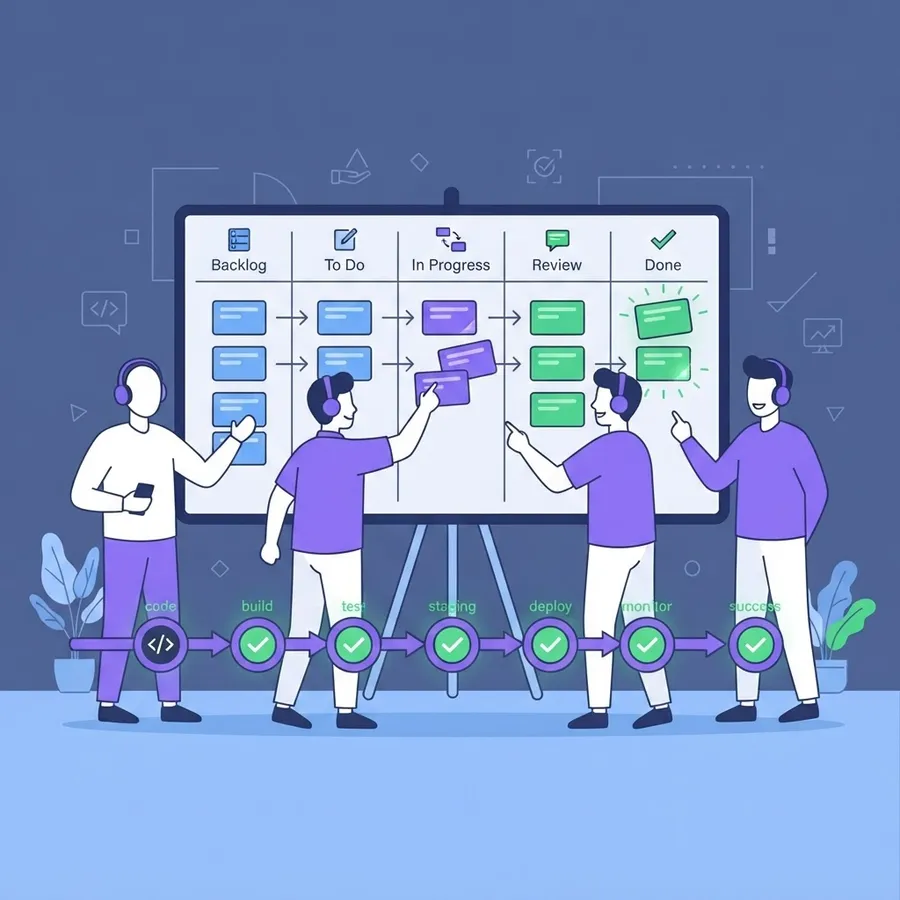
- Domain discovery. Map the actual workflow with the people who perform it, including the exceptions they handle manually. Exceptions are where requirements hide.
- Data model first. Design the schema before the screens. Interfaces are cheap to change and schemas are not.
- Thin vertical slice. Ship one complete feature from database to UI to production in the first sprint. This proves the deployment pipeline while the project is still cheap to correct.
- Integration spikes early. Test every third-party API against real credentials before committing to a timeline. Undocumented rate limits and sandbox gaps are the most common source of slipped dates.
- Automated tests on business rules. Unit test the pricing, eligibility, and calculation logic. Skip exhaustive UI tests; they break faster than they catch bugs.
- Observability before launch. Structured logging, health checks, and error tracking must exist on day one, not after the first outage.
- Staged rollout. Move one team or region at a time, keeping the old system readable until the new one is trusted.

Integration: The Part That Decides Success
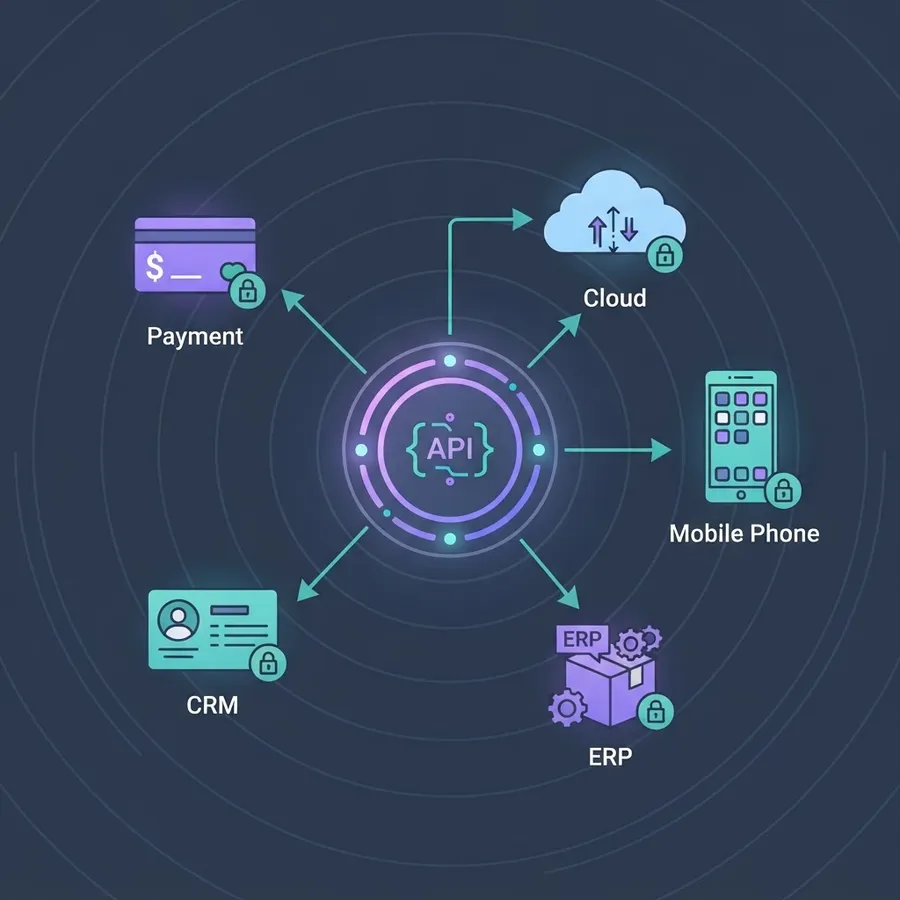
Most custom .NET projects fail on integration, not on features. The pattern to follow is to isolate every external dependency behind an interface in your own code, so a carrier API change or a CRM migration touches one adapter rather than forty call sites.
Practical rules that save real money:
- Store credentials in a managed secret store, never in configuration files committed to source control.
- Make every outbound call idempotent and retried with exponential backoff, because third-party APIs fail intermittently by default.
- Queue anything that does not need an immediate answer. Synchronous chains across three vendors will eventually time out.
- Log the full request and response of failed integration calls, with sensitive fields masked, or you will debug blind.
Choosing a Development Partner
Evaluate teams on evidence, not on portfolio screenshots. Four questions separate serious partners from resellers of junior labor.
- Who writes the code? Ask for the names and seniority of the engineers assigned, not the agency headcount.
- What happens at handover? You should receive the repository, infrastructure definitions, and a runbook. If handover is vague, you are renting your own software.
- How is scope change handled? A written change process protects both sides. Its absence guarantees a dispute.
- Can they show a system they still maintain? Building is easy. Supporting a three-year-old production system is the real credential.
Agencies that publish their engineering standards openly, as WebPeak Digital does, are easier to audit than those who only show finished visuals. Read the standards before the case studies.
Modernizing Legacy .NET Framework Applications
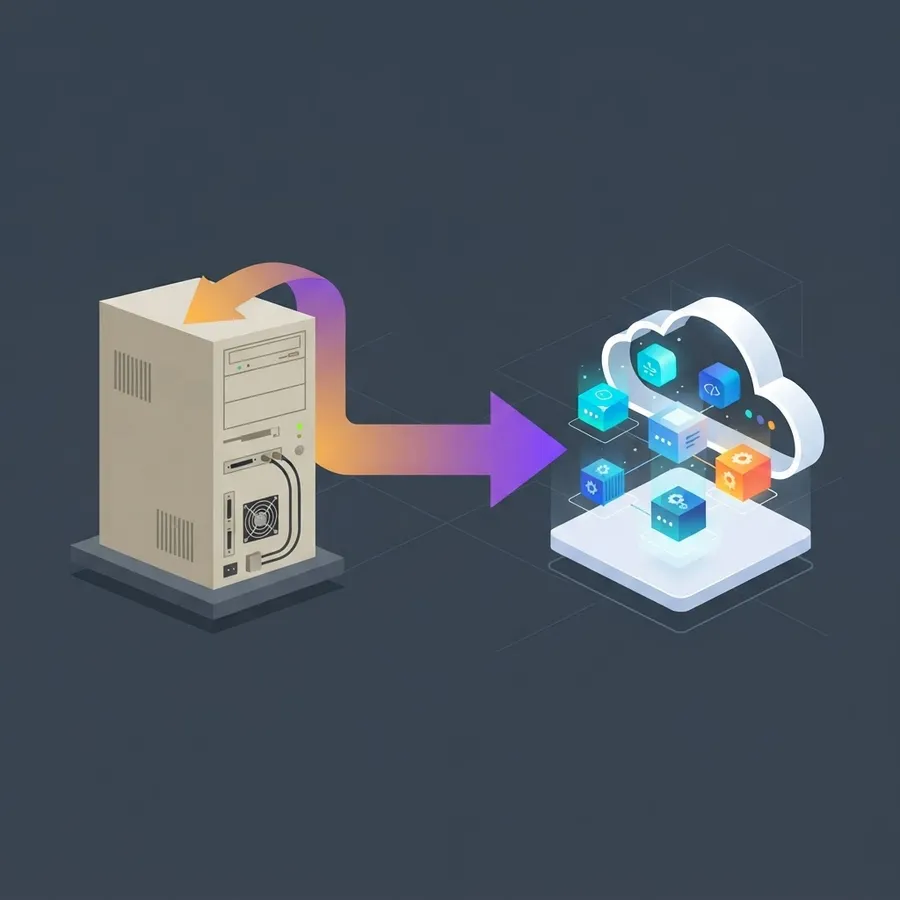
If you run an application on the older .NET Framework, migration is a business risk decision rather than a technical preference. .NET Framework 4.8 remains supported as a Windows component, but it receives no new features, and the modern ecosystem, including current cloud SDKs and container tooling, targets .NET 8 and later.
The migration approach that works is incremental, not rewrite. Extract one bounded capability at a time behind a proxy, run old and new side by side, and move traffic gradually. Full rewrites of systems with years of accumulated rules fail because nobody remembers why half the rules exist. Incremental extraction lets the running system document itself.
Key Takeaways
- Custom .NET development delivers ownership of code, schema, and roadmap, which packaged software cannot offer.
- ASP.NET Core ranks among the highest throughput mainstream web frameworks in TechEmpower benchmarks, lowering hosting cost at scale.
- C# remains among the most used languages in the Stack Overflow Developer Survey, keeping hiring and handover practical.
- Target even-numbered LTS releases such as .NET 8 for production, since they carry three years of support.
- Build what differentiates your business, buy what every business runs identically.
- Integration failures, not feature complexity, are the leading cause of missed deadlines.
- Modernize legacy systems incrementally behind a proxy rather than attempting a full rewrite.
Frequently Asked Questions (FAQ)
What is custom .NET development in simple terms?
It is building software from scratch on Microsoft's .NET platform, usually with C# and ASP.NET Core, so the application matches your exact business process. Instead of configuring someone else's product, you own the code, database, and future roadmap of the system entirely.
How long does a custom .NET project take?
A focused internal tool commonly reaches production in a few weeks, while a customer-facing platform with billing and integrations takes several months. The biggest schedule risks are third-party API surprises and data migration, so insist that both are tested in the first two sprints.
Is .NET still a good choice for new projects?
Yes. .NET is open source, cross-platform, and on a predictable annual release cycle with three-year LTS support on even-numbered versions. It performs strongly in independent benchmarks and has a deep hiring pool, which matters more than raw speed for systems you will maintain for years.
Should I migrate from .NET Framework to modern .NET?
Migrate if you need containers, current cloud SDKs, or better performance. .NET Framework still receives security fixes as a Windows component but gets no new features. Move incrementally, extracting one capability at a time behind a proxy, rather than attempting a risky full rewrite.
How do I know if I need custom software instead of SaaS?
List your workflows and mark which ones competitors cannot copy. If a packaged tool forces you to abandon a differentiating process, or if per-seat licensing grows faster than your revenue, custom development pays back. Otherwise, buy the standard tool and spend the budget elsewhere.
What should be included in a .NET project handover?
Insist on the full source repository, infrastructure as code, environment variables documentation, database migration scripts, and a runbook covering deployment and rollback. Without these, you cannot change vendors, and the software is effectively leased rather than owned.