
A practical guide to product feed management software, covering feed optimization, Merchant Center error fixes, automation, and multichannel distribution for stores.
Product Feed Management Software
Every online store lives or dies by the quality of its product data. When your titles, prices, images, and availability are messy or outdated, your ads underperform, your listings get disapproved, and your revenue leaks quietly in the background. Product feed management software exists to solve exactly this problem by centralizing, cleaning, optimizing, and distributing your entire catalog across dozens of sales channels automatically.
This guide breaks down what these tools actually do, the features that genuinely matter, the errors they prevent, and how to choose the right platform without wasting budget or time.
Quick Answer: Product feed management software collects your product data, cleans and optimizes it, then distributes accurate feeds to channels like Google Shopping, Meta, and Amazon. It automates updates, fixes errors, and improves ad performance, saving hours of manual work while increasing sales.
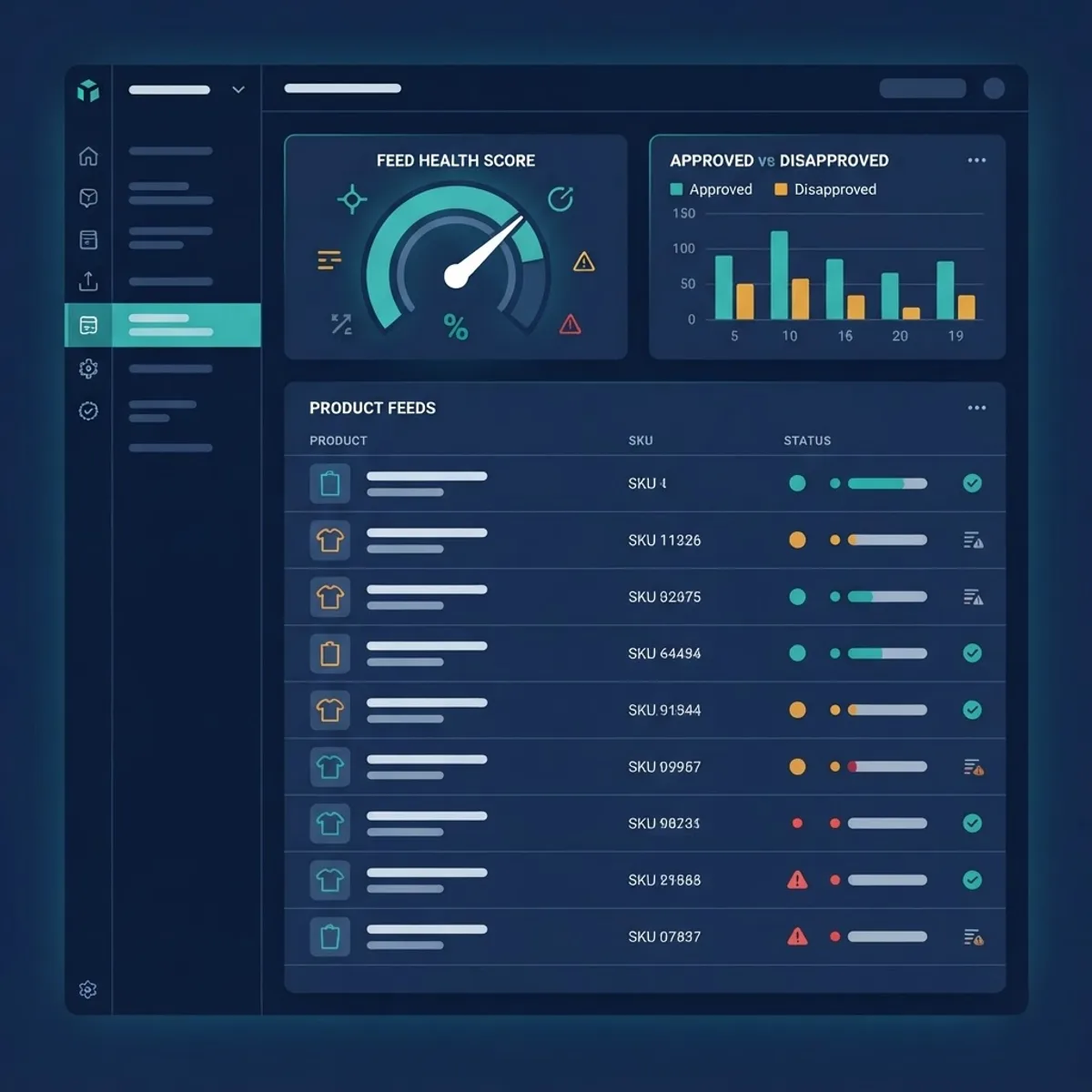
What Is Product Feed Management Software?
Product feed management software is a platform that imports your raw product catalog, transforms it into channel-ready formats, and pushes optimized feeds to advertising and marketplace channels. Instead of manually editing spreadsheets for each platform, you manage one source of truth and let the software format everything correctly for every destination.
A product feed is a structured file (XML, CSV, or TXT) containing attributes like title, description, price, GTIN, brand, and availability. Each channel demands different attributes, formats, and rules, and that is precisely where these tools earn their keep. They act as a translation layer between your store and the outside world.
Why Raw Product Data Fails
Most ecommerce platforms export data built for storefront display, not for advertising channels. A title like "Blue Shirt" works fine on your own site but ranks poorly on Google Shopping, where "Nike Dri-FIT Men's Blue Running Shirt - Large" wins the click. Feed software rewrites this data at scale using rules, so you never have to edit products one by one, even across a catalog of tens of thousands of SKUs.
Why Product Feed Management Matters
Feed quality directly controls how often your products appear and how much you pay per click. Google itself notes that retailers who optimize their Shopping feeds see higher impression share, and disapproved products simply cannot serve ads at all, no matter how large your budget is.
Two data points worth remembering: ecommerce advertisers consistently report that feed optimization can improve click-through rates by 20 to 30 percent, and Google Merchant Center rejects millions of products every month for missing or invalid attributes. Poor product data is one of the most common, and most fixable, causes of wasted ad spend across the industry.

For a genuinely data-first approach, many brands work with a data-driven marketing partner to align feed quality with their wider campaign goals and reporting.
Core Features to Look For
Not every tool is equal, and the price tag rarely tells the full story. Prioritize platforms that offer the capabilities that move revenue rather than flashy extras you will never touch.
- Rule-based optimization to rewrite titles, categories, and attributes automatically
- Real-time or scheduled syncing so price and stock changes never lag behind reality
- Error detection and validation against each channel's exact specification
- Multichannel export to Google, Meta, Amazon, TikTok, and comparison engines
- Custom labels for smarter campaign segmentation and bidding
- Analytics that connect feed changes directly to revenue
The strongest tools let non-technical marketers build these rules visually, without waiting on a developer for every small change. That independence is often the difference between a feed that improves weekly and one that stagnates for months.

Comparison Table
| Feature | Basic Plugins | Dedicated Feed Software | Full Marketing Suite |
|---|---|---|---|
| Multichannel support | Limited | Extensive | Extensive |
| Rule-based optimization | Rare | Yes | Yes |
| Error validation | Minimal | Advanced | Advanced |
| Automated syncing | Sometimes | Yes | Yes |
| Best for | Small stores | Scaling brands | Enterprise |
How Feed Optimization Improves Performance
Feed optimization is the practice of restructuring product data to match how shoppers actually search and how channels rank listings. Strong optimization lifts relevance, which raises impressions, clicks, and ultimately conversions, all without increasing your bid or daily budget.
The compounding effect matters here. A better title improves click-through rate, higher click-through rate signals relevance to the channel, and greater relevance earns more free impression share over time. Small, consistent feed improvements often outperform aggressive bid increases.
Product Title Optimization Rules
Titles carry the most ranking weight in shopping feeds, so treat them as your highest-priority lever. Follow a clear structure and apply it with rules across the catalog:
- Lead with brand and product type for branded searches
- Include key attributes like color, size, material, and model
- Front-load the terms shoppers actually type into search
- Keep within 150 characters, with the vital 70 characters first
- Remove promotional fluff like "best" or "sale" that channels ignore

Fixing Common Merchant Center Feed Errors
Google Merchant Center disapprovals are the fastest way to lose visibility overnight. The most frequent issues include missing GTINs, mismatched prices between the feed and the landing page, invalid image links, and missing required attributes like availability or condition.
Good feed software flags these problems before submission and often auto-corrects them. For example, it can map your custom availability values to Google's accepted terms, or automatically exclude products missing a GTIN so they do not drag down overall account health while you source the identifiers.
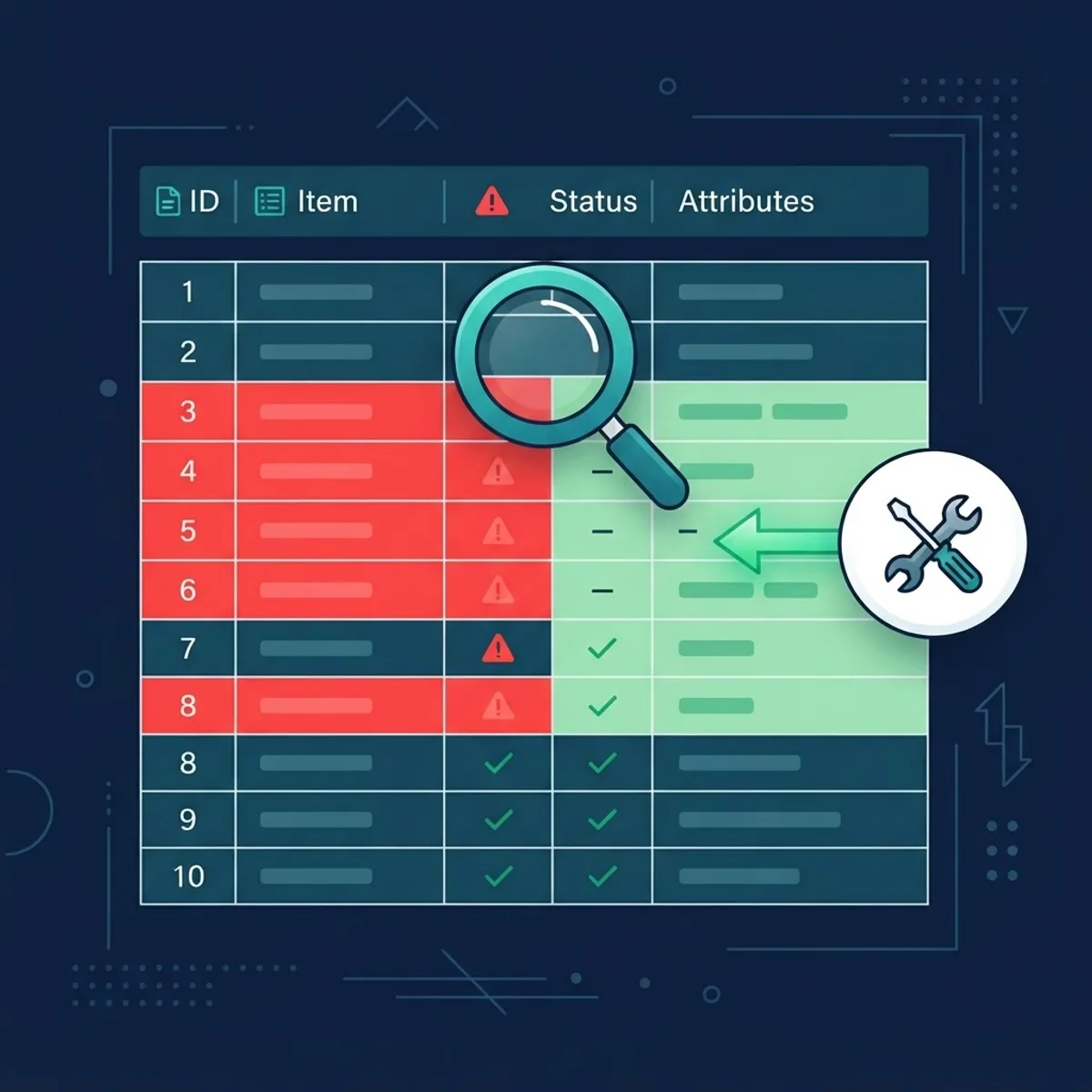
Common fixes at a glance:
- Price mismatch: sync feed price to the live site price in real time
- Missing GTIN: add correct identifiers or set the proper exemption
- Image issues: replace low-resolution or broken image URLs
- Policy violations: correct restricted terms in titles and descriptions
Automating Feed Syncing
Manual feed updates cannot keep pace with real inventory movement. Automated syncing pulls live data from your store on a schedule or in real time, so your ads never promote sold-out items or the wrong price. This single capability prevents overspending and protects hard-earned customer trust.
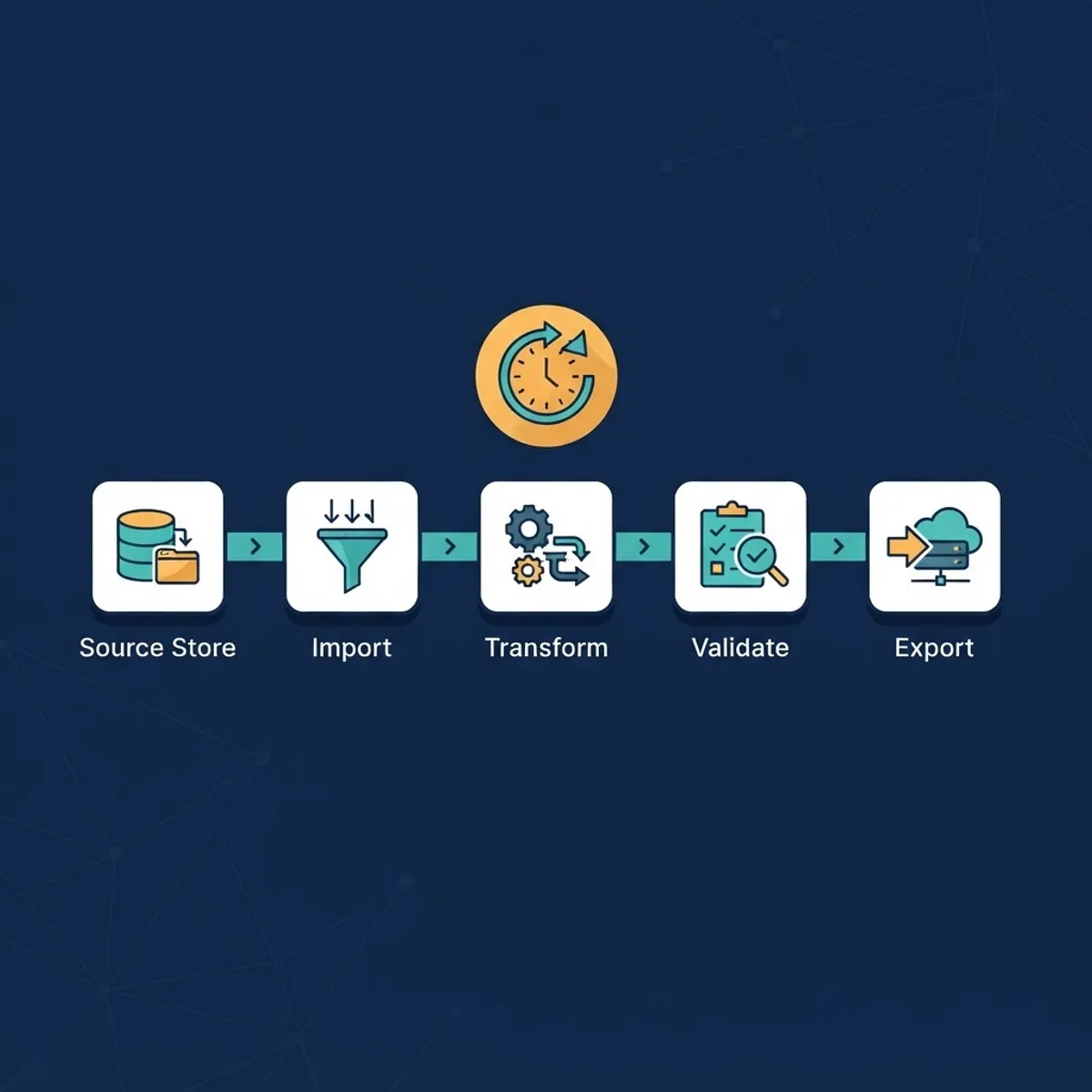
Automation also removes human error from the equation. A lean team managing thousands of SKUs cannot manually verify every change, but rules and scheduled pulls handle it silently around the clock. Agencies such as ZoneTechify build these automated workflows so clients spend their time on strategy rather than spreadsheets.
Multichannel Distribution
The real power of feed management is reach. One optimized source can populate Google Shopping, Meta catalogs, Amazon, TikTok Shop, Pinterest, and price comparison sites, each with its own formatting rules applied automatically behind the scenes.

Selling across channels multiplies exposure without multiplying manual work. Because the software adapts one clean dataset to each channel's specification, you avoid duplicate effort, keep pricing consistent everywhere, and can launch on a new channel in hours instead of weeks.
Measuring the ROI of Feed Management
Treat feed management as a measurable investment, not an overhead. Track impression share, click-through rate, cost per click, and return on ad spend before and after each optimization so you can attribute gains to specific changes rather than guessing.
The clearest wins usually appear within the first month: fewer disapprovals, more products serving, and lower wasted spend on unavailable items. Over time, consistent title and attribute improvements compound into meaningfully cheaper traffic and stronger margins.
Choosing the Right Tool
Match the tool to your scale. Small stores may only need a reliable plugin, while scaling brands need dedicated software with rule engines and analytics. If feeds feel overwhelming, partnering with a specialist team focused on performance marketing can shortcut the learning curve dramatically.
Before you commit, test any tool against your messiest products. If it can clean and optimize your worst listings, it will comfortably handle the rest. It also helps to understand where feed work fits within the wider marketing structure, as explained in this breakdown of which category a digital marketing consultant belongs to.
Key Takeaways
- Product feed management software centralizes, optimizes, and distributes catalog data to multiple channels automatically.
- Feed optimization can lift click-through rates by 20 to 30 percent by matching shopper search behavior.
- Google Merchant Center disapproves millions of products monthly, mostly for fixable data errors.
- Automated syncing prevents wasted spend on out-of-stock or mispriced items.
- Product titles carry the most ranking weight in shopping feeds and deserve the most attention.
Frequently Asked Questions (FAQ)
What does product feed management software actually do?
It imports your product catalog, cleans and optimizes the data with rules, validates it against each channel's requirements, and distributes accurate feeds to platforms like Google Shopping and Meta. It automates updates and error fixes, saving hours of manual editing while steadily improving your ad performance.
Do I really need feed software for a small store?
If you sell only a handful of products on a single channel, a basic plugin may be enough for now. But once you scale your SKUs or sell across multiple channels, dedicated feed software prevents errors, saves time, and usually pays for itself by reducing wasted ad spend quickly.
How does feed optimization increase sales?
Optimization rewrites titles and attributes to match how shoppers search, which raises your relevance and impression share. Higher relevance means more clicks at the same bid, better quality traffic, and stronger conversion rates, all of which combine to increase revenue without forcing you to raise your budget.
Why do my products keep getting disapproved in Merchant Center?
Disapprovals usually stem from missing GTINs, price mismatches between feed and landing page, broken images, or restricted words in titles. Feed management software detects these issues before submission and often auto-corrects them, keeping your account healthy and your products eligible to serve ads consistently.
How often should product feeds update?
Ideally in real time, or at least several times per day for stores with changing stock and prices. Frequent syncing ensures your ads never promote sold-out products or outdated prices, protecting both your advertising budget and customer trust across every channel where you sell.