
Learn exactly how Googlebot allocates crawl budget when your robots.txt lists several sitemaps, and how to order, split, and maintain them so your most valuable URLs get discovered first.
How Crawl Budget Prioritizes Multiple Sitemaps in robots.txt
If your site has more than a few thousand URLs, you have almost certainly split your XML sitemaps into several files and listed them in robots.txt. The question that follows is the one most technical SEO guides skip: when a crawler sees five, ten, or fifty sitemap lines, which one does it read first, and does the order actually influence how crawl budget is spent?
The honest, experience-based answer is more nuanced than "put your best sitemap first." After auditing large ecommerce and publisher sites where a single robots.txt referenced more than thirty sitemap files, a clear pattern emerges: crawlers do not treat sitemap order as a ranking instruction, but the structure, freshness signals, and size of each sitemap have a measurable effect on which URLs get crawled within a given budget window. This article explains that mechanism precisely, and gives you a workflow you can apply this week.

Quick Answer: Crawl budget is not allocated by sitemap order in robots.txt. Googlebot reads every listed sitemap, merges the URLs into one discovery queue, then prioritizes individual URLs using demand and freshness signals such as lastmod, internal links, and past crawl value. Sitemap structure influences discovery speed, not crawl priority itself.
What Crawl Budget Actually Means
Crawl budget is the number of URLs a search engine crawler is willing and able to fetch from your site in a given period. Google defines it as the product of two limits: crawl capacity limit (how much your server can handle without degrading) and crawl demand (how much Google wants your URLs based on popularity and staleness).
That definition matters here because it tells you where sitemaps sit in the pipeline. Sitemaps affect demand-side discovery — they tell the crawler a URL exists and when it changed. They do not raise your capacity limit. A sitemap listing 50,000 URLs on a server that times out at 2 requests per second will not get crawled faster because you moved it to line one of robots.txt.
Google has stated publicly that most sites under roughly 10,000 URLs do not need to worry about crawl budget at all. If you run a 300-page brochure site, sitemap ordering is not your bottleneck — internal linking and page quality are.

How robots.txt Handles Multiple Sitemap Lines
The Sitemap: directive is an independent, group-agnostic line in robots.txt. That has three practical consequences most people get wrong:
- It is not tied to any User-agent group. You can place it anywhere in the file — top, bottom, or between rule groups — and every compliant crawler will still read it.
- There is no documented limit on how many you can list. Sites routinely list dozens. Each line must contain a single fully qualified absolute URL.
- Order carries no priority weight in the specification. The Robots Exclusion Protocol, formalized as RFC 9309, defines the sitemap directive as a discovery hint only. No priority semantics exist.
A valid multi-sitemap robots.txt looks like this in structure: a User-agent group with your allow and disallow rules, followed by separate Sitemap: lines each pointing to an absolute HTTPS URL — for example one for products, one for categories, one for blog posts, and one for images.
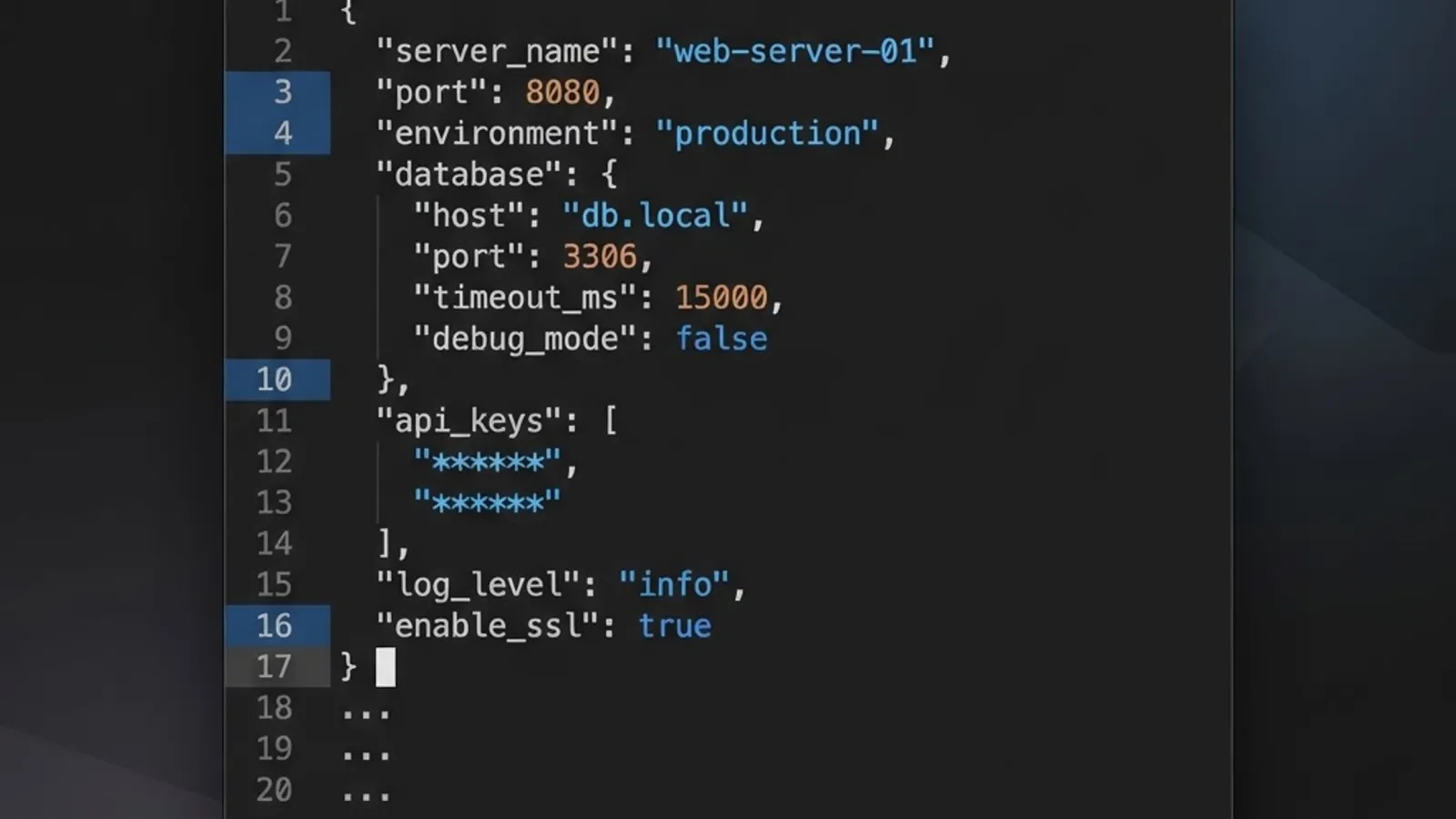
One detail from real audits: a robots.txt that returns a 5xx status is treated by Google as a full disallow after a grace period. Every sitemap line in it becomes invisible. Before optimizing sitemap order, confirm your robots.txt returns a clean 200 and is under 500 KiB — Google ignores content beyond that limit.
What Actually Determines Which URLs Get Crawled First
Once sitemaps are fetched, their URLs are merged into a single scheduling queue. Prioritization then happens at the URL level, using signals that have nothing to do with which file the URL arrived in.
1. Internal Link Prominence
URLs linked from your homepage or high-traffic hub pages are crawled sooner and more often. In practice this is the single strongest lever. A URL that appears only in a sitemap and nowhere in your navigation is treated as low-demand and may sit unqueued for weeks.
2. The lastmod Value
Google has confirmed it uses lastmod when the value is consistently accurate. A sitemap where every URL shows today's date — a common CMS bug — trains the crawler to ignore the field entirely for your domain. Accuracy is the currency here, not recency.
3. Historical Crawl Value
Crawlers learn. If a section of your site returned unchanged content on the last twenty visits, its refresh interval stretches. If a section produces frequent meaningful changes, it tightens.
4. Response Speed and Error Rate
Slow responses and rising 5xx rates cause Google to throttle crawling site-wide. This is the fastest way to lose crawl budget, and it is entirely within your control.
5. Duplicate and Low-Value URL Volume
Faceted navigation, session IDs, and infinite calendar pages consume budget on URLs that will never be indexed. Removing them frees capacity for pages that matter.

The priority Tag Myth
The <priority> and <changefreq> elements in the sitemap protocol are ignored by Google. Setting every product to 1.0 achieves nothing. Only <loc> and <lastmod> carry weight today.
Sitemap Index vs Multiple robots.txt Sitemap Lines
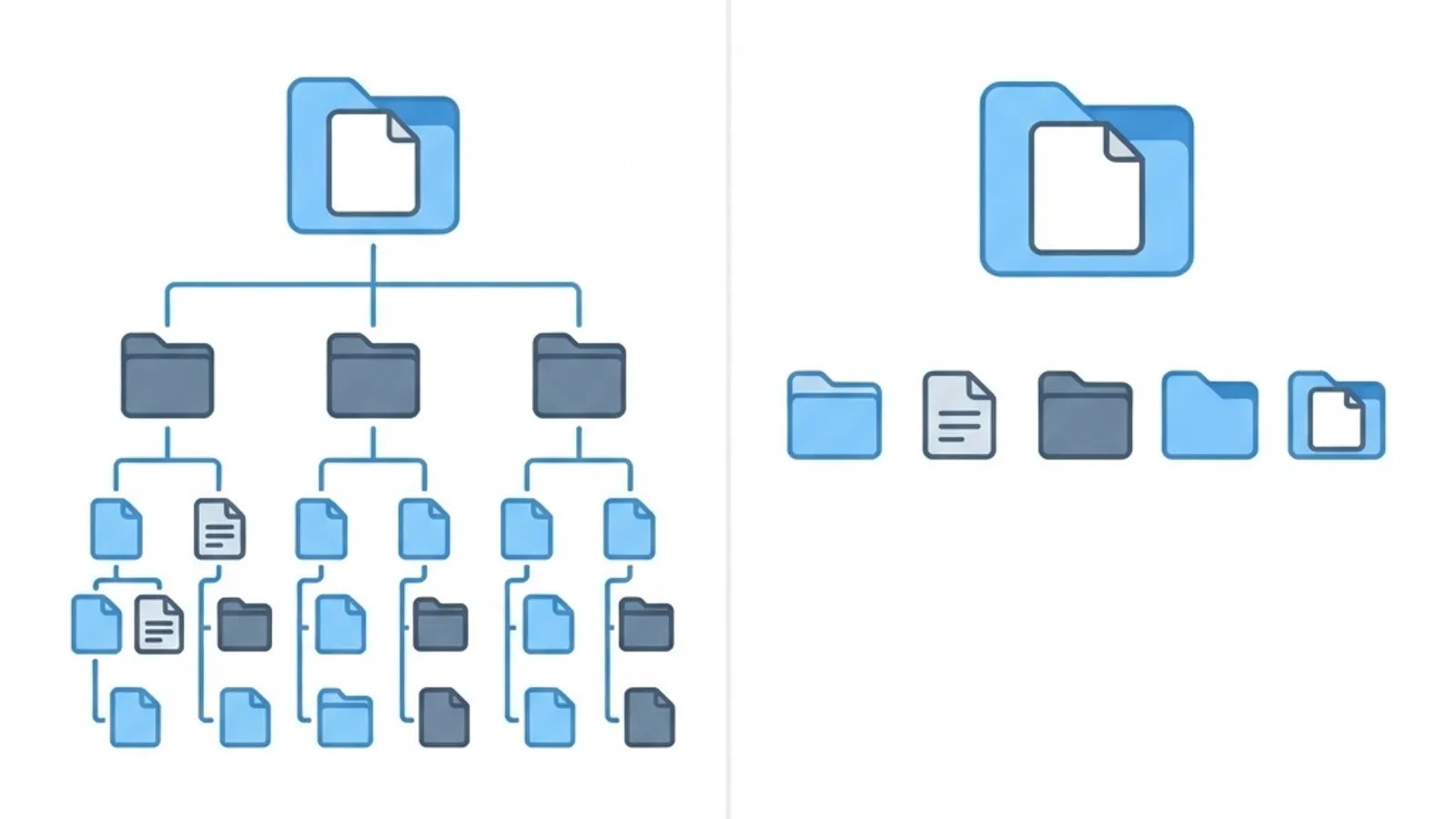
You have two architectural choices, and they behave differently in maintenance terms even though crawl priority is identical.
| Factor | Sitemap Index File | Multiple Lines in robots.txt |
|---|---|---|
| Lines in robots.txt | One | One per sitemap |
| Crawl priority effect | None | None |
| Discovery hops | Two fetches (index, then child) | One fetch per sitemap |
| Adding a new sitemap | Edit index file only | Edit robots.txt (often gated) |
| Search Console reporting | Per-child breakdown under one submission | Separate submissions |
| Best for | Large, frequently changing catalogs | Small, stable sitemap sets |
| Scales past 50,000 URLs | Yes | Yes, with more manual work |
Recommendation from repeated implementations: use a single sitemap index referenced in robots.txt, plus submit that index in Search Console. Developers can regenerate child sitemaps without touching robots.txt, which in most organizations requires a deployment. This reduces the most common failure mode we see — stale sitemap references returning 404s.
Hard Limits You Must Respect
The sitemaps.org protocol sets limits that Google enforces:
- 50,000 URLs maximum per sitemap file.
- 50 MB uncompressed maximum per file.
- 50,000 sitemaps maximum per sitemap index file.
- Gzip compression is supported and recommended; the 50 MB limit applies to the uncompressed size.
Exceeding these does not cause partial processing — the file is rejected. In audits of mid-size ecommerce sites, oversized sitemaps generated by unpaginated database exports were the second most common cause of unindexed product pages.
A Practical Workflow for Splitting Sitemaps
Split by business intent and update frequency, not alphabetically. This is where you gain real efficiency, because it lets you use lastmod meaningfully and diagnose problems per segment.
- Segment by content type and revenue value. Separate in-stock products, out-of-stock products, category pages, editorial content, and static pages.
- Keep each file between 5,000 and 20,000 URLs. Smaller files are faster to regenerate and make Search Console coverage data far easier to read.
- Set accurate lastmod at the URL level. Use the real content modification timestamp, never the build time.
- Never include non-canonical, noindex, or redirected URLs. These waste budget and dilute the trust signal of the whole sitemap.
- Regenerate on publish, not on a nightly cron. Freshness signals lose value when delayed by 24 hours.
- Reference one index file in robots.txt and submit it in Search Console for reporting granularity.
Teams that need help implementing this at scale — especially where sitemap generation is coupled to a custom CMS — often work with a technical partner such as ZoneTechify or WebPeak to restructure generation logic. If crawl efficiency sits inside a broader visibility problem, it usually belongs in a wider digital marketing and technical SEO engagement rather than a one-off fix.
How to Measure Whether It Worked
Do not judge sitemap changes by rankings. Judge them by crawl behavior, which you can observe directly.
- Search Console Crawl Stats report. Watch total crawl requests, average response time, and the by-response and by-purpose breakdowns. A healthy change shows stable or rising requests with flat response time.
- Sitemaps report. Check discovered URL counts per child sitemap. A child sitemap stuck at zero discovered URLs signals a formatting or accessibility fault.
- Server log analysis. This is the only source of truth for which URLs Googlebot actually fetched and in what order. Filter by verified Googlebot IPs, then compare fetch distribution against your sitemap segments.
- Time to first crawl for new URLs. Track the gap between publish time and first Googlebot hit. On well-structured sites with accurate lastmod, this commonly drops from days to hours.

Key Takeaways
- Crawl budget is the combination of crawl capacity limit and crawl demand; sitemaps influence demand-side discovery only.
- The
Sitemap:directive in robots.txt is order-agnostic. Listing a sitemap first grants it no priority under RFC 9309. - URL-level prioritization is driven by internal link prominence, accurate
lastmod, historical crawl value, server response health, and duplicate URL volume. - Google ignores the
priorityandchangefreqsitemap elements. Onlylocandlastmodmatter. - Hard limits: 50,000 URLs and 50 MB uncompressed per sitemap file; 50,000 sitemaps per index file.
- Google states most sites under roughly 10,000 URLs do not need crawl budget optimization.
- A single sitemap index in robots.txt is the most maintainable pattern for large sites.
- Verify results with Search Console Crawl Stats and verified-Googlebot server logs, not with ranking changes.
Frequently Asked Questions (FAQ)
Does the order of sitemaps in robots.txt affect crawling?
No. The Robots Exclusion Protocol treats every Sitemap: line as an equal discovery hint with no priority semantics. Crawlers fetch all listed sitemaps and merge the URLs into one queue. Prioritization then happens per URL using freshness, internal linking, and demand signals instead.
How many sitemaps can I list in robots.txt?
There is no documented limit on the number of Sitemap: lines. Practical constraints matter more: robots.txt content beyond 500 KiB is ignored by Google, and each sitemap must be an absolute URL. For large sites, one sitemap index file is cleaner than dozens of separate lines.
Should I use a sitemap index or multiple sitemap lines?
Use a sitemap index for anything large or frequently updated. Crawl priority is identical either way, but an index lets developers add or remove child sitemaps without editing robots.txt, which usually requires a deployment. It also gives clearer per-segment reporting in Google Search Console.
Does lastmod really help my pages get crawled faster?
Yes, but only when it is accurate. Google has confirmed it uses lastmod when the value is trustworthy across your domain. If your CMS stamps today's date on every URL, the signal is discarded entirely. Use the real content modification timestamp, not the build timestamp.
How do I know if my site has a crawl budget problem?
Check Search Console Crawl Stats for rising average response times or increasing 5xx rates, and look for valid pages stuck as discovered but not indexed. Sites under roughly 10,000 URLs rarely have a genuine crawl budget issue; the cause is usually content quality or internal linking.
Can too many sitemaps waste crawl budget?
Marginally. Each sitemap fetch consumes a request, but sitemap files are tiny compared with page crawls. The real waste comes from including non-canonical, redirected, or noindex URLs inside those sitemaps, which sends crawlers to pages that can never be indexed.