
A practical ecommerce replatforming checklist covering audits, data migration, SEO redirects, checkout testing, launch cutover, and post-launch monitoring. Built from real migration work, not theory.
Ecommerce Replatforming Checklist
Replatforming an online store is the highest-risk project most ecommerce teams will ever run, because unlike a redesign, it touches revenue, inventory, tax, search visibility, and customer accounts at the same time. Having led and audited migrations across Shopify, WooCommerce, Magento, BigCommerce, and headless Next.js builds, the pattern is consistent: failed migrations rarely fail on code. They fail on unmapped URLs, untested tax rules, and product data nobody validated before the DNS switch.
This checklist is written in the order you should actually execute it, with the specific traps that cost stores money at each stage.

Quick Answer: An ecommerce replatforming checklist should run in six stages: business case and scope, full technical and data audit, catalog and customer data migration, SEO URL redirect mapping, checkout and payment testing in staging, then a monitored launch cutover with 90 days of post-launch tracking against pre-migration baselines.
What Ecommerce Replatforming Actually Means
Ecommerce replatforming is moving your storefront, catalog, customer records, and order history from one commerce platform to another, including the integrations that surround it. It is not a redesign. A redesign changes the interface; replatforming changes the system of record.
That distinction matters because it defines your risk register. In a redesign, the worst case is a lower conversion rate. In a replatforming, the worst case is orders that never reach fulfilment, tax charged at the wrong rate, or a permanent loss of organic traffic that took years to build.
Two data points worth anchoring your plan on:
- Google has repeatedly confirmed that site moves with URL changes typically cause a temporary ranking fluctuation, and its own migration guidance advises keeping redirects in place for at least one year. Teams that plan for a short dip recover. Teams that assume zero impact panic and start reverting changes mid-recovery, which makes the dip permanent.
- Google research found that as page load time rises from one second to three seconds, the probability of a mobile visitor bouncing increases sharply. If your new platform is slower than the old one, you can execute a technically flawless migration and still lose revenue.
Stage 1: Build the Business Case Before You Shortlist Platforms
Start with the constraint that is forcing the move, written as a measurable problem.
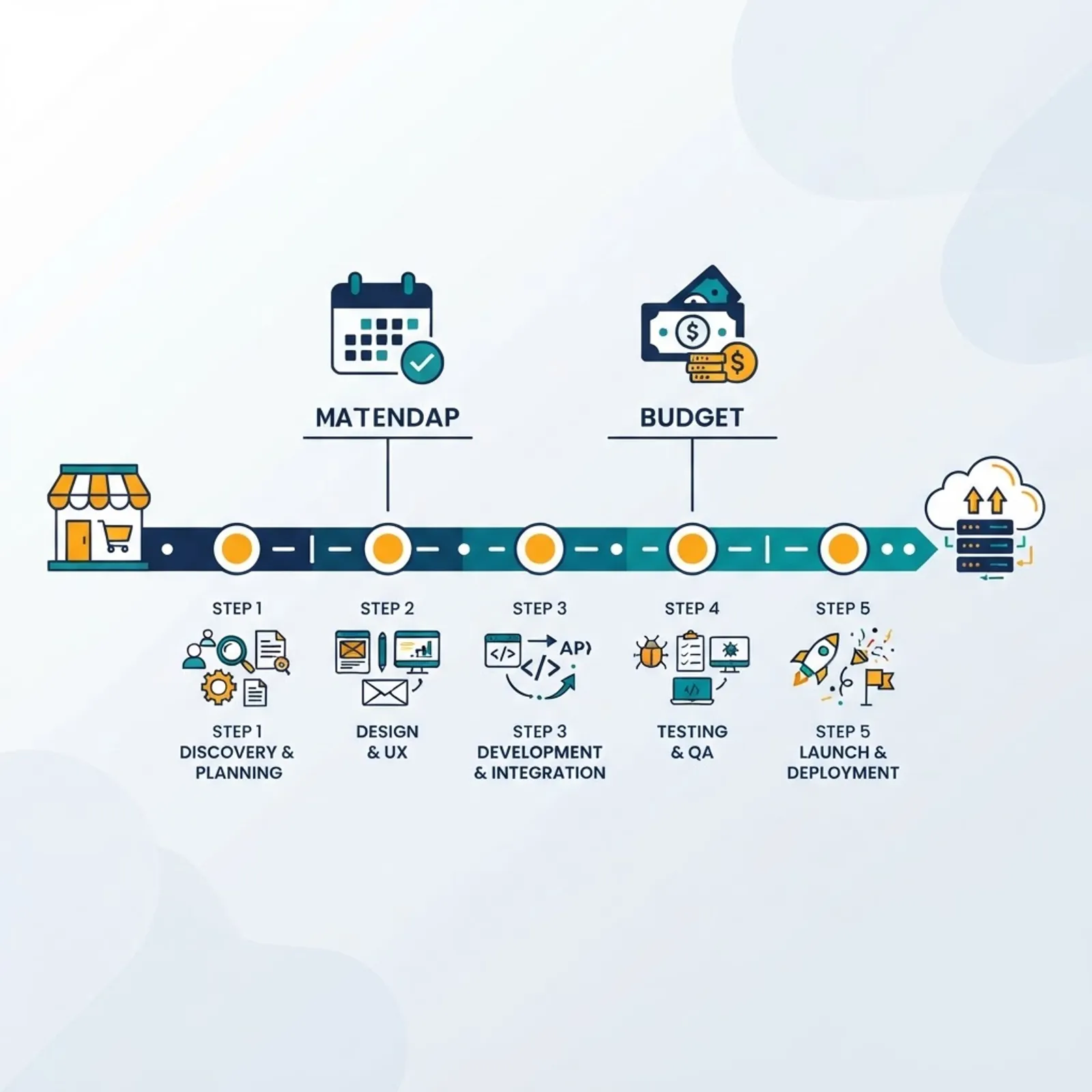
Valid triggers include: checkout cannot support a required payment method or currency, the catalog has outgrown the platform's variant limits, hosting and app fees exceed the cost of ownership on an alternative, or the theme layer blocks the page speed targets your paid media needs.
Invalid triggers include: the current admin feels dated, a competitor uses something newer, or an agency recommended it without a cost model.
Document these four things before shortlisting:
- Current total cost of ownership, including licence, apps, hosting, transaction fees, and developer retainer.
- A baseline snapshot of conversion rate, average order value, organic sessions, and top 200 revenue-driving URLs.
- Hard requirements versus preferences, split into separate lists.
- A rollback definition: what specific metric, at what threshold, triggers reverting.
Most teams skip the baseline snapshot. Without it, you cannot prove the migration worked, and you cannot diagnose whether a post-launch revenue drop is seasonal or self-inflicted.
Stage 2: Run a Full Technical and Data Audit
Audit before you build. This stage is where you discover the integration nobody documented.

Audit checklist:
- Export a complete inventory of products, variants, collections, and custom fields, with counts recorded.
- List every integration touching the store: ERP, PIM, 3PL, email service provider, reviews, loyalty, subscriptions, analytics, tag manager containers, and ad pixels.
- Identify which integrations have a native equivalent on the target platform, which need middleware, and which have no path at all.
- Crawl the live site and export every indexable URL, including filtered collection pages and legacy blog paths.
- Record all active discount logic, tax configurations by region, and shipping rules.
- Note any custom checkout logic, because that is usually the least portable asset you own.
The recurring surprise is subscriptions and loyalty balances. Subscription tokens are often non-portable between payment gateways, meaning existing subscribers must re-authorise. Discover that in the audit, not the week before launch, because it requires a customer communication plan.
Stage 3: Migrate Catalog, Customer, and Order Data
Data migration is a mapping exercise, not a copy operation.

Work in this sequence:
- Build a field mapping document: source field, target field, transformation rule, owner.
- Migrate a sample of 50 to 100 products first, deliberately including your most complex items, such as bundles, multi-variant products, and items with metafields.
- Validate the sample manually against the live site: price, tax class, weight, inventory, images, alt text, and SEO fields.
- Run the full catalog import, then reconcile record counts against your audit export.
- Migrate customers without passwords, since hashes are rarely transferable, and plan a password reset flow with a clear email explaining why.
- Migrate order history in read-only form so support can service returns and warranties.
Validation rule that saves the most pain: reconcile by count and by sum. Matching product counts prove nothing if 400 items imported with a null price. Compare the total inventory value and total variant count on both systems.
Stage 4: Map SEO Redirects Before Launch, Not After
This is the single stage most responsible for permanent revenue loss in replatforming projects, because URL structures almost always change between platforms.
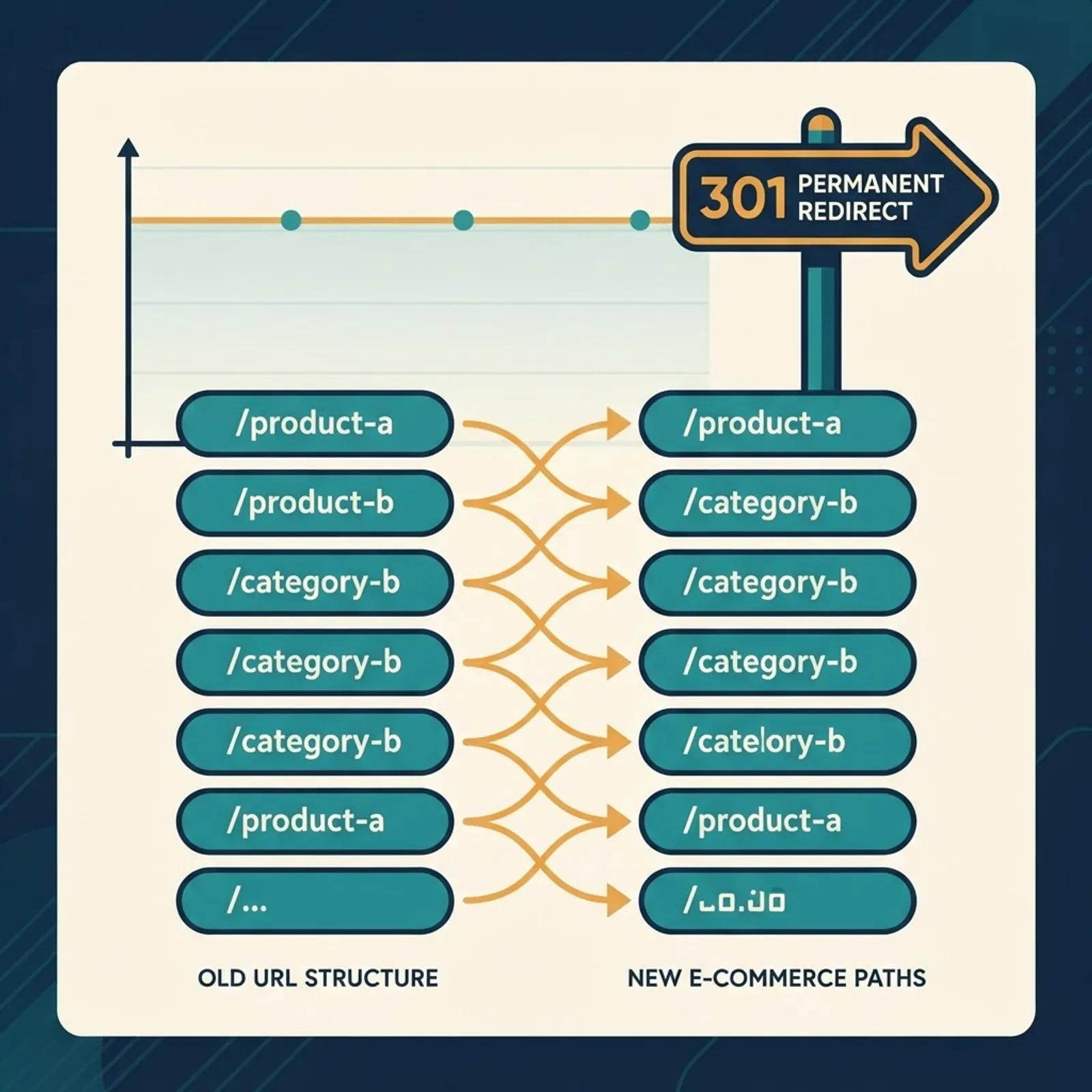
SEO checklist:
- Map every old URL to a single new URL using 301 redirects, avoiding redirect chains longer than one hop.
- Prioritise by revenue and organic traffic, then handle the long tail programmatically with pattern rules.
- Never redirect a discontinued product to the homepage. Send it to the closest parent category, which preserves relevance and gives the visitor a next step.
- Migrate title tags, meta descriptions, canonical tags, and structured data. Product schema with price and availability should be validated on staging.
- Rebuild and submit the XML sitemap on launch day, and keep the old sitemap accessible briefly so crawlers rediscover changed URLs faster.
- Confirm robots.txt does not carry a staging disallow rule into production. This is the most common single-line launch failure.
- Keep redirects live for at least a year.
If redirect mapping and organic recovery planning sit outside your team's skill set, this is the stage worth outsourcing to specialists in technical SEO services rather than learning on your own traffic. For teams who also need help classifying and staffing the wider commercial side of the project, this breakdown of where a digital marketing consultant sits in ecommerce taxonomy is a useful reference when writing the brief.
Stage 5: Test Checkout, Payments, Tax, and Shipping
Test the money path harder than anything else on the site.
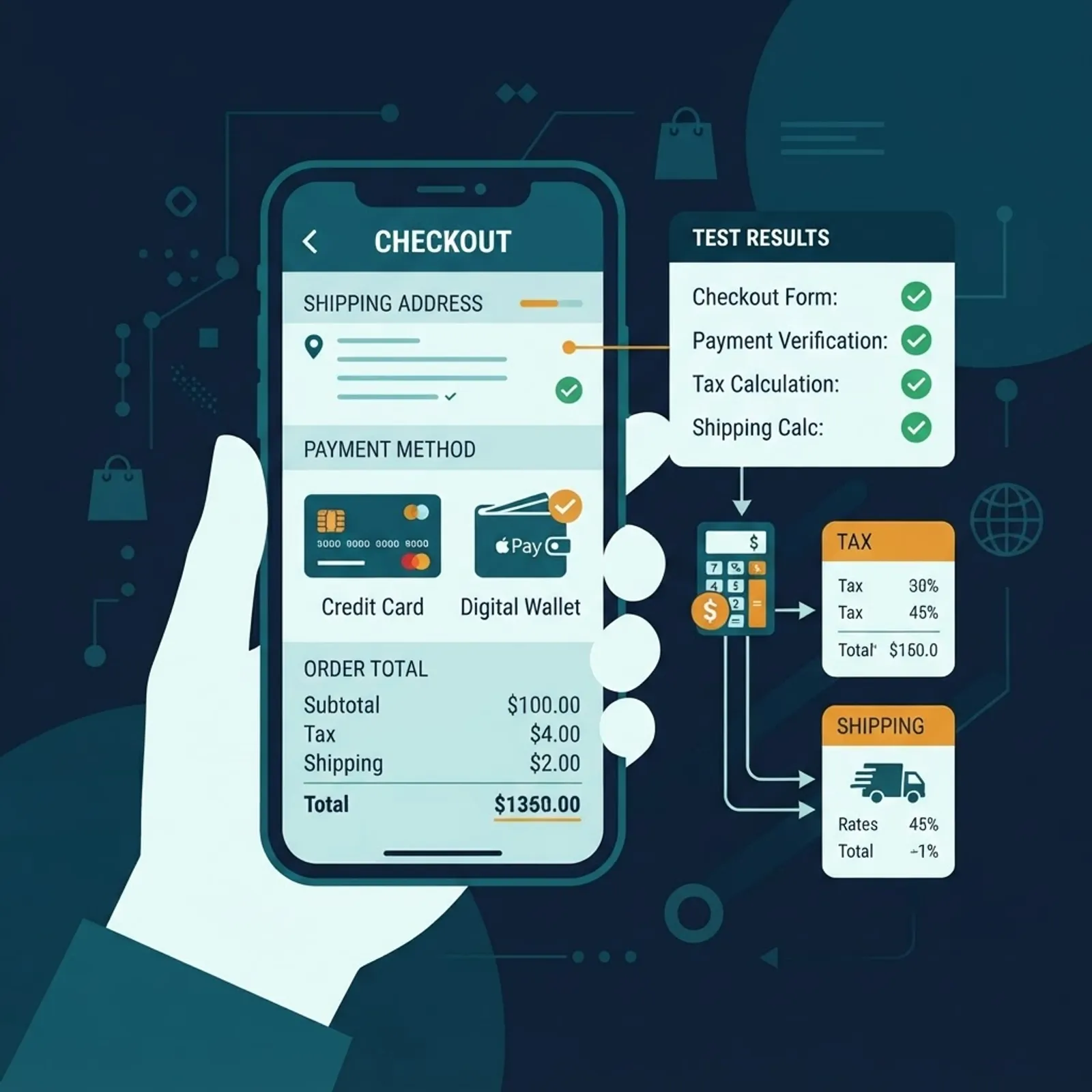
Run these test cases in staging with real gateway sandbox credentials:
- Guest checkout and logged-in checkout, on mobile and desktop.
- Every enabled payment method, including wallets, buy-now-pay-later, and manual methods.
- A successful order, a declined card, and an abandoned payment that is later retried.
- Tax calculation for each region you sell into, including exempt and zero-rated goods.
- Every shipping rate band, plus free shipping thresholds and oversized item rules.
- Discount stacking, gift cards, and store credit.
- A full refund and a partial refund, confirming the amount reaches the gateway correctly.
- Order confirmation, shipping notification, and password reset emails, checked for correct branding and working links.
- Analytics and conversion tracking, verifying that purchase events fire once and report the correct value.
Double-counted purchase events are the quiet killer here. When both a native integration and a manual tag fire, reported revenue inflates and every downstream ad-bidding decision degrades.
Stage 6: Plan the Launch Cutover
Treat launch as an operations exercise with named owners and a written sequence.

| Launch task | Owner | Timing | Rollback available |
|---|---|---|---|
| Freeze catalog and content edits | Merchandising | 24 hours before | Yes |
| Final delta import of orders and inventory | Development | 2 hours before | Yes |
| Deploy redirects and verify sample | SEO | At cutover | Yes |
| Lower DNS TTL, then switch | Infrastructure | At cutover | Partial |
| Live smoke test with a real paid order | QA | Within 15 minutes | Yes |
| Submit sitemap and request indexing | SEO | Within 2 hours | Not needed |
| Monitor errors, speed, and orders per hour | Whole team | First 72 hours | Yes |
Schedule the cutover during your lowest traffic window, never before a holiday peak or a major promotion, and never on a Friday. Lower DNS TTL 48 hours in advance so propagation is measured in minutes.
Stage 7: Monitor the First 90 Days
Migration success is measured after launch, against the baseline you captured in Stage 1.
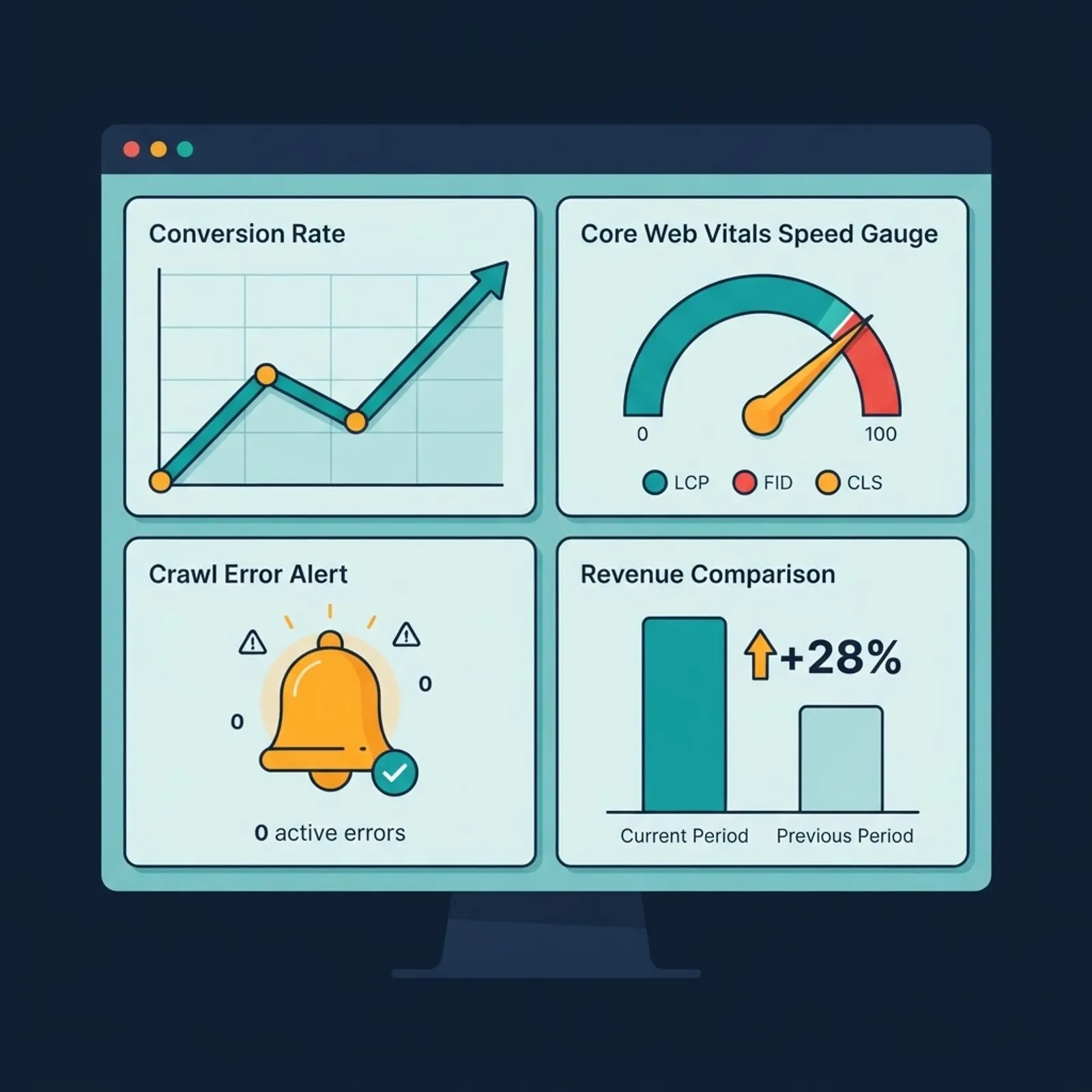
Track weekly:
- Conversion rate and revenue by device, compared to the same period last year.
- Organic sessions and rankings for your top 200 URLs.
- Crawl errors, 404 spikes, and redirect errors in Search Console.
- Core Web Vitals, especially Largest Contentful Paint on product and collection pages.
- Support ticket themes, which surface broken flows analytics will miss.
Expect a temporary organic dip and hold your nerve. Reverting redirects mid-recovery is how a two-month dip becomes a two-year one. Teams building this monitoring layer alongside a headless or custom storefront often pair it with senior engineering support from a partner like scalable web solutions specialists, while smaller stores can run it internally with a weekly dashboard review. If you want the migration and the growth plan handled together, ZoneTechify approaches replatforming as a revenue project rather than a rebuild.
Key Takeaways
- Replatforming changes your system of record, so it carries operational risk a redesign does not.
- Capture a baseline of conversion rate, revenue, and top 200 URLs before any build work starts.
- Reconcile migrated data by count and by sum, not by count alone.
- Map every old URL to one new URL with a single-hop 301, and keep redirects for at least a year.
- Google advises expecting temporary ranking fluctuation during site moves with URL changes, so plan recovery instead of reacting to it.
- Test refunds, tax by region, and analytics event firing, not just the happy-path order.
- Launch in a low-traffic window with a written rollback trigger and a named owner per task.
Frequently Asked Questions (FAQ)
How long does an ecommerce replatforming project take?
A small store with a clean catalog and few integrations typically takes six to ten weeks. Mid-market stores with ERP, PIM, or subscription systems usually take four to six months. The variable is rarely front-end build time. It is integration rework and data cleanup discovered during the audit stage.
Will replatforming hurt my SEO rankings?
Expect a temporary fluctuation, not a permanent loss, provided you map every URL with single-hop 301 redirects and migrate metadata and structured data. Google's own site move guidance advises keeping redirects active for at least a year. Most well-executed migrations stabilise within four to eight weeks of launch.
Should I redesign my store at the same time as replatforming?
Separate them if you can. Changing platform and design simultaneously makes post-launch diagnosis nearly impossible, because you cannot tell whether a conversion drop came from the new checkout or the new layout. If budget forces one project, launch on the new platform with the closest possible design match first.
Can I migrate customer passwords to a new ecommerce platform?
Usually not. Password hashes are stored with platform-specific algorithms and salts that rarely transfer. Plan a forced password reset with a clear email explaining the change, and time it for the launch window so customers are not locked out silently during a purchase attempt.
What is the most commonly missed item on a replatforming checklist?
Robots.txt and meta noindex tags carried over from the staging environment. A single inherited disallow rule can deindex an entire store within days of launch. The second most missed item is refund and partial refund testing, which teams skip because it sits outside the standard order flow.
How much should I budget for ecommerce replatforming?
Budget the platform build, then add 20 to 30 percent for integration rework and data cleanup that the audit will uncover. Also budget for a temporary organic traffic dip by increasing paid media for the first four to six weeks, which protects revenue while search rankings stabilise.