A practical guide to B2B web application development covering architecture, roles and permissions, ERP and CRM integration, security, cost, and scaling decisions.
B2B Web Application Development
B2B web application development is the practice of building browser-based software that one business uses to transact with, serve, or manage another business. Unlike consumer apps, a B2B application must handle organizations rather than individuals: multiple buyers under one account, negotiated pricing, approval chains, purchase orders, credit terms, and integrations with systems that were installed long before your project started.
That single difference changes almost every technical decision. A consumer checkout optimizes for a two-tap purchase. A B2B checkout may need to check a customer-specific price list, validate a credit limit, route the order to an approver, and post the result to an ERP. If you build a B2B portal using consumer e-commerce assumptions, it fails in month three, not month one, which is what makes the mistake expensive.
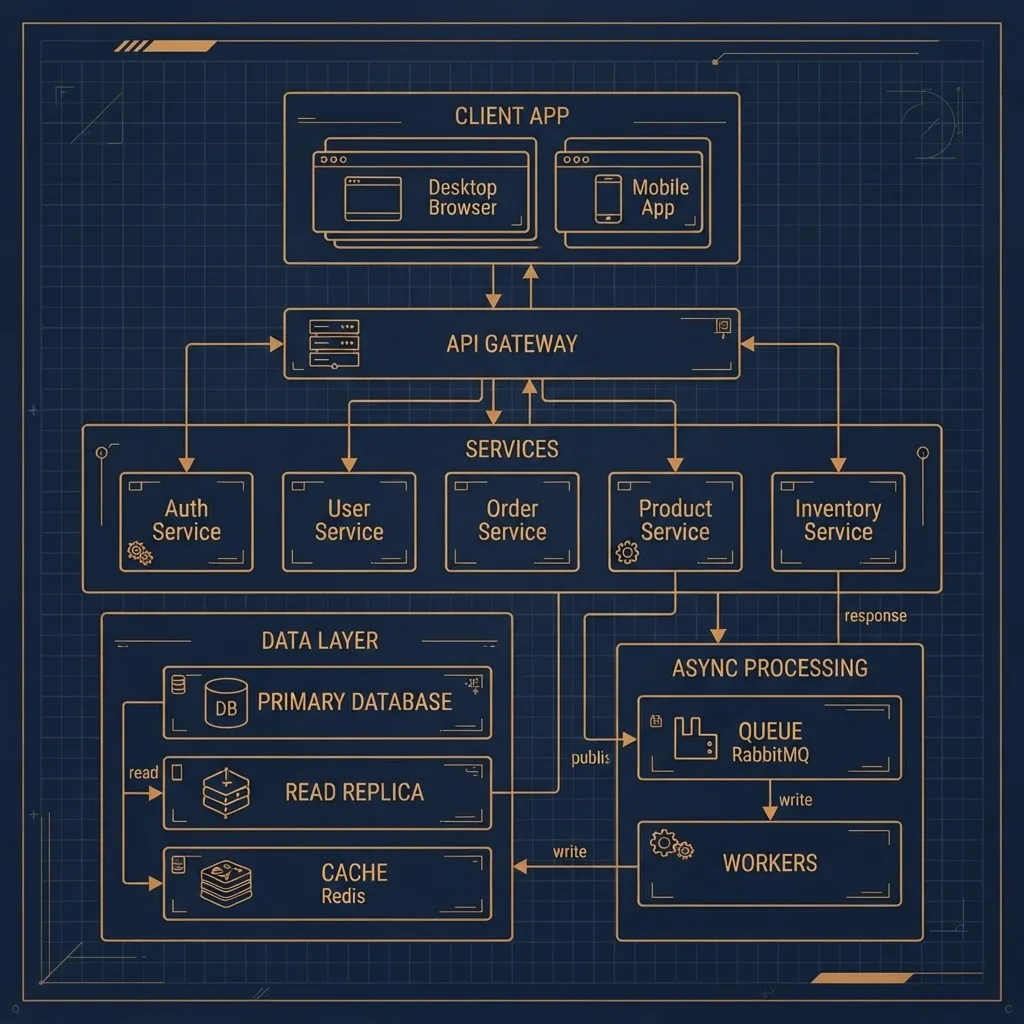
Quick Answer: B2B web application development means building browser-based software for business-to-business workflows, with multi-tenant accounts, role-based permissions, negotiated pricing, approval flows, and ERP or CRM integration. Most projects take three to nine months and succeed or fail on integration quality and data modelling, not on visual design.
What Makes a B2B Application Different From a B2C One
The core distinction is that the account, not the user, is the primary entity. In B2C software, a user owns their data. In B2B software, a company owns the data and users are granted scoped access to it. Every table, every query, and every permission check has to respect that hierarchy from day one, because retrofitting tenancy into a live database is one of the most costly refactors in enterprise software.
Three practical consequences follow:
- Pricing is contextual. The same SKU can have five prices depending on contract, volume tier, region, and currency. Pricing must be resolved server-side per request, never cached globally.
- Purchases are approved, not impulsive. Gartner research on B2B buying has repeatedly found that a typical buying group involves six to ten decision makers, which is why approval routing is a feature and not an edge case.
- Sessions are long and task-driven. Users are doing their job, often for hours. Keyboard shortcuts, saved filters, and bulk actions matter more than animation.
Key Terms Defined
- Multi-tenancy: one application instance serving many isolated customer organizations.
- RBAC: role-based access control, where permissions attach to roles rather than individual users.
- Idempotency: the guarantee that resubmitting the same request does not create a duplicate record.
- System of record: the authoritative source for a data type, usually the ERP for inventory and the CRM for accounts.
Start With Discovery, Not Wireframes
The most reliable predictor of a successful B2B build is how well the team mapped the existing manual process before designing screens. Enterprise buyers rarely want new behaviour. They want their current workflow, including its unusual exceptions, executed faster and with fewer emails.
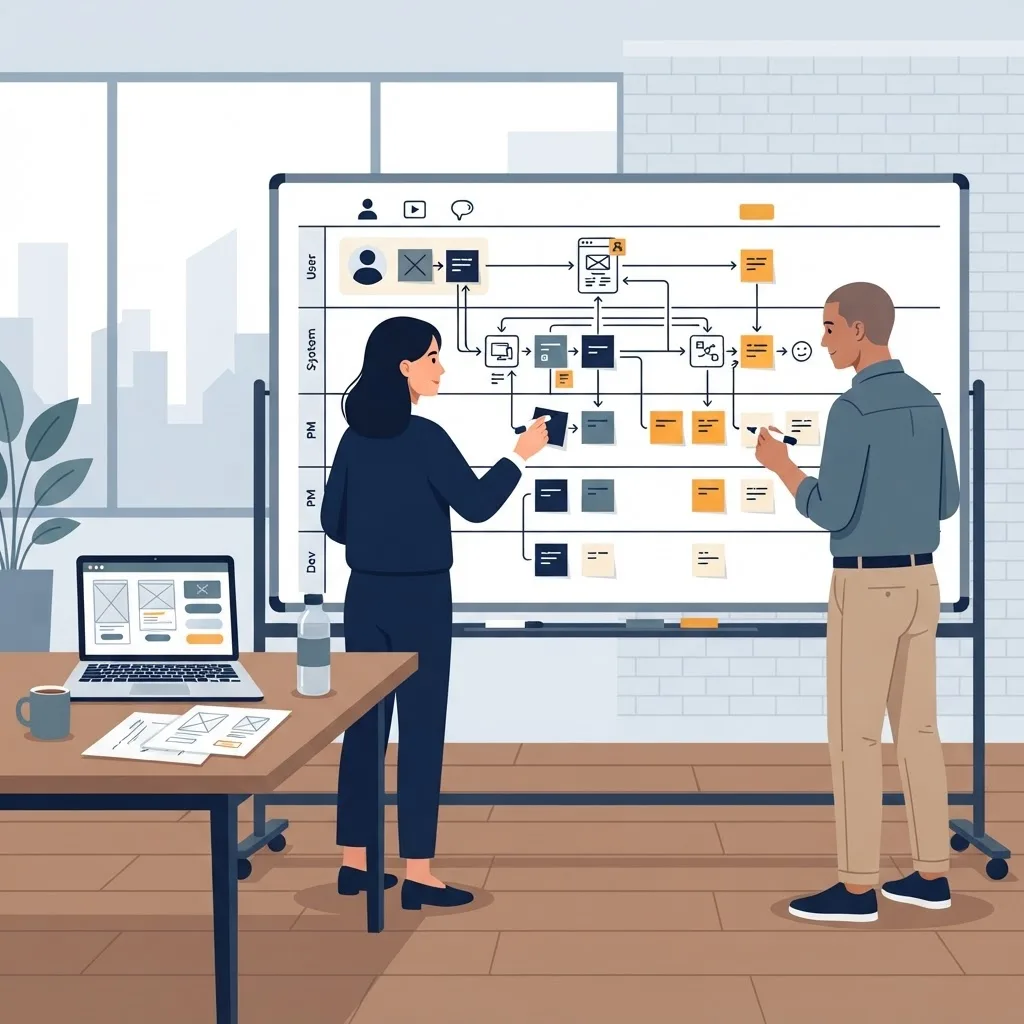
A discovery phase that earns its cost produces four artefacts:
- A swimlane diagram of the current process, including who signs off and where things stall.
- A data dictionary naming every entity and the system that owns it.
- A list of integration endpoints with real sample payloads, not documentation summaries.
- A ranked list of exceptions, because exceptions are where B2B budgets are consumed.
One pattern worth stating plainly from experience across enterprise projects: if a stakeholder cannot describe how an order is currently corrected after it is wrong, the integration will need rework. Correction and reversal flows are almost always discovered late and almost always cost more than the happy path they accompany.
Designing Accounts, Roles, and Permissions
Permissions in B2B applications are structural, not cosmetic. A purchasing manager at a distributor may see all branch orders. A branch buyer sees only their own. A finance user sees invoices but never edits catalogue data.
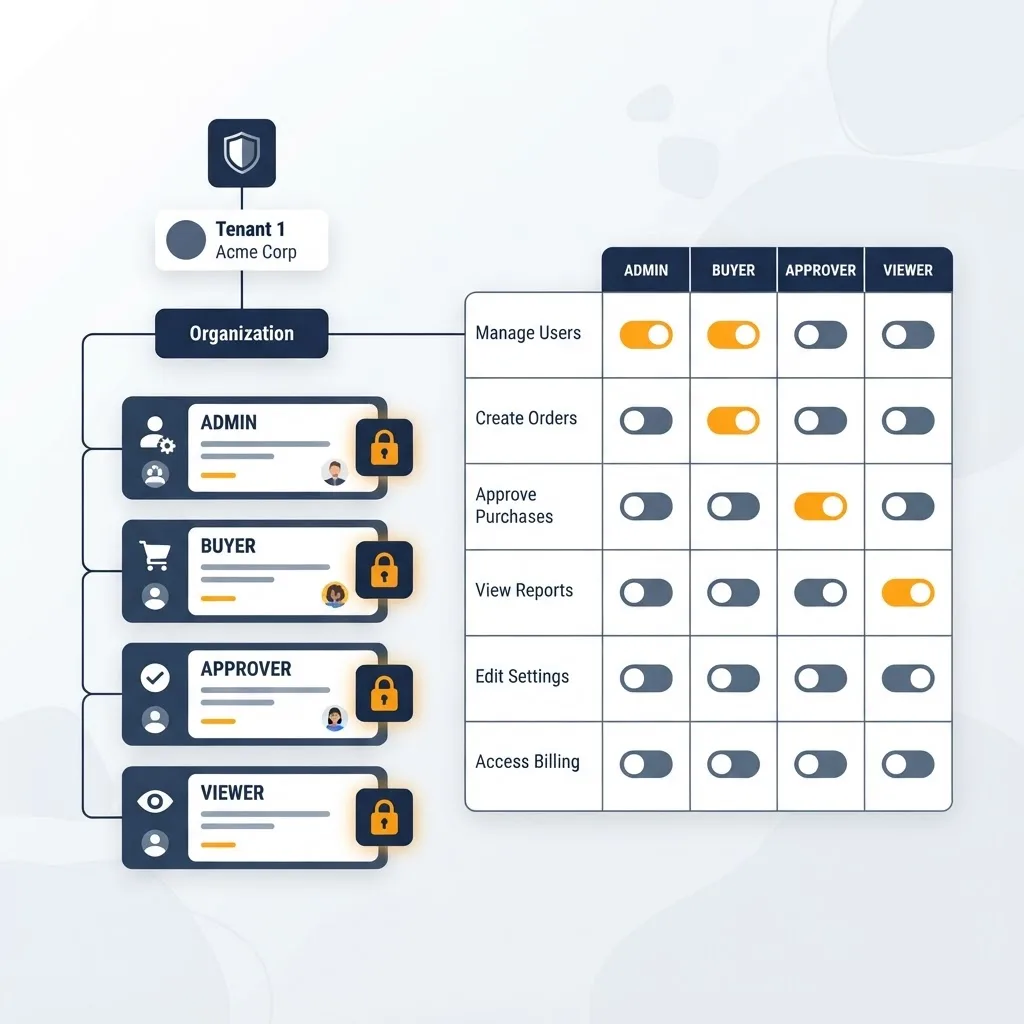
Build the model in this order:
- Define the organization, then sub-organizations such as branches or cost centres.
- Define roles at the organization level, not globally.
- Enforce permissions in the data layer, so every query filters by tenant and scope automatically.
- Log every privileged action with actor, timestamp, and before and after values.
Enforcing scope only in the interface is the single most common security defect in B2B portals. If a user can change an account identifier in a URL or an API call and see another company's data, the product is not enterprise ready regardless of how polished the dashboard looks. Teams building this layer properly usually work with a specialist web application agency rather than treating access control as a late-stage task.
Integration Is the Real Project
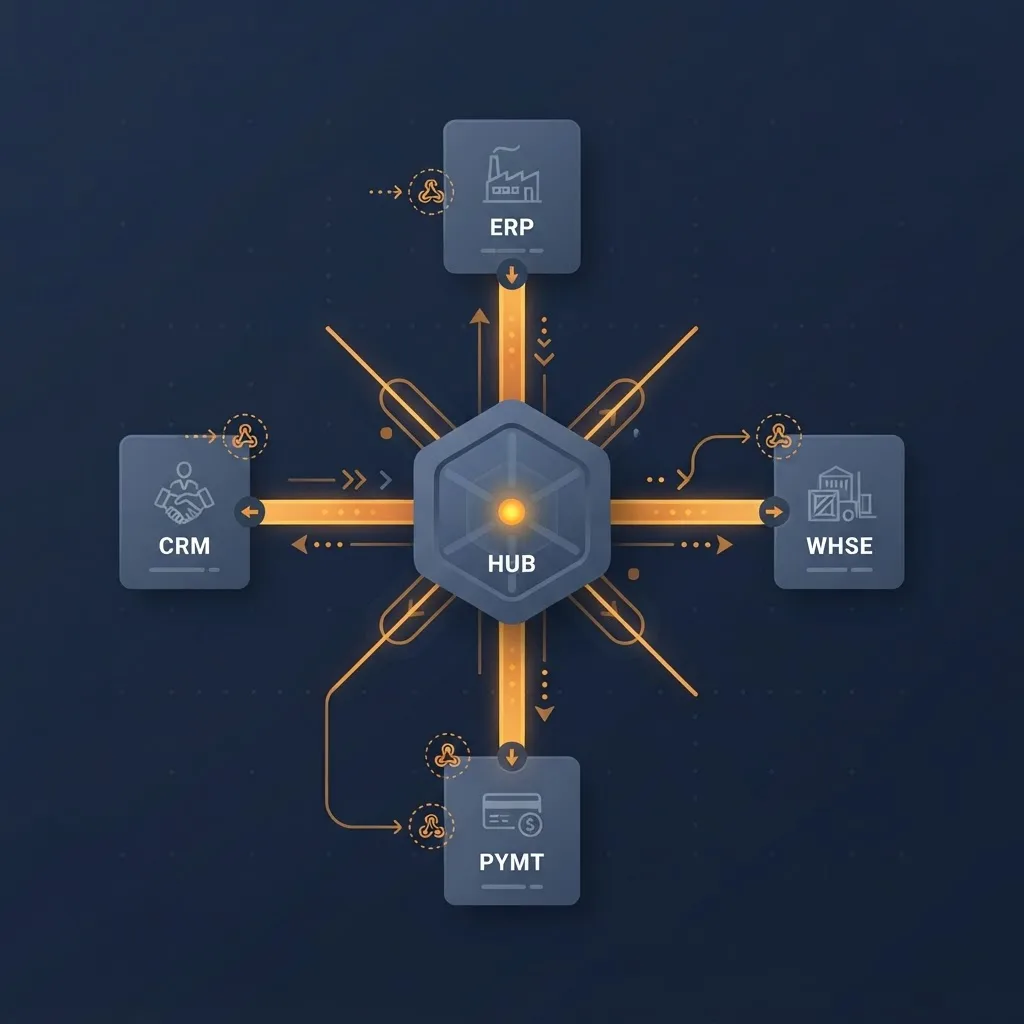
In most B2B builds, integration consumes more engineering time than the user interface. The application is rarely the system of record. It reads inventory from an ERP, account hierarchy from a CRM, and shipment status from a logistics provider, then writes orders back.
Choosing an Integration Pattern
| Pattern | Best for | Latency | Main risk |
|---|---|---|---|
| Real-time API call | Stock checks, credit limits | Low | Portal fails when the source system is down |
| Webhook push | Order status, shipment events | Low | Missed or duplicate events without idempotency |
| Scheduled batch sync | Catalogues, price lists | Minutes to hours | Users see stale data between runs |
| Middleware or iPaaS | Many legacy systems | Varies | Extra licence cost and another failure point |
The pragmatic default for most mid-market B2B applications is a hybrid: cache reference data such as catalogues and price lists locally with scheduled refreshes, and call the source system in real time only for values that must be exact at the moment of decision, such as available stock and credit availability. This keeps the portal usable when an on-premise ERP is offline for maintenance, which it will be.
Always make write operations idempotent using a client-generated key. Without it, a single retry on a flaky network creates duplicate purchase orders, and duplicate purchase orders erode trust faster than any bug in the interface.
Interface Design for Professional Users
B2B interface quality is measured in task completion time, not aesthetic impact. A reorder that takes forty seconds instead of four minutes is the product's actual value proposition.
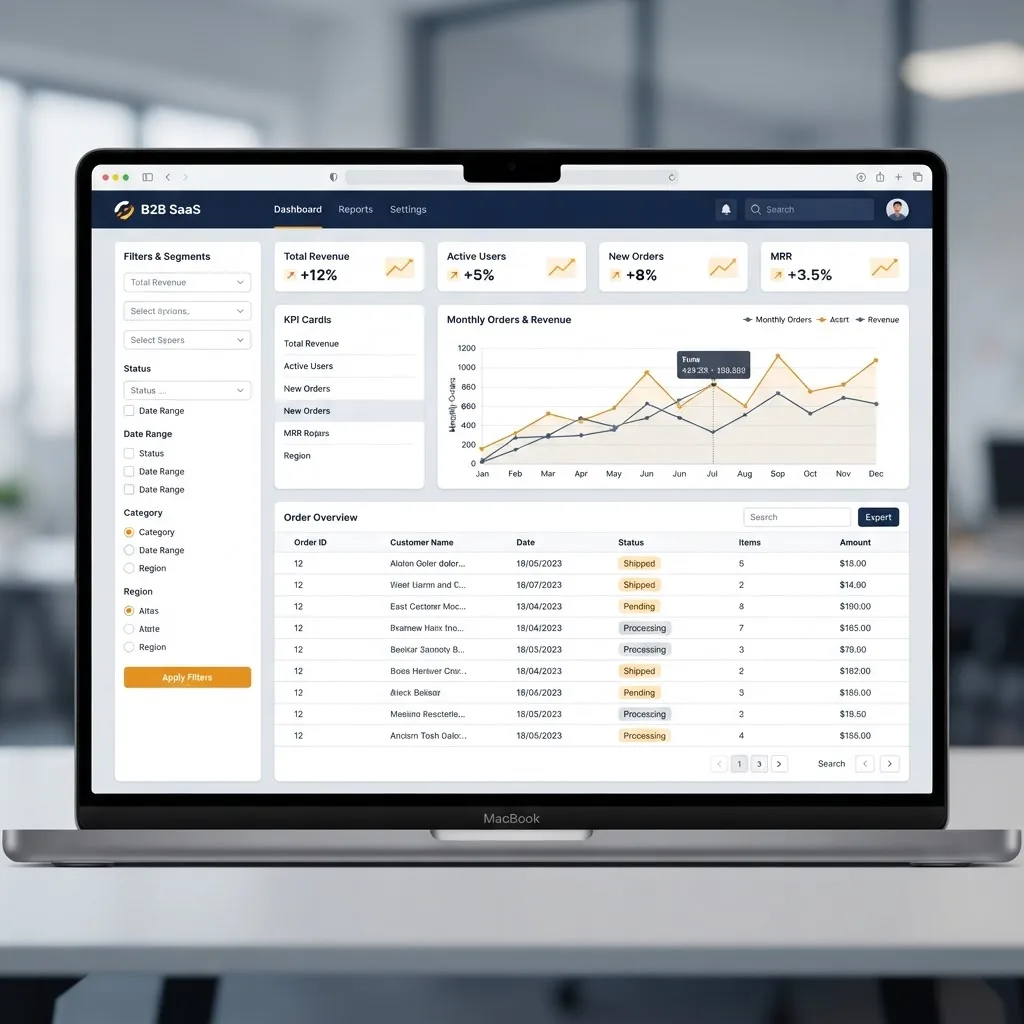
The features that consistently earn adoption in business portals are unglamorous:
- Reorder from history, including whole previous orders in one action.
- Bulk entry by SKU or CSV upload, because buyers often arrive with a list already prepared.
- Saved views and filters that persist across sessions and devices.
- Exportable everything, since finance teams will reconcile in a spreadsheet regardless of your reporting module.
- Visible state, so a user always knows whether an order is drafted, awaiting approval, or confirmed.
Accessibility deserves specific attention here. Business software is used all day by people with a wide range of vision, motor ability, and device configurations, and procurement teams increasingly ask for WCAG conformance in writing. Keyboard-navigable tables and proper form labelling are procurement requirements, not preferences.
Security, Compliance, and Auditability
B2B customers buy security posture along with functionality. Expect security questionnaires, and expect them before contract signature rather than after.

Baseline expectations for a serious B2B application:
- Single sign-on via SAML or OIDC, so the client's IT team controls provisioning and offboarding.
- Enforced multi-factor authentication for administrative roles.
- Encryption in transit and at rest, with documented key management.
- An immutable audit log covering authentication, permission changes, and financial transactions.
- Parameterized queries and server-side validation on every input, including values that appear to come from your own interface.
- Documented retention and deletion policies, which GDPR makes a legal obligation for any application handling EU personal data.
An honest point that vendors often skip: SOC 2 readiness is largely a process and evidence exercise, not a coding exercise. If enterprise deals depend on it, budget for the operational work of logging, review cycles, and policy documentation, not just for technical controls.
Cost, Timeline, and Team Structure
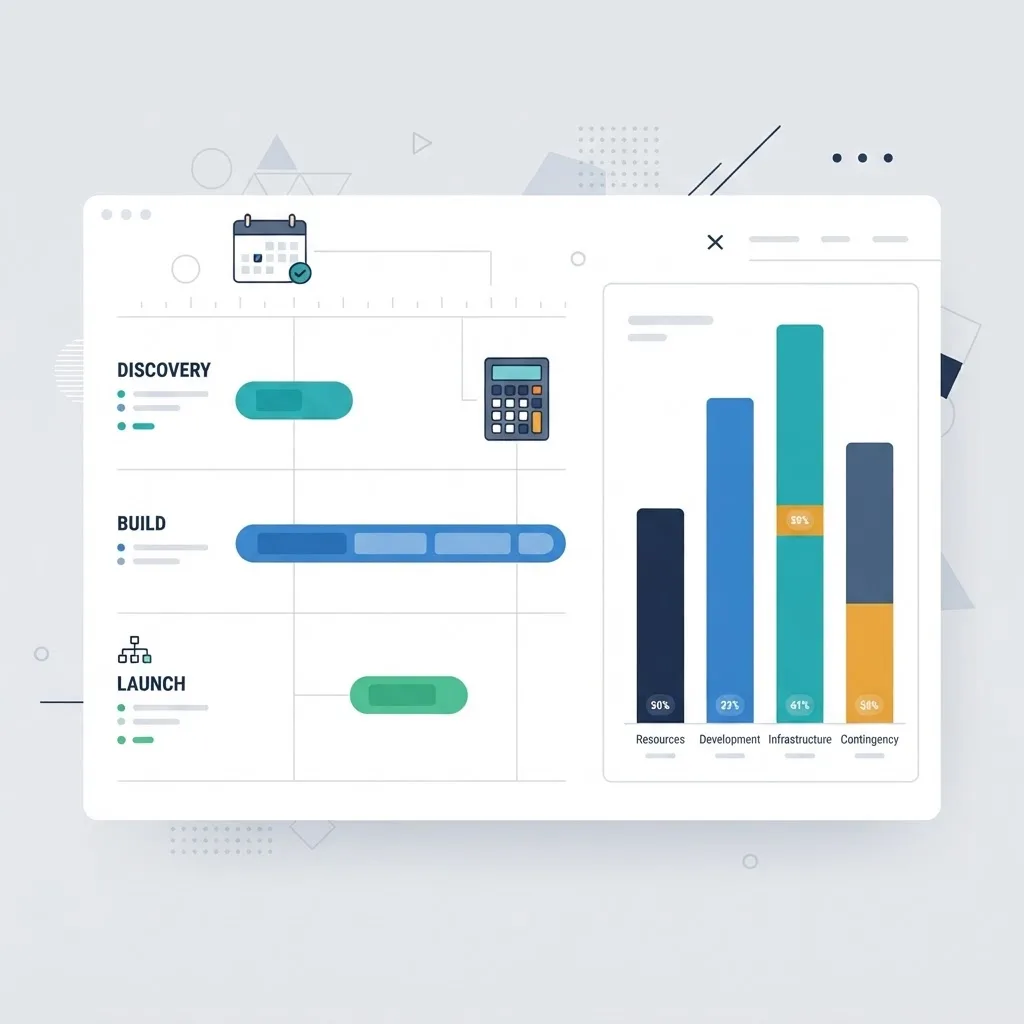
B2B web application development typically runs three to nine months for a first production release, with integration complexity being the dominant variable. A portal reading from one modern REST API behaves very differently from one reconciling three legacy systems with inconsistent identifiers.
| Scope | Typical duration | Team shape | Primary cost driver |
|---|---|---|---|
| Single-tenant internal tool | 2 to 3 months | 2 engineers, 1 designer | Workflow complexity |
| Customer ordering portal | 4 to 6 months | 3 to 4 engineers, 1 designer, 1 analyst | ERP integration |
| Multi-tenant B2B SaaS | 6 to 12 months | 5 or more, plus DevOps | Tenancy, billing, compliance |
Small senior teams outperform large mixed ones on this class of work, because most decisions are architectural rather than volume-based. This is why many companies choose an AI-augmented development team or a focused senior partner over a large generalist vendor when the domain logic is dense.
Budget explicitly for two items that are usually omitted: data migration from spreadsheets or a legacy portal, and customer onboarding, including role setup and training for each client organization. Both are certain, and both are commonly discovered after launch.
Scaling and Performance Under Real Load
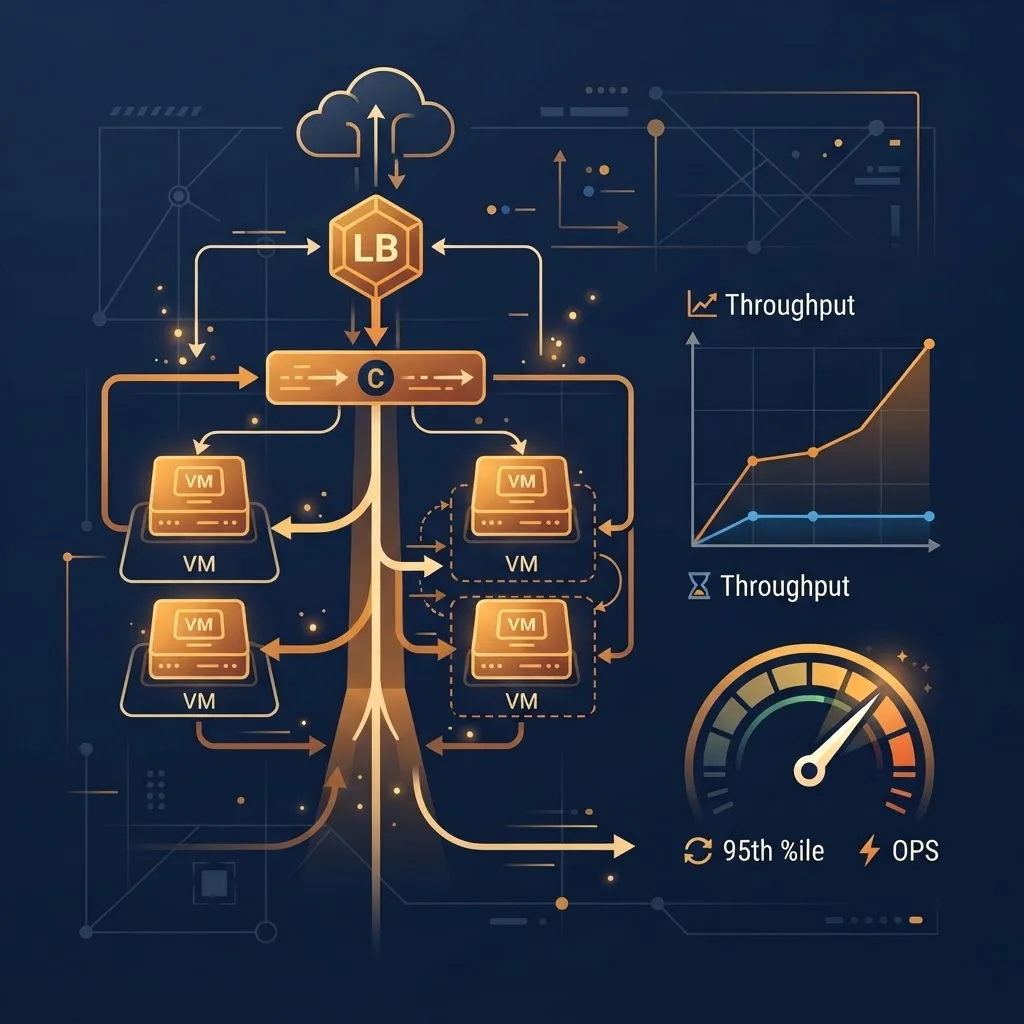
B2B traffic is spiky in a predictable way. Load clusters around business hours, month-end, and quarter-end, and heavy operations tend to be reports and bulk uploads rather than page views.
Four measures that address most real-world performance complaints:
- Move report generation and bulk imports to background jobs with progress feedback.
- Index on tenant identifier plus the most common filter columns, and review slow query logs monthly.
- Cache reference data per tenant, never globally, to avoid cross-tenant leakage.
- Paginate and stream large tables instead of loading full result sets.
Google's Core Web Vitals thresholds, which treat a Largest Contentful Paint of 2.5 seconds or less as good, remain a useful internal benchmark even for authenticated portals that search engines never crawl. Slow internal software costs measurable staff hours every day.
Key Takeaways
- B2B web application development centres on organizations, not individual users, so tenancy and role scoping must be designed before any screen is built.
- Buying groups in B2B commonly include six to ten decision makers, which makes approval routing a core requirement rather than an optional feature.
- Integration with ERP and CRM systems usually consumes more effort than interface work; hybrid caching plus real-time checks for stock and credit is the most reliable default.
- Idempotency keys on write operations prevent duplicate orders caused by network retries.
- A first production release typically takes three to nine months, with integration complexity as the dominant cost driver.
- SSO, MFA for admins, encryption, and immutable audit logs are baseline procurement expectations, not differentiators.
Frequently Asked Questions (FAQ)
What is a B2B web application?
A B2B web application is browser-based software that lets one business transact with or serve another. It handles company accounts rather than individual users, supporting features such as role-based permissions, negotiated pricing, purchase orders, approval workflows, and integration with ERP or CRM systems used by both parties.
How long does it take to build a B2B web application?
Most B2B web applications reach a first production release in three to nine months. Internal tools can ship in two to three months, customer ordering portals usually take four to six, and multi-tenant B2B SaaS products often need six to twelve months once billing and compliance work is included.
What is the biggest mistake in B2B web application development?
Treating access control and multi-tenancy as later work. Enforcing permissions only in the interface lets users reach other companies' data by editing a URL or API request. Scope should be enforced in the data layer from the first commit, since retrofitting tenancy into a live database is extremely costly.
Should a B2B portal integrate with an ERP in real time or in batches?
Use both. Cache catalogues and price lists locally with scheduled refreshes so the portal stays usable during ERP downtime, and call the ERP in real time only for values that must be exact at that moment, such as available stock and remaining credit limit.
What security features do enterprise B2B customers expect?
Enterprise buyers expect single sign-on through SAML or OIDC, enforced multi-factor authentication for administrators, encryption in transit and at rest, immutable audit logs for permission and financial changes, documented data retention policies, and parameterized queries with server-side validation on all inputs.
How much does B2B web application development cost?
Cost tracks integration complexity more than screen count. A single-system portal built by a small senior team costs far less than one reconciling three legacy systems with mismatched identifiers. Always budget separately for data migration and per-client onboarding, as both are certain and frequently omitted.