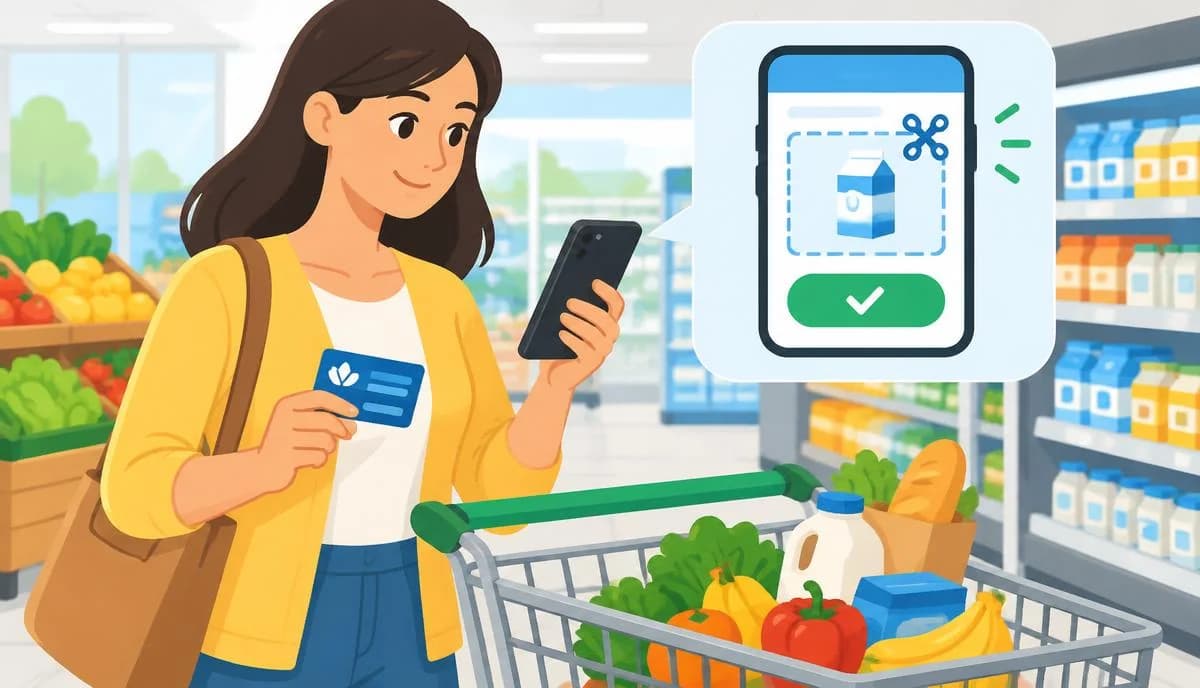
A complete guide to how City Market digital coupons work, from loading offers and stacking fuel points to running successful grocery digital coupon programs for marketers.
City Market Digital Coupon
Grocery shoppers looking to save money have increasingly moved away from clipping paper coupons and toward loading digital offers directly onto their loyalty accounts. City Market, part of the Kroger family of stores, offers a digital coupon system that lets shoppers add savings straight to their loyalty card or app account with a few taps, then automatically apply those discounts at checkout.
Understanding how the City Market digital coupon system actually works, from loading offers to stacking them with fuel points, can meaningfully change how much a household spends on groceries each month. This guide covers the shopper side of things step by step, then shifts to a practitioner view for grocery and retail marketers who want to understand why digital coupon programs like this one are so effective at driving loyalty and repeat visits.
Quick Answer: City Market digital coupons are loaded through the City Market app or website onto a shopper's loyalty card, then automatically applied at checkout when the linked card or phone number is used, no clipping or printing required, and many offers also contribute to fuel point rewards.
How City Market Digital Coupons Work for Shoppers
Step 1: Create or Link a Loyalty Account
Every digital coupon depends on having an active City Market loyalty (Shopper's Card) account. Shoppers who do not already have one can sign up in-store or online, and the account gets linked to a phone number or physical card used at checkout.
Step 2: Access the Digital Coupon Gallery
Once logged in through the City Market app or the website's account portal, shoppers can browse the "Coupons" or "Digital Coupons" section. Offers are typically organized by category: dairy, produce, household, health and beauty, and store brand items, plus a "Personalized" or "Just for You" tab based on shopping history.
Step 3: Clip or Load the Coupon
Instead of printing, shoppers simply tap "Clip" or "Add to Card" next to each offer. This action attaches the discount digitally to the shopper's loyalty account. No paper, no scissors, and the coupon stays loaded until it expires or is used.
Step 4: Shop and Check Out Normally
At checkout, whether scanning items with a self-checkout scanner, using the app in-store, or entering a phone number at a staffed register, the system recognizes the linked account and automatically applies any matching loaded coupons. There is no need to remember which offers were clipped or present a coupon separately.
Step 5: Review Savings on the Receipt
The receipt (or digital receipt in the app) shows a savings summary, breaking out digital coupon discounts from sale prices and loyalty pricing, so shoppers can track exactly how much the digital coupon program saved them that trip.
Stacking Digital Coupons With Fuel Points
One of the most valuable features of the City Market loyalty ecosystem is the fuel points program. Many purchases, including those discounted with digital coupons, still earn fuel points based on qualifying dollars spent. In many cases, specific promotions offer bonus fuel points for purchasing certain products, and these bonus offers can often be combined with a digital coupon discount on the same item, effectively stacking two forms of savings on one purchase.
Shoppers who want to maximize this should watch for weekly "digital deals" that specifically mention bonus fuel points, seasonal fuel point multiplier events such as double or triple point weekends, and combining loyalty sale pricing with a digital coupon and a fuel point bonus on the same transaction when eligible.
Practitioner observation across grocery loyalty programs generally shows that fuel point redemption is one of the strongest drivers of repeat visits, since shoppers plan gas station trips around accumulated points, reinforcing the habit loop between the grocery store and the fuel center.
Common Digital Coupon Mistakes to Avoid
- Forgetting to load a coupon before shopping, since most offers do not apply retroactively.
- Assuming a loaded coupon applies to every similar product, when many are brand or size specific.
- Not checking expiration dates, since digital offers typically run weekly and unused ones disappear.
- Overlooking the "Personalized" tab, which often holds the highest-value discounts based on history.
- Using a different phone number at checkout than the one tied to the loyalty account.
Digital Coupons vs. Traditional Paper Coupons
| Feature | Digital Coupons | Paper Coupons |
|---|---|---|
| Loading process | Clip in-app, applies automatically | Must print and present at checkout |
| Personalization | Often tailored to shopping history | Generally generic for all shoppers |
| Risk of forgetting | Low, tied to loyalty account | High, easy to leave at home |
| Stacking with fuel points | Frequently supported | Rarely tracked with fuel programs |
| Expiration tracking | Visible in app dashboard | Manual, easy to miss |
For Grocery and Retail Marketers: Running an Effective Digital Coupon Program
Digital coupon programs are not just a shopper convenience; they are a data and retention engine for retailers. When a shopper clips an offer and redeems it, the retailer gains a clear signal about product preference, price sensitivity, and shopping frequency that can inform future personalized offers.
Key Program Design Principles
Personalization drives redemption, since offers tailored to past purchase history consistently redeem at higher rates than generic blanket discounts. Friction removal matters too: automatic application at checkout outperforms coupon codes that must be manually entered. Linking coupon usage to a broader rewards ecosystem, such as fuel points, gives shoppers a reason to consolidate spending with one retailer. Finally, a fast, reliable mobile app is non-negotiable, since most shoppers clip offers from a phone while planning a trip or standing in the aisle.
Retail marketing teams building or refreshing their own digital coupon platform should evaluate their technical partner carefully; you can review this source for background on the technology decisions involved in building fast, reliable retail apps. Beyond the app itself, sustaining a digital coupon program also requires ongoing content, such as weekly deal roundups, email campaigns, and blog posts explaining how to maximize savings, which is often where retailers turn to an outside web development company for both technical build support and supporting content infrastructure.
Measuring Program Success
Retailers should track redemption rate (percentage of clipped coupons actually used), incremental basket size on redemption trips, and repeat visit frequency among digital coupon users compared to non-users. According to industry loyalty research, digital coupon and loyalty app users consistently show higher visit frequency and basket size than shoppers who do not engage with the app, making the investment in a smooth digital coupon experience a direct driver of revenue, not just a customer service feature.
Seasonal Digital Coupon Strategy for Shoppers
Digital coupon offers refresh weekly, but savvy shoppers also plan around seasonal patterns. Grocery retailers, including City Market, tend to load heavier promotions around major holidays such as Thanksgiving, the winter holidays, back-to-school season, and summer grilling weekends, so checking the app a few days early often reveals higher-value offers on staples like turkey, baking goods, or grilling meats.
A simple weekly routine helps: check the personalized offers tab when new weekly ads post, clip anything relevant to the household's list, and cross-reference those offers against featured sale items. Combining a sale price, a loyalty discount, and a stacked digital coupon on the same product is usually where the largest savings appear, sometimes cutting an item's price by more than half.
Troubleshooting Common Account and App Issues
Shoppers occasionally run into technical friction that prevents coupons from applying correctly, including duplicate loyalty accounts under different phone numbers, app caching delays where a newly clipped coupon does not show as loaded until refreshed, and region-specific offers that do not apply at every location. Most of these resolve by using the same phone number consistently, updating the app, and contacting customer service to merge duplicate accounts.
Why Retailers Invest Heavily in Digital Coupon Infrastructure
From a retail marketing standpoint, the shift from paper to digital coupons fundamentally changes what a retailer can learn about customers. Paper coupons offer almost no data beyond redemption counts, while digital coupons tied to a loyalty account let a retailer see which household clipped an offer, whether they redeemed it, and how behavior changes over time.
This data feeds personalized offer engines, where two shoppers browsing the same gallery may see different deals based on purchase history. Chains that invest in this personalization tend to report stronger loyalty engagement than those relying on generic promotions. Retail marketers evaluating a coupon platform should also budget for ongoing content, since deal emails and app notifications keep shoppers engaged between store visits.
Key Takeaways
- City Market digital coupons are loaded through the app or website onto a shopper's loyalty account and apply automatically at checkout.
- No printing or manual coupon presentation is required once an offer is clipped digitally.
- Digital coupons can often stack with fuel point bonuses, multiplying savings on qualifying purchases.
- Common mistakes include forgetting to load offers in advance and missing expiration dates.
- For retailers, digital coupon programs work best when personalized, frictionless, and integrated with a broader loyalty and fuel points ecosystem.
- Redemption rate and repeat visit frequency are the clearest metrics for measuring digital coupon program success.
Frequently Asked Questions (FAQ)
How do I load a digital coupon onto my City Market card?
Log into the City Market app or website, go to the digital coupons or "Just for You" section, and tap "Clip" or "Add to Card" on the offers you want. The coupon attaches to your loyalty account and applies automatically at checkout using your linked phone number or card.
Do digital coupons work at self-checkout?
Yes, digital coupons work at self-checkout the same way they do at a staffed register. As long as your loyalty account is linked through your phone number or card scan, any matching loaded offers are applied automatically when qualifying items are scanned.
Can I stack a digital coupon with a manufacturer coupon?
This depends on the specific offer and current store policy, since stacking rules change periodically. Generally, a digital store coupon can often be combined with a manufacturer paper or digital coupon on the same item, but shoppers should check current terms before assuming.
Why didn't my digital coupon apply at checkout?
The most common reasons are forgetting to clip the offer before shopping, buying a different size or brand than the coupon specifies, the offer expiring, or using a phone number at checkout that is not linked to the account where the coupon was loaded.
Do digital coupons still earn fuel points?
Yes, in most cases purchases discounted by a digital coupon still count toward qualifying fuel point spending, and some promotions specifically offer bonus fuel points on top of the coupon discount, effectively stacking two types of savings on the same purchase.
Is there a limit to how many digital coupons I can use?
Most digital coupon programs do not cap the total number of offers a shopper can clip and use per transaction, though individual coupons may limit quantity per item or per household, so it is worth reading each offer's specific terms.