
A practical, engineer-tested guide to planning, building, pricing, and launching an AI chatbot app that actually resolves user problems instead of frustrating them.
AI Chatbot App
An AI chatbot app is no longer a novelty feature bolted onto a product roadmap. It is now the primary support channel for millions of users, the first touchpoint for onboarding, and in many SaaS products the fastest-growing surface for revenue conversations. But most chatbot apps still fail at the same three points: they hallucinate, they cannot escalate, and they have no measurable success metric. This guide covers how to build one that avoids all three.

Quick Answer: An AI chatbot app is a mobile or web application that uses a large language model to hold natural conversations, answer questions from a trusted knowledge base, and complete tasks. Building one requires a model provider, a retrieval layer for accurate answers, conversation design, escalation logic, and analytics to measure resolution rate.
What an AI Chatbot App Actually Is
Definition: An AI chatbot app is a software application in which the primary interface is a conversational exchange powered by a large language model (LLM), connected to your own data and business actions.
That definition matters because it separates three things people constantly confuse:
- Rule-based chatbot — follows a decision tree. Predictable, cheap, brittle. Fails on any phrasing you did not anticipate.
- LLM chatbot — generates language freely. Fluent, flexible, and prone to inventing answers if it is not grounded in your data.
- AI agent app — an LLM that can also act: look up an order, cancel a subscription, book a slot, file a ticket.
Most teams say they want number two and actually need number three. Users rarely open a chat window to be informed. They open it to get something done. If your chatbot can explain your refund policy but cannot issue a refund, you have built a search box with a personality.
The Architecture That Holds Up in Production
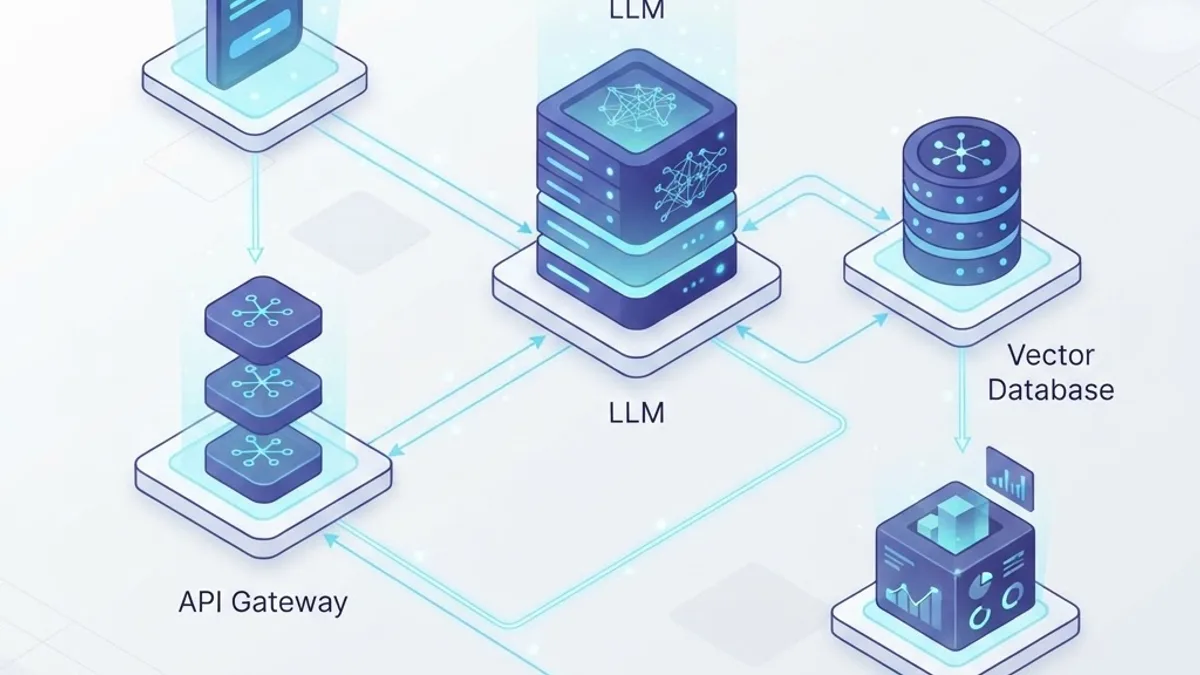
A production AI chatbot app has five layers, and skipping any one of them is where projects break down.
1. The client layer
This is the visible chat surface: a React Native or Swift/Kotlin mobile app, or a web widget. Two non-obvious requirements here: streaming and optimistic state. Token-by-token streaming reduces perceived latency dramatically, even when total response time is unchanged. Users tolerate a six-second answer that starts appearing in 400 milliseconds; they abandon a three-second answer that shows a blank spinner.
2. The orchestration layer
A server-side API that owns the system prompt, tool definitions, rate limits, and safety filters. Never let the client hold your API key or your system prompt. Anything shipped to a device is public.
3. The retrieval layer
This is where accuracy is won or lost. Retrieval-augmented generation (RAG) fetches relevant chunks of your documentation, product data, or ticket history and injects them into the prompt so the model answers from facts rather than memory.
4. The action layer
Tools or function calls that let the model touch real systems — your CRM, order database, or scheduling API. Every tool needs server-side authorisation scoped to the logged-in user, because the model will eventually be talked into calling something it should not.
5. The observability layer
Conversation logs, latency traces, token counts, thumbs-up/down, and escalation events. If you cannot answer "what percentage of conversations ended without a human?" you cannot improve the product.
Choosing Your Technical Stack
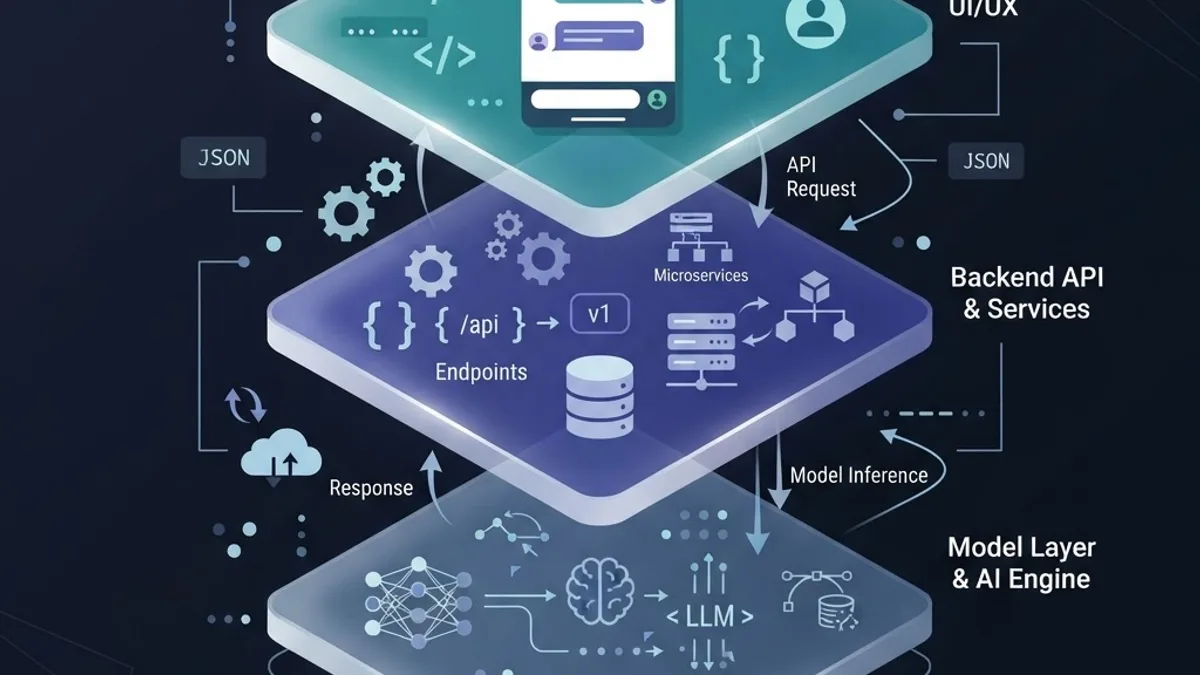
There is no single correct stack, but there are correct trade-offs. The decision that matters most is build versus buy, and it hinges on how much your conversations touch proprietary logic.
| Approach | Best For | Control | Data Ownership | Ongoing Cost Pattern |
|---|---|---|---|---|
| No-code chatbot platform | Marketing FAQ, lead capture | Low | Vendor-held | Per-seat plus per-conversation |
| Managed assistant API | Internal tools, fast pilots | Medium | Shared | Per-token plus storage |
| Custom app on model API | Product-embedded assistants | High | Yours | Per-token plus infrastructure |
| Self-hosted open model | Regulated data, high volume | Very high | Yours | GPU hosting plus engineering |
In our experience shipping conversational features for client products, teams that start with a managed API and a thin custom orchestration layer reach a usable v1 in weeks rather than months, then migrate specific hot paths to cheaper or self-hosted models once traffic patterns are known. Migrating early, before you have real conversation data, almost always optimises for the wrong thing.
If you are scoping this work with a partner rather than an internal team, it is worth reviewing how specialised delivery teams structure these builds — the approach outlined across ZoneTechify's artificial intelligence services reflects the same layered model described above.
Grounding: How to Stop a Chatbot Inventing Answers

Hallucination is not a mysterious model defect. It is what happens when a model is asked a question it has no supplied context for and is not permitted to say "I don't know." Four fixes, in order of impact:
- Retrieve before you generate. Chunk your documentation into 300–800 token sections with overlapping boundaries, embed them, and retrieve the top three to five matches per query. Chunks that are too large dilute relevance; chunks that are too small lose context.
- Instruct refusal explicitly. Your system prompt must state that if retrieved context does not contain the answer, the assistant says so and offers escalation. Models comply with this far more reliably than teams expect.
- Cite sources in the UI. Showing the source document next to the answer does two things: it lets users verify, and it makes wrong retrieval visible to you in logs.
- Constrain scope. A chatbot that answers only billing questions is dramatically more accurate than one that answers everything. Narrow first, expand later.
A useful internal benchmark: measure the percentage of answers where at least one retrieved chunk was actually used. If that number is low, your retrieval is failing and no amount of prompt engineering will save it.
Conversation Design Is a Product Discipline
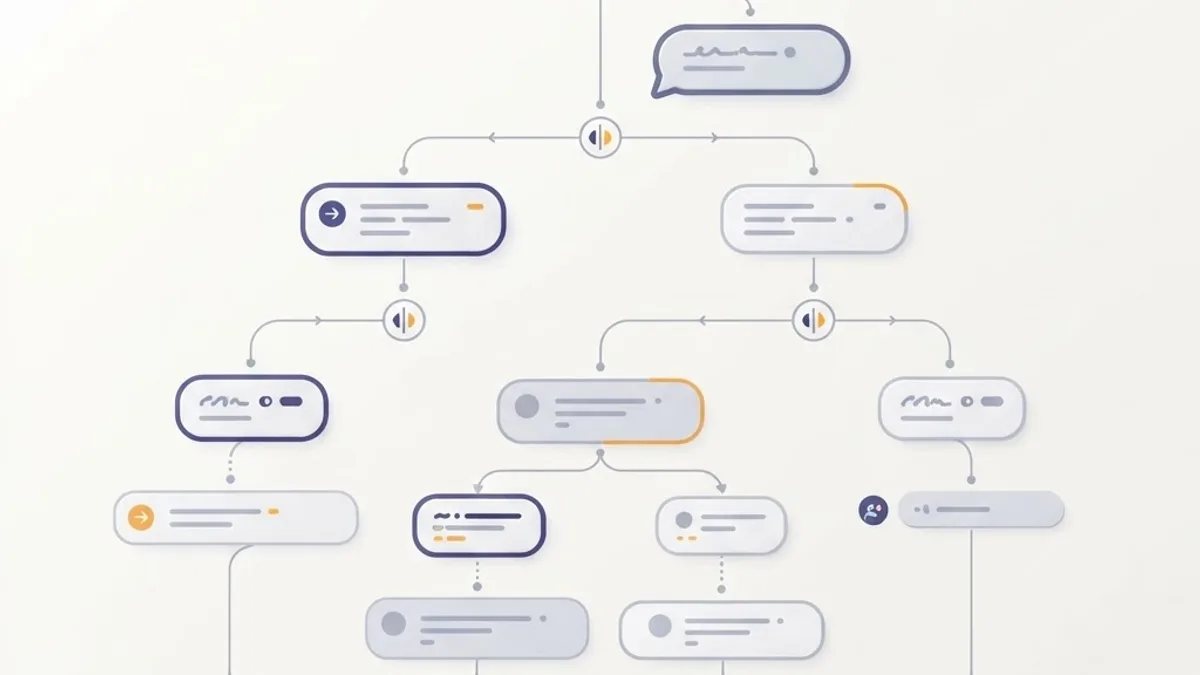
The most common cause of a poorly rated chatbot app is not model quality — it is missing conversational scaffolding. Specific, high-leverage design decisions:
- Open with capability, not greeting. Replace "Hi, how can I help?" with three tappable examples of what the bot can actually do. This single change reliably lifts first-message success because it sets expectations.
- Always offer an exit. A persistent "talk to a person" affordance increases trust in the bot rather than bypassing it. Hiding escalation is the fastest way to earn one-star reviews.
- Handle the second failure, not the first. Users forgive one bad answer. Detect two consecutive negative signals — a rephrased question, a thumbs-down, an "that's not what I asked" — and escalate automatically.
- Keep memory scoped and visible. Persisting conversation history improves continuity, but users should be able to see and clear it. Silent long-term memory feels invasive the first time it surfaces unexpectedly.
- Write in your product's voice. The model will default to generic corporate politeness. Give it three example exchanges in the system prompt and it will match your tone closely.
Cost: What an AI Chatbot App Really Runs
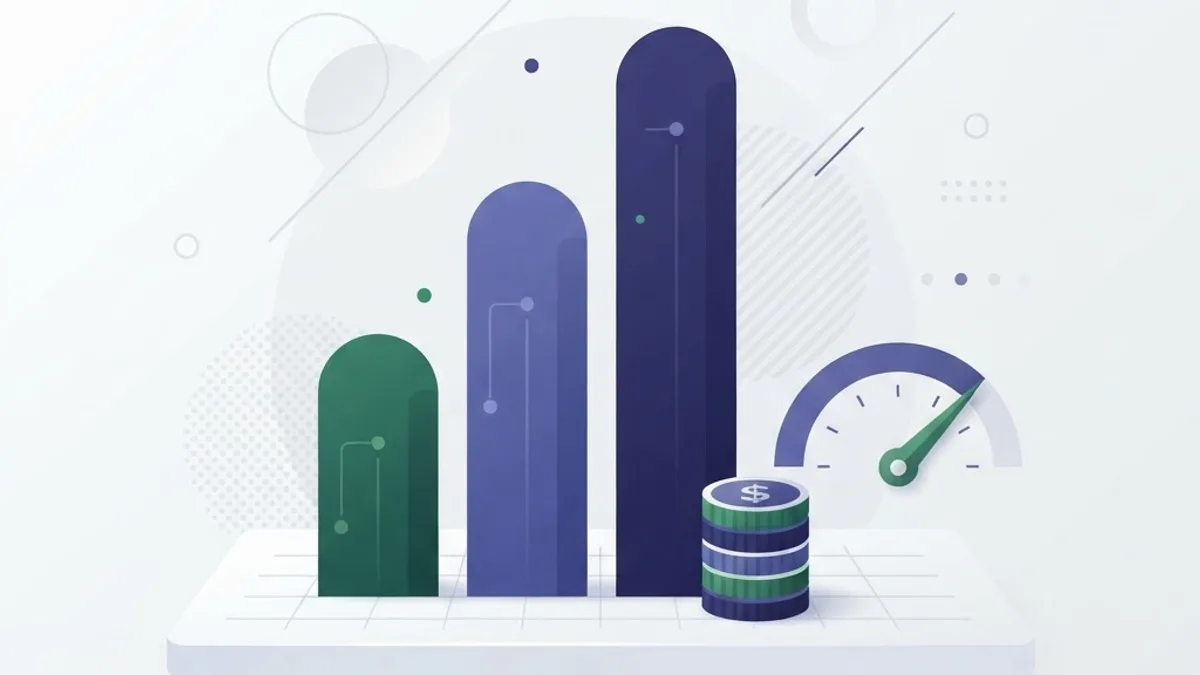
Token pricing has fallen sharply, which changes the build calculus. According to Stanford HAI's AI Index, the inference cost for a model performing at GPT-3.5 level dropped by more than 280-fold between late 2022 and late 2024. Capability that was once a serious line item is now close to a rounding error for most support volumes.
Your real costs cluster elsewhere:
- Retrieval infrastructure — vector storage and embedding refreshes as your docs change.
- Engineering time — evaluation harnesses, tool integrations, and escalation plumbing.
- Human fallback — the agents who handle the escalated tail, which never goes to zero.
The cost lever most teams miss is routing. Send short, high-frequency, well-retrieved questions to a small fast model and reserve a larger model for genuinely complex reasoning. Teams that route rather than defaulting everything to the largest available model routinely cut inference spend substantially with no measurable drop in satisfaction.
Privacy, Security, and Trust

Trust is a feature. Users are already cautious: Pew Research Center found that 52 percent of Americans are more concerned than excited about the increased use of AI in daily life. A chatbot that handles personal data has to earn its way past that scepticism.
Non-negotiables for any production chatbot app:
- Redact before you log. Strip emails, card numbers, and identifiers from stored transcripts, or store them encrypted with a short retention window.
- Authorise every tool call server-side. Never trust the model's claim about which user it is acting for; derive identity from the session.
- Treat prompt injection as a real attack surface. If your bot reads user-supplied documents or web pages, assume that content will try to override instructions. Never place retrieved text in a position where it can grant privileges.
- Disclose that it is AI. Regulatory direction in multiple jurisdictions is converging on this, and users prefer it regardless.
- Publish your data policy in the app. One screen explaining what is stored and for how long removes most user hesitation.
For teams weighing model selection and deployment posture, the technical breakdown at WebPeak and its AI services overview covers the hosting and compliance side in more depth.
Measuring Whether It Works
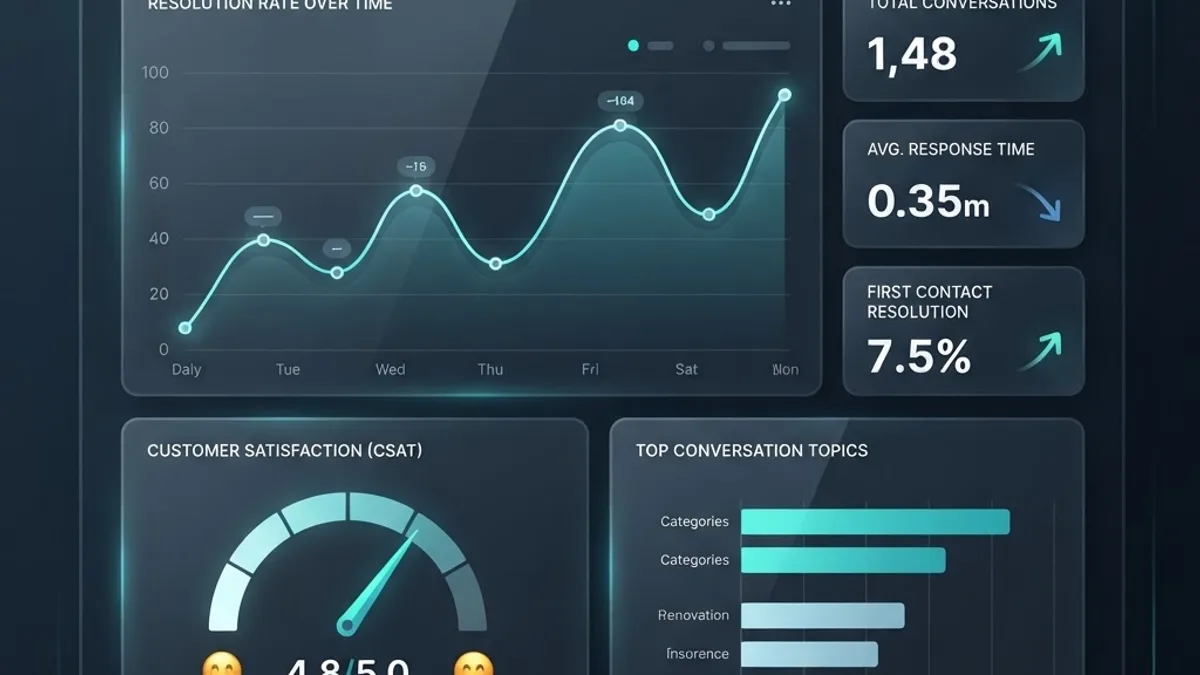
Most chatbot dashboards report vanity numbers: conversations started, messages sent. Neither tells you whether the product is useful. Track these instead:
- Containment rate — conversations resolved without human handoff. This is the headline number.
- Time to first useful answer — not response latency, but how many turns until the user got what they needed.
- Escalation quality — of the conversations that escalated, how many should have escalated sooner.
- Retrieval hit rate — how often the correct source document was retrieved.
- Repeat contact rate — users returning within 24 hours with the same question, the clearest signal of a false resolution.
Build a small evaluation set of 50 to 100 real questions with known-correct answers and re-run it on every prompt or model change. Without this, every improvement is a guess, and you will eventually ship a regression you cannot explain.
A Realistic Build Sequence
- Pick one job. Choose the single highest-volume question category from your existing support tickets.
- Assemble the knowledge base. Clean, current documentation for that category only.
- Build the thin path. Client, orchestration API, retrieval, streaming response. No tools yet.
- Add the evaluation set. Fifty real questions, graded answers, run before every change.
- Add escalation. Handoff to a human with full transcript context.
- Add one action tool. The most requested task in that category.
- Ship to 5 percent of traffic. Compare containment against your human baseline.
- Expand by category, repeating steps two through seven.
This sequence works because it produces a measurable result before the expensive parts. Teams that instead build a general-purpose assistant covering everything at once ship later and cannot diagnose failures, because every failure has too many possible causes.
For a wider look at how AI tooling is being packaged and distributed — including the risks of unofficial builds — this related breakdown on artificial intelligence mod APKs is worth reading before you decide how to ship and license your own app.
Key Takeaways
- An AI chatbot app needs five layers: client, orchestration, retrieval, action, and observability. Missing the retrieval or observability layer is the most common cause of failure.
- Hallucination is largely a grounding problem. Retrieval plus an explicit instruction to refuse unknown questions fixes most of it.
- Inference cost for GPT-3.5-level performance fell over 280-fold between 2022 and 2024, per Stanford HAI, shifting the main cost from tokens to engineering and human fallback.
- 52 percent of Americans are more concerned than excited about AI in daily life (Pew Research Center), so disclosure and data transparency are product requirements, not legal afterthoughts.
- Containment rate, not conversation volume, is the metric that tells you whether the app is working.
- Model routing — small models for simple queries, large models for complex reasoning — is the highest-leverage cost optimisation available.
- Start with one high-volume question category and a 50-question evaluation set before expanding scope.
Frequently Asked Questions (FAQ)
How long does it take to build an AI chatbot app?
A focused v1 covering one question category with retrieval, streaming, and human escalation typically takes four to eight weeks with a small team. Broad, multi-department assistants take months because each new domain needs its own knowledge base, evaluation set, and tool integrations before it can be trusted in production.
Do I need to train my own AI model for a chatbot app?
Almost never. Retrieval-augmented generation on a general-purpose model gives you accurate, up-to-date answers without training costs, and your knowledge base can be updated instantly. Fine-tuning is worth considering only for consistent tone, structured output formats, or narrow classification tasks at high volume.
Why does my chatbot give confidently wrong answers?
Because it was asked something outside its supplied context and was not told it could refuse. Fix it by retrieving relevant source documents before generating, instructing the model to say it does not know when context is missing, and displaying source citations so incorrect retrieval becomes visible in your logs.
What is the difference between a chatbot and an AI agent?
A chatbot answers questions using language. An AI agent also performs actions through tool or function calls, such as looking up an order, cancelling a subscription, or booking an appointment. Most users want agent behaviour, since they open a chat window to complete a task rather than to read information.
How do I know if my AI chatbot app is actually helping users?
Measure containment rate, the share of conversations resolved without a human, and repeat contact rate, the share of users returning within 24 hours with the same question. High containment paired with high repeat contact means the bot is closing conversations without solving problems, which is worse than escalating.
Should the chatbot always offer to connect to a human?
Yes. A visible escalation option increases trust in the bot rather than encouraging bypass, because users stop fearing they will get stuck. Additionally, escalate automatically after two consecutive negative signals such as a rephrased question or a thumbs-down, rather than waiting for the user to give up.