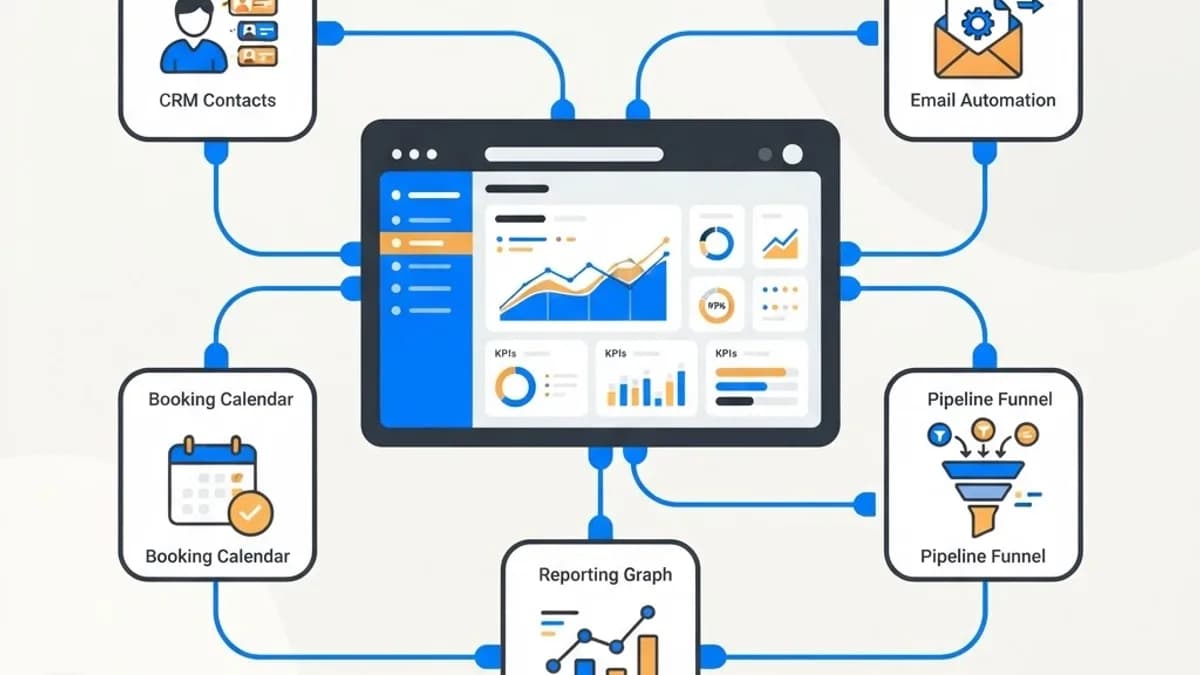
A clear look at all in one boss suite digital marketing platforms, what they replace, where they fail, and how to decide between a suite and a best of breed stack.
Boss Suite Digital Marketing
Every small business owner eventually hits the same wall: seven marketing tools, five logins, three places where customer data lives, and no single view of what is actually working. All in one suite platforms, often marketed under names like boss suite, promise to collapse that mess into one dashboard. Sometimes they deliver. Sometimes they trade one problem for a worse one.
Quick Answer: A boss suite style digital marketing platform bundles CRM, email and SMS automation, landing pages, booking, pipelines, and reporting into one system. Suites suit small teams that value consolidation and simple reporting. Specialized best of breed tools suit teams with advanced needs in a single channel.
What an All in One Marketing Suite Actually Includes
The category has converged on a fairly consistent feature set. Understanding the components helps you evaluate any vendor claim quickly.
- Contact and CRM layer. A central database of leads and customers with tags, custom fields, and activity history.
- Pipeline management. Visual deal stages so you can see where prospects stall.
- Email and SMS automation. Triggered sequences based on behavior, forms, or pipeline movement.
- Landing pages and forms. Campaign specific pages built without a developer.
- Calendar and booking. Self service scheduling that writes directly into the CRM.
- Reputation management. Automated review requests after a completed job or purchase.
- Reporting dashboard. Attribution from source through to closed revenue, at least in theory.
The value proposition is not any single feature. Each one exists in better form as a standalone product. The value is that the features already talk to each other, which eliminates integration work most small businesses never complete anyway.
The Real Problem Suites Solve: Data Fragmentation
Fragmentation is expensive in ways that never appear on an invoice. When form submissions live in one tool, email engagement in another, and closed deals in a spreadsheet, nobody can answer the only question that matters: which marketing activity produced revenue.
Marketing operations research over the past decade has repeatedly found that a majority of organizations struggle to connect marketing activity to revenue outcomes, and disconnected systems are the most cited cause. For a five person company with no operations staff, that gap is effectively permanent unless the tooling closes it by default.
A suite closes it by default. Every contact carries its source. Every pipeline stage change is timestamped. Revenue attribution becomes a report rather than a project. That single benefit often justifies the switch even when individual features are weaker than the specialized alternatives.
Where Suites Genuinely Fall Short
Honesty about limitations prevents expensive regret.
Email deliverability is the most common weak point. Shared sending infrastructure on lower cost suites can produce worse inbox placement than a dedicated email platform with established sender reputation management. If email is your primary revenue channel, test deliverability before migrating.
Landing page builders in suites are typically adequate rather than good. Page speed, design flexibility, and structured data control lag behind purpose built systems, which matters if organic search traffic is central to your model.
Advanced analytics is another gap. Suite reporting handles first touch and last touch attribution reasonably, but multi touch modeling, cohort analysis, and custom data warehouse work usually require exporting to another system.
Finally, there is platform lock in. Your automations, page designs, and workflow logic are rarely portable. Contacts export cleanly; a year of carefully built automation does not.
Suite Versus Best of Breed: An Honest Comparison
| Factor | All in One Suite | Best of Breed Stack |
|---|---|---|
| Monthly cost | Lower combined cost, single subscription | Higher total, multiple subscriptions |
| Setup time | Days to a few weeks | Weeks to months including integrations |
| Feature depth per channel | Adequate across the board | Strong in each specialized area |
| Attribution reporting | Built in and immediate | Requires integration work or a data layer |
| Email deliverability | Variable, depends on vendor infrastructure | Generally stronger with dedicated providers |
| Scalability beyond mid market | Limited | High |
| Switching cost later | High, automations rarely portable | Moderate, replace one tool at a time |
The decision rule most teams should apply: if no single marketing channel accounts for the clear majority of your revenue, a suite is likely the better choice. If one channel dominates, invest in the best tool for that channel and keep the rest lightweight.
Implementation: The Part Most Buyers Underestimate
Buying the platform is ten percent of the work. A realistic rollout looks like this.
- Map your current process first. Document how a lead actually moves from first contact to paid customer today, including the informal steps. Automating an undefined process just makes confusion faster.
- Clean data before importing. Deduplicate contacts, standardize phone formats, and remove addresses that have not engaged in two years. Importing a dirty list into a new sending domain damages deliverability immediately.
- Warm the sending domain. Authenticate with SPF, DKIM, and DMARC, then ramp volume gradually over two to four weeks rather than blasting the full list on day one.
- Build one workflow at a time. Start with the highest value automation, usually new lead follow up, and prove it before adding nurture sequences.
- Define pipeline stages with exit criteria. A stage needs an objective definition of what must be true to advance, otherwise reporting becomes fiction.
- Train the team on one daily habit. Adoption fails when logging activity feels optional. One non negotiable habit beats a comprehensive training deck.
- Review attribution after 60 days. Compare platform reported sources against what customers say when asked directly, then correct tracking gaps.
Speed to lead deserves particular attention during setup. Widely cited lead response research has found that contacting an inbound lead within the first few minutes substantially improves qualification odds compared with waiting an hour. An automated instant text plus internal notification is usually the single highest return workflow any suite can run.
Signals You Have Outgrown a Suite
Suites are a stage, not a permanent home for every company. Consider migrating when several of these appear:
- Email list exceeds roughly 50,000 active contacts with segmentation complexity the builder cannot express.
- You need server side event tracking or a customer data platform.
- Compliance requirements demand granular audit logs or data residency controls the vendor cannot provide.
- Multiple business units need separate permissions, branding, and reporting boundaries.
- Your analytics questions consistently require exporting data elsewhere to answer.
When that migration comes, plan it as a project with a parallel run period. Teams that build production grade web apps and custom integrations generally recommend running both systems for at least one full sales cycle so you can validate that no automation silently stopped firing.
Choosing a Vendor Without Getting Burned
Apply the same discipline you would to any operational software purchase.
Verify the contract length and cancellation terms, because annual lock ins are standard in this category. Confirm data export scope in writing, specifically whether automation logic and page designs export or only contact records. Test support response time during the trial by submitting a real question rather than a softball. Check whether the vendor is a genuine platform or a white labeled reseller of someone else's software, since reseller support quality varies dramatically and roadmap control sits elsewhere.
Run a two week pilot with one real campaign rather than a demo environment. Import a small segment, build one automation, send one sequence, and measure deliverability and reporting accuracy against your existing tools. If the numbers diverge sharply, find out why before migrating anything else. Providers offering online marketing services on top of platform setup can shorten that evaluation considerably, but the pilot data should still come from your own audience.
Key Takeaways
- All in one marketing suites consolidate CRM, automation, pages, booking, reviews, and reporting so attribution works by default rather than requiring integration projects.
- Suites typically trade feature depth for coherence, with email deliverability and landing page performance the most common weak points.
- The practical decision rule is to choose a suite when no single channel dominates revenue, and best of breed when one channel clearly does.
- Implementation risk concentrates in data hygiene and sending domain warm up, not in feature configuration.
- Instant lead response automation is usually the highest return workflow a suite can deliver for a small business.
- Automations and page designs rarely export cleanly, so switching cost rises steadily the longer a suite is used.
Frequently Asked Questions (FAQ)
What is an all in one digital marketing suite?
It is a single platform combining CRM, email and SMS automation, landing pages, booking calendars, review requests, and reporting. Because the components share one contact database, campaign source data flows through to closed revenue without custom integrations, which is the main advantage over separate specialized tools.
Is a marketing suite cheaper than separate tools?
Usually yes on subscription cost, often by a wide margin compared to buying a CRM, email platform, page builder, and scheduler separately. Total cost of ownership also includes setup labor and switching cost later, so compare full implementation effort rather than monthly pricing alone.
Do marketing suites hurt email deliverability?
They can, depending on the vendor's sending infrastructure and how well you authenticate and warm your domain. Set up SPF, DKIM, and DMARC correctly, import only engaged contacts, and increase volume gradually. Test inbox placement with a small segment before migrating your full list.
Can a suite replace my website?
Rarely, and it usually should not. Suite page builders work well for campaign landing pages but lag on speed, design control, and technical SEO. Keep your main website on a proper platform and use the suite for conversion focused campaign pages and internal workflows.
How long does it take to implement a marketing suite?
A focused rollout covering data import, domain authentication, one core automation, and pipeline setup typically takes two to six weeks for a small business. Full adoption across a sales team usually takes a quarter, because behavior change, not configuration, is the slow part.
When should a business move off an all in one platform?
Consider moving when segmentation needs exceed the builder's logic, when you require server side tracking or a customer data platform, when compliance demands audit controls the vendor lacks, or when separate business units need isolated permissions and reporting boundaries.